How to set up QFpay for your online shop
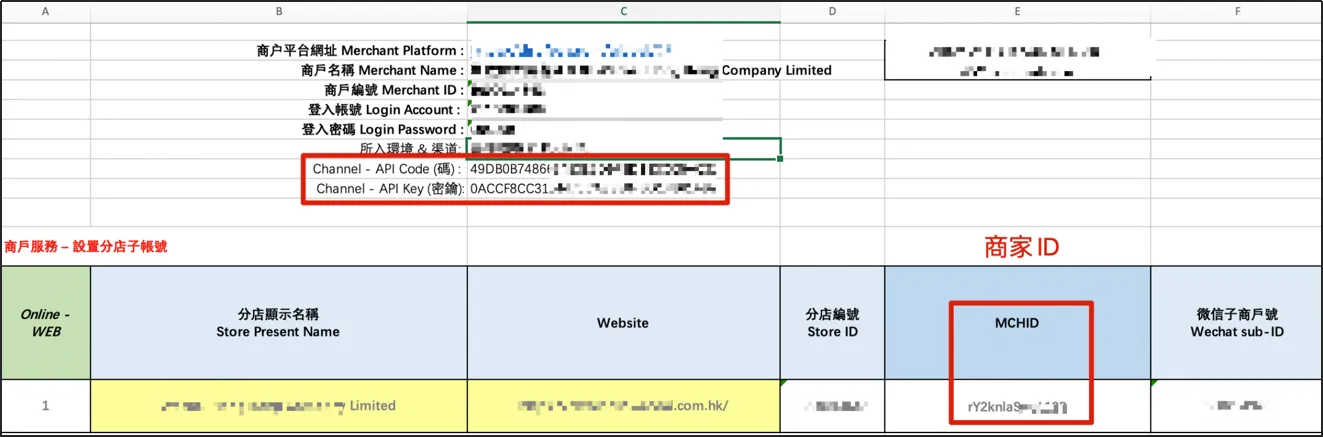
1. Once you have successfully applied for QFpay, you will receive an email from QFpay with the following information:
2. Log in to CMS, then enter the "Payment & Currency" page, add a payment method, and select "Money (New)" as the type.
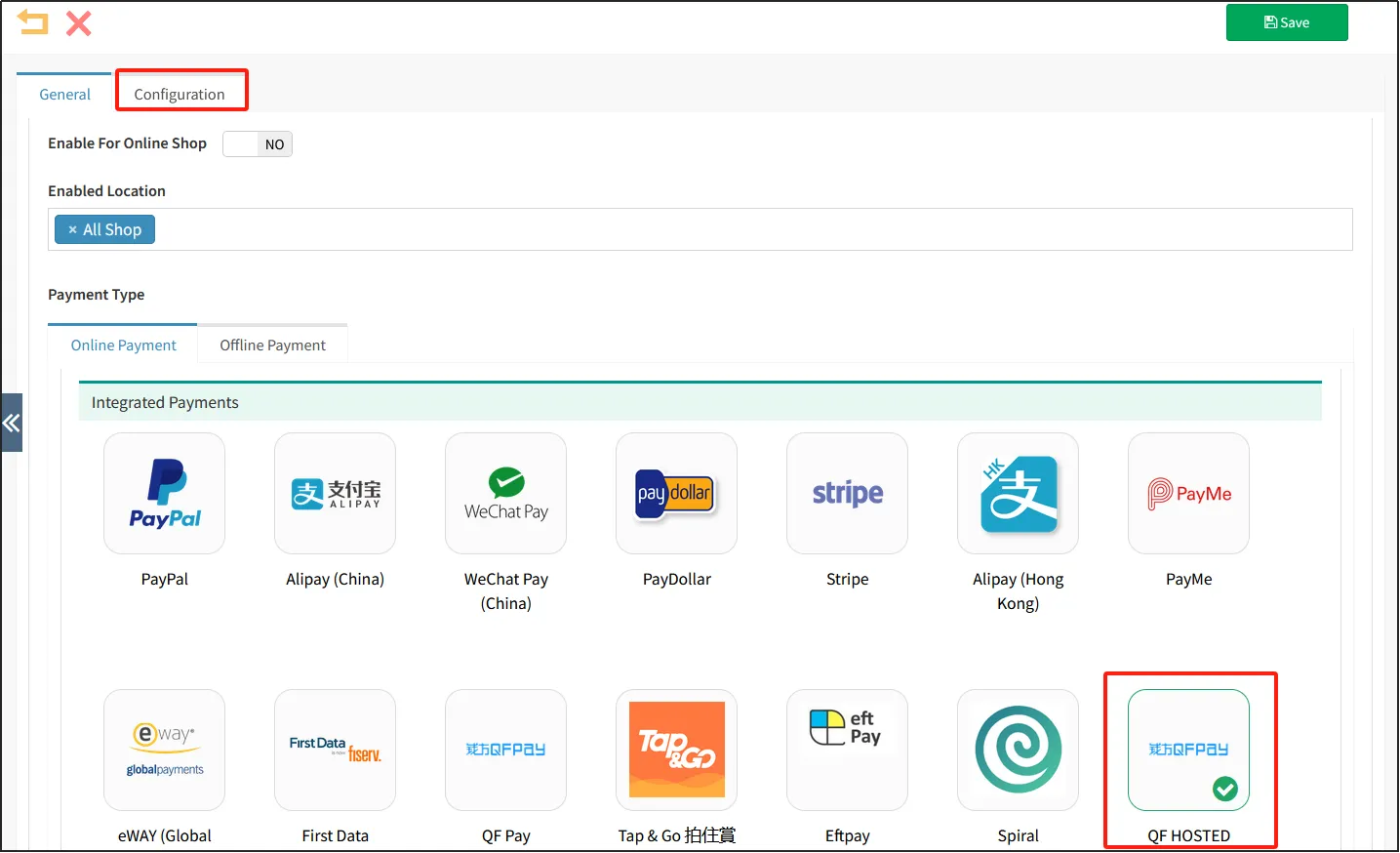
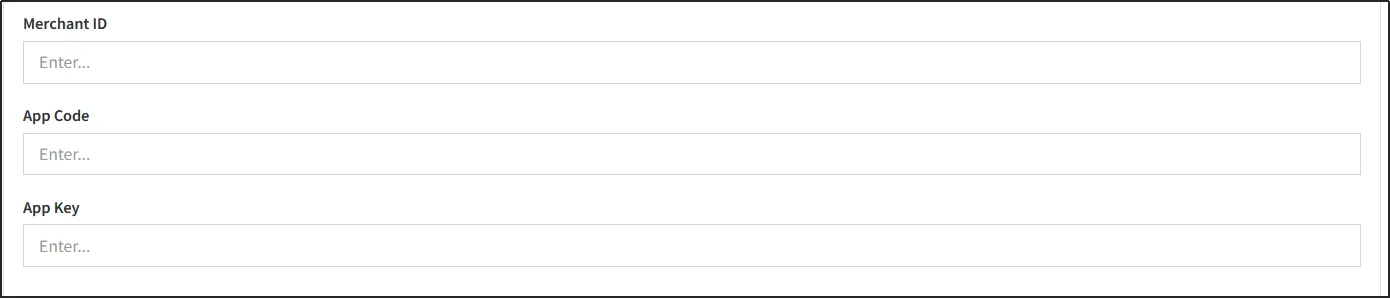
3. Go to the "configuration" page and fill in the corresponding MCHID (Merchant ID), App code, and App key.
Note:
After the successful application of QFpay-AlipayHK, it will still take 2~3 days to take effect.
4. Finally, you need to notify the QFpay tech team to configure the callback address: https://{yourdomain}/page/payment-notify
How to set up QFpay for WeChat Mini Program
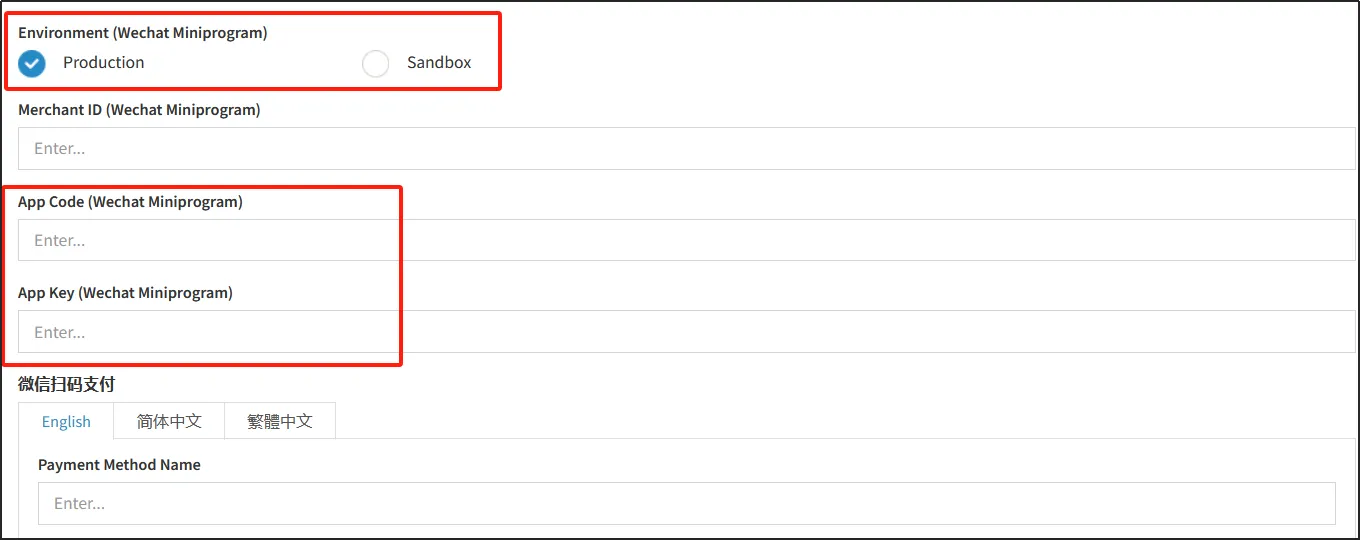
1.If you apply for QFpay for WeChat Mini Program, the QFpay Excel you receive will include:
App Code (WeChat Mini Program)
App Key (WeChat Mini Program)
2.Log in to CMS, then enter the "Payment & Currency" page, add a payment method, and select "Money" as the type.
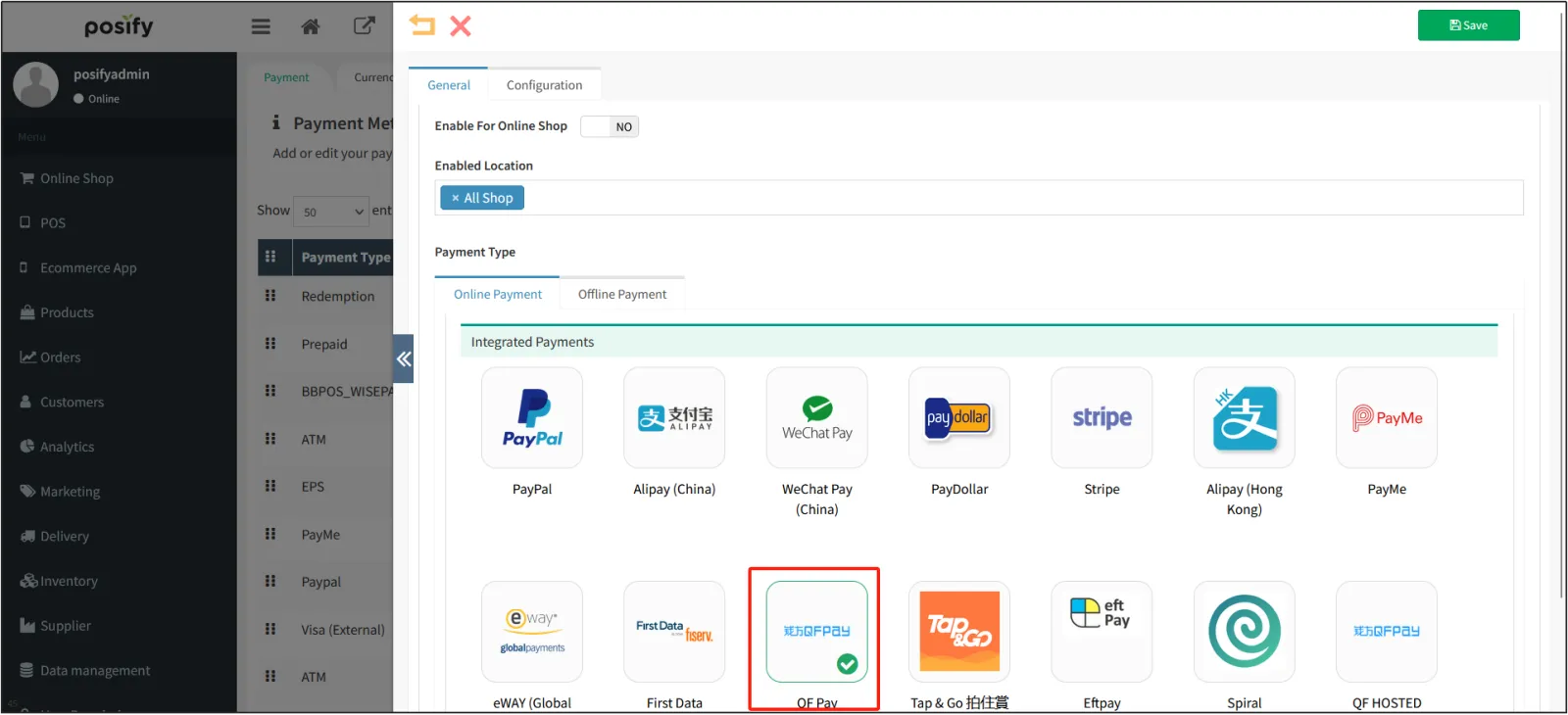
3. On the "configuration" page, find the "Connection Environment (WeChat Mini Program)" section, and then enter "App Code" and "App Key".