Five tips for selling products through Facebook live streaming
.png)
In recent years, "live streaming with goods" has evolved from a marketing tool exclusively for influencers to an effective weapon for small and medium-sized retailers to achieve sales growth. Especially on Facebook, a platform with a large user base and high interaction, livestreaming can not only display product features in real time, but also quickly build customer trust through interaction and storytelling. For retailers, if you're still running live as a one-time event and not strategically, you're probably missing out on a huge switchover opportunity.
Although the threshold for live broadcasting may not seem high, there are actually a lot of eyebrows hidden in the "bring good" live broadcasting. Here are five key tips that every retailer needs to know before turning on Facebook Live, from content design, interactive management, livestreaming rhythm, shopping guide strategy, and after-the-fact tracking.
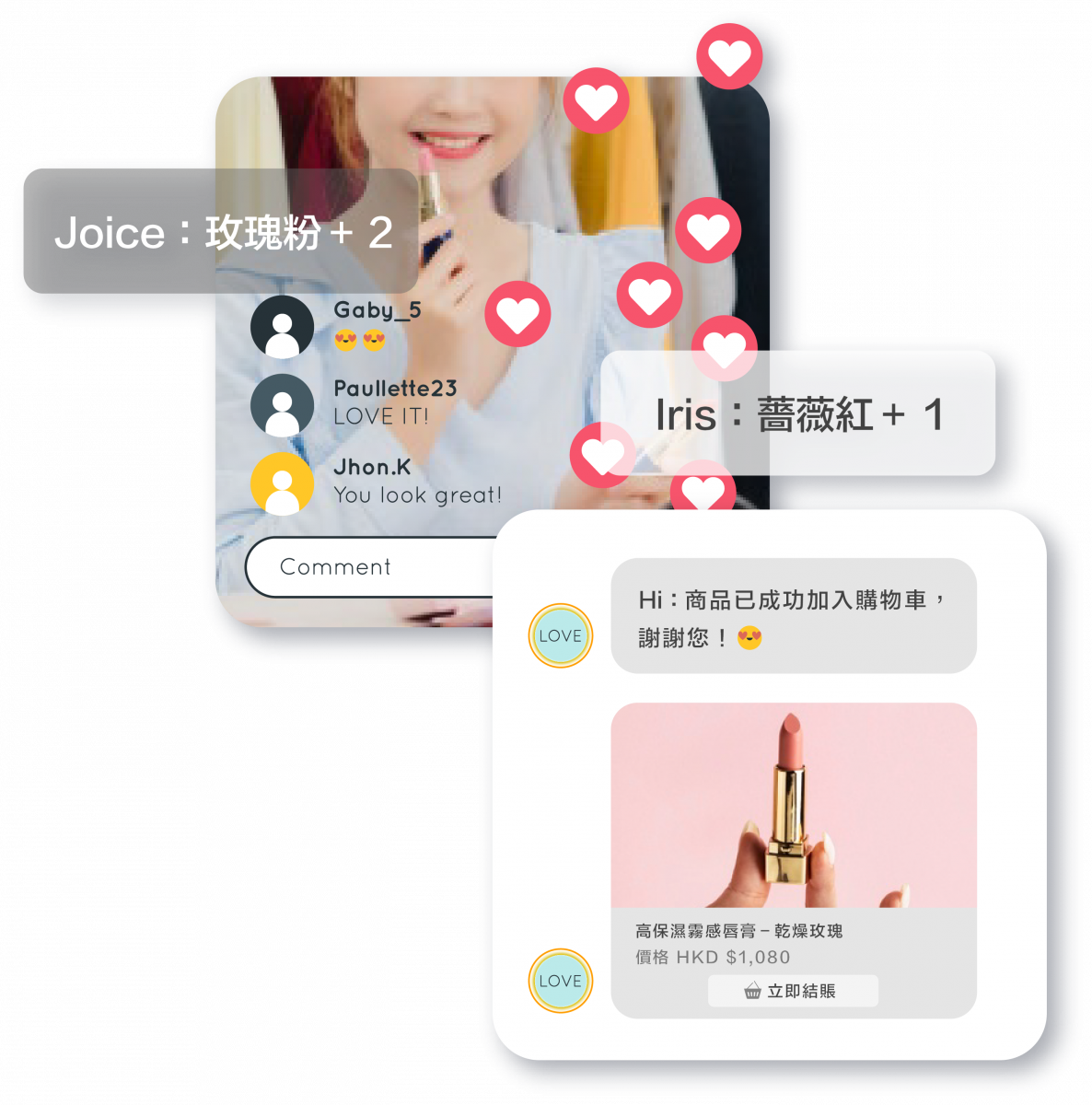
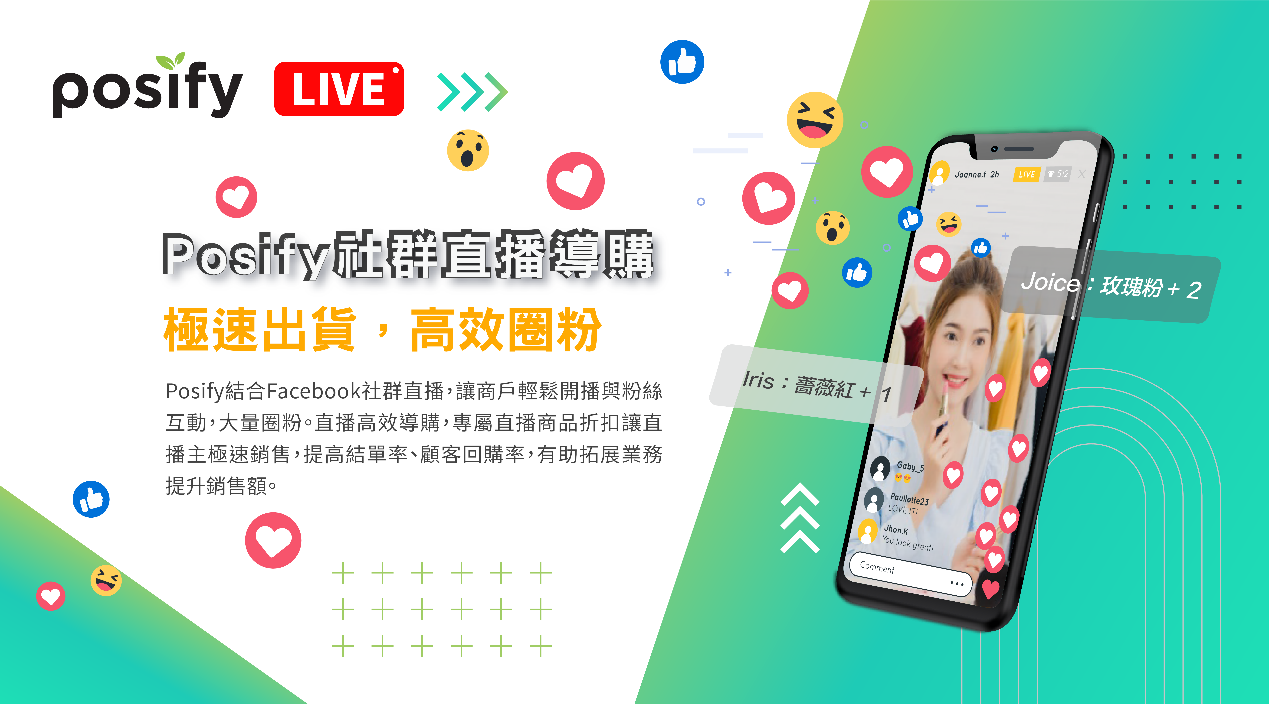
Posify combines Facebook social livestreaming to make it easy for merchants to start interacting with fans and have a large circle of fans.
Efficient live shopping guide, exclusive live product discounts allow live streamers to sell quickly, improve the statement rate and customer repurchase rate, and help expand business and increase sales.
Posify has put together five tips on Facebook livestreams to help merchants get up to speed quickly, so let's take a look:
1. Livestream pre-promotion, popularity of the launch traffic
Before you start the live broadcast, you can set the live broadcast time notification in advance, so that fans can watch the live broadcast at this time, so as to avoid fans from missing the live broadcast time, you can preview the fixed live broadcast time, and at the end of each live broadcast, you can book the next live broadcast time with the fans, so that fans can continue to follow the live broadcast activities and create a sense of expectation.
Choose “Create live video event” on Facebook Livestream to set up a teaser for your live event and share it to your circles of friends.
.png)
Upload event image, suggested size 1200 x 675
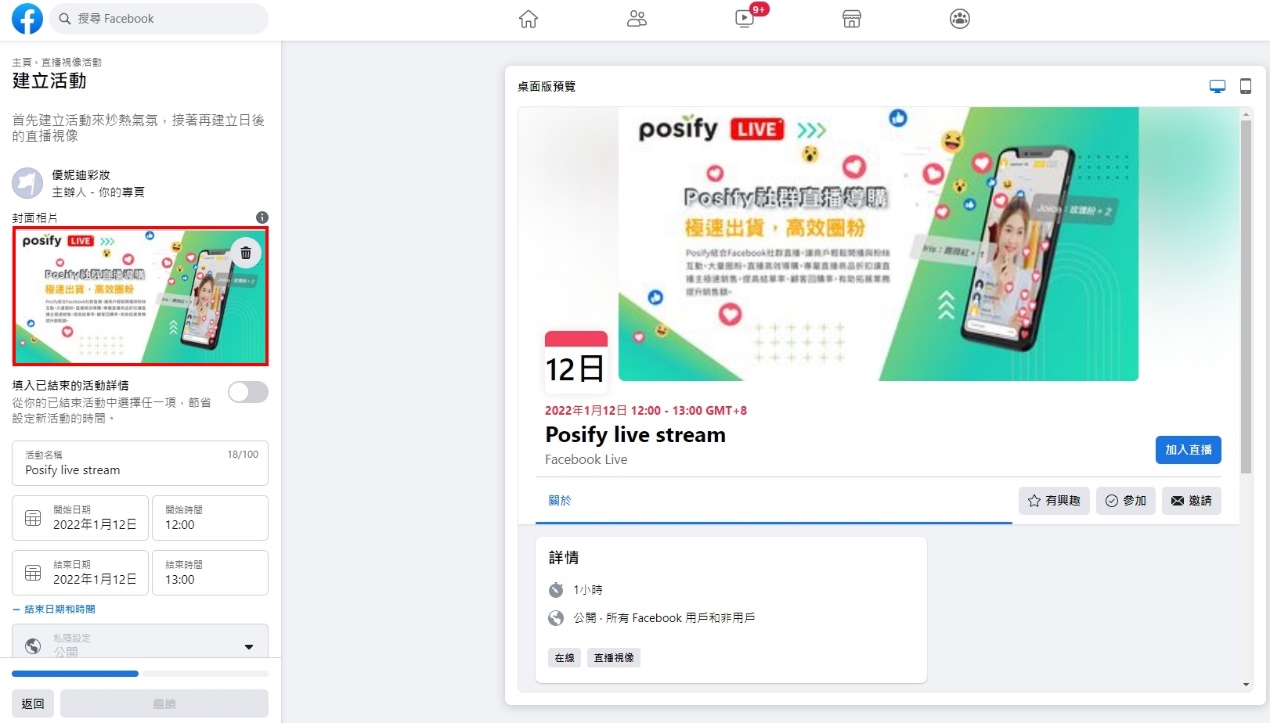
Fill in the name of the eye-catching livestream event and the date of the livestream
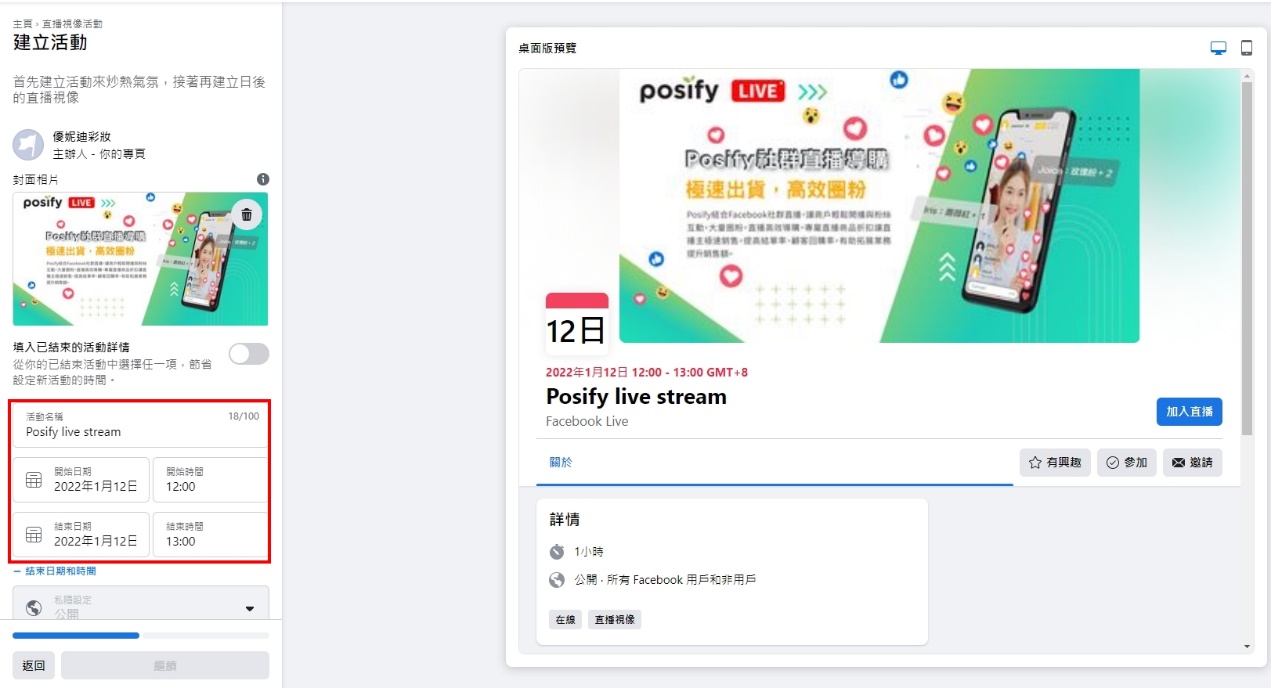
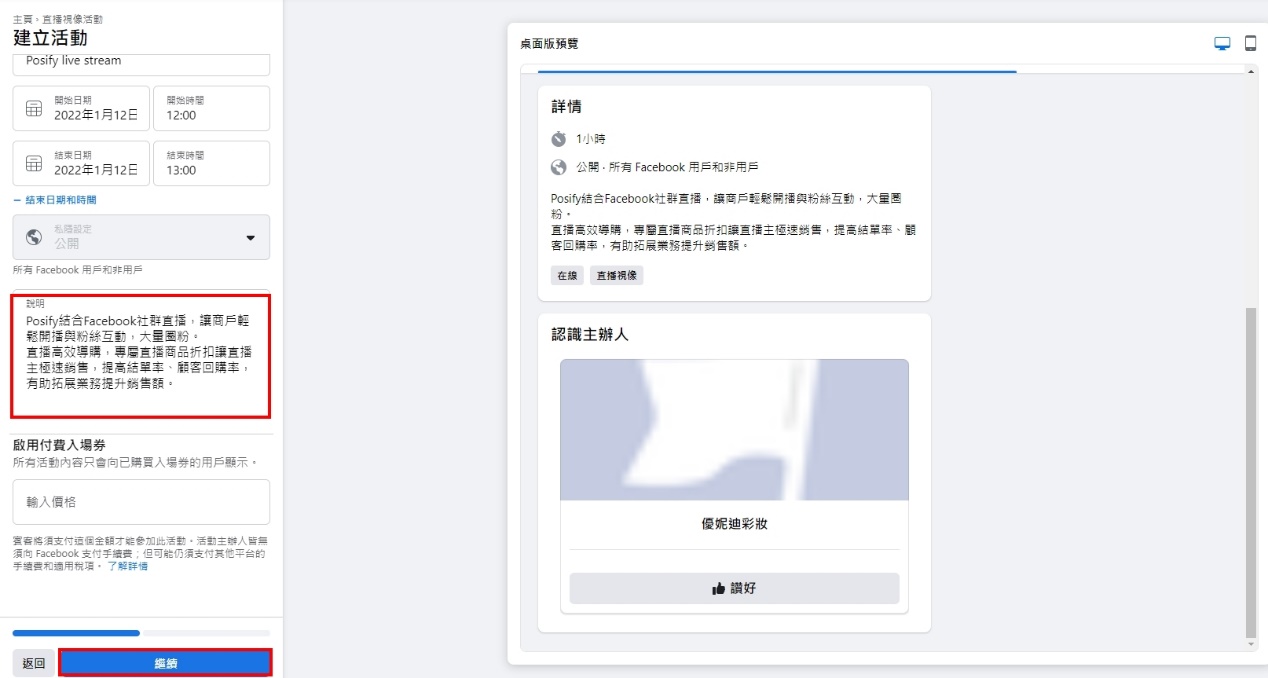
Describe the details of the event or the hot items that are expected to be sold, tap to continue
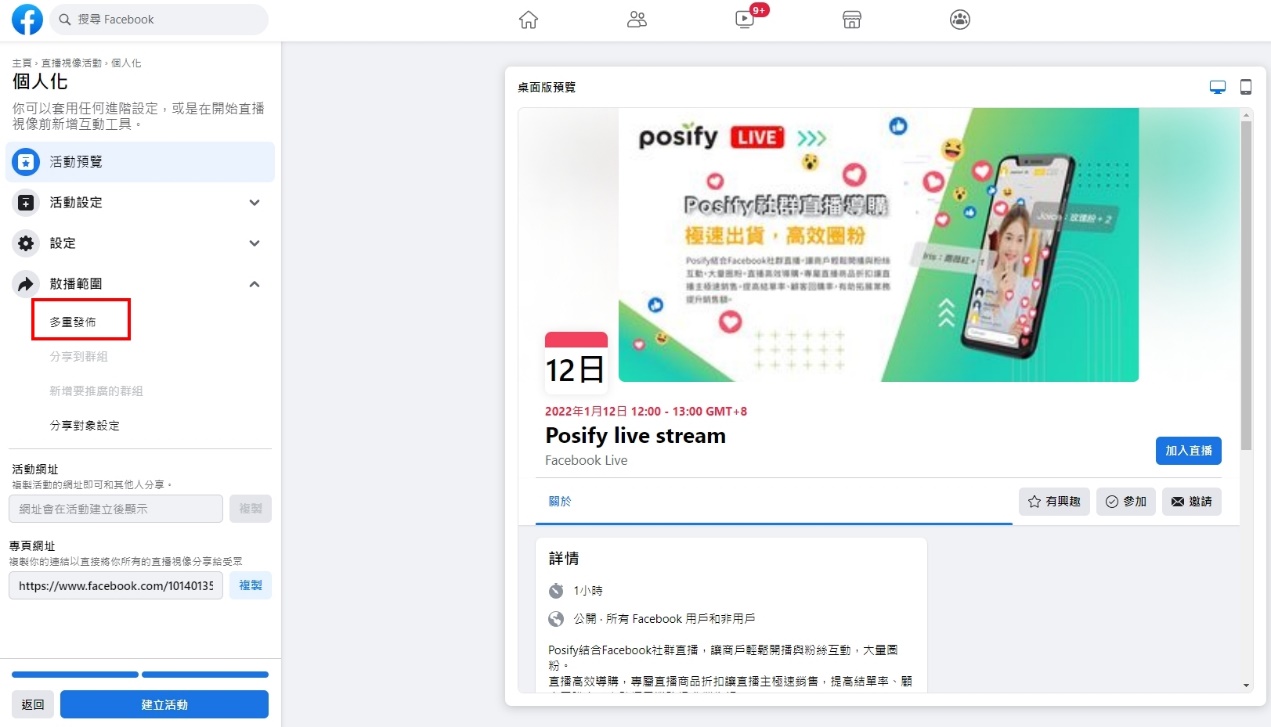
If you have multiple Pinks that need to post to your event at the same time, you can click Multiple Posts and select the Pinks page you want to send.
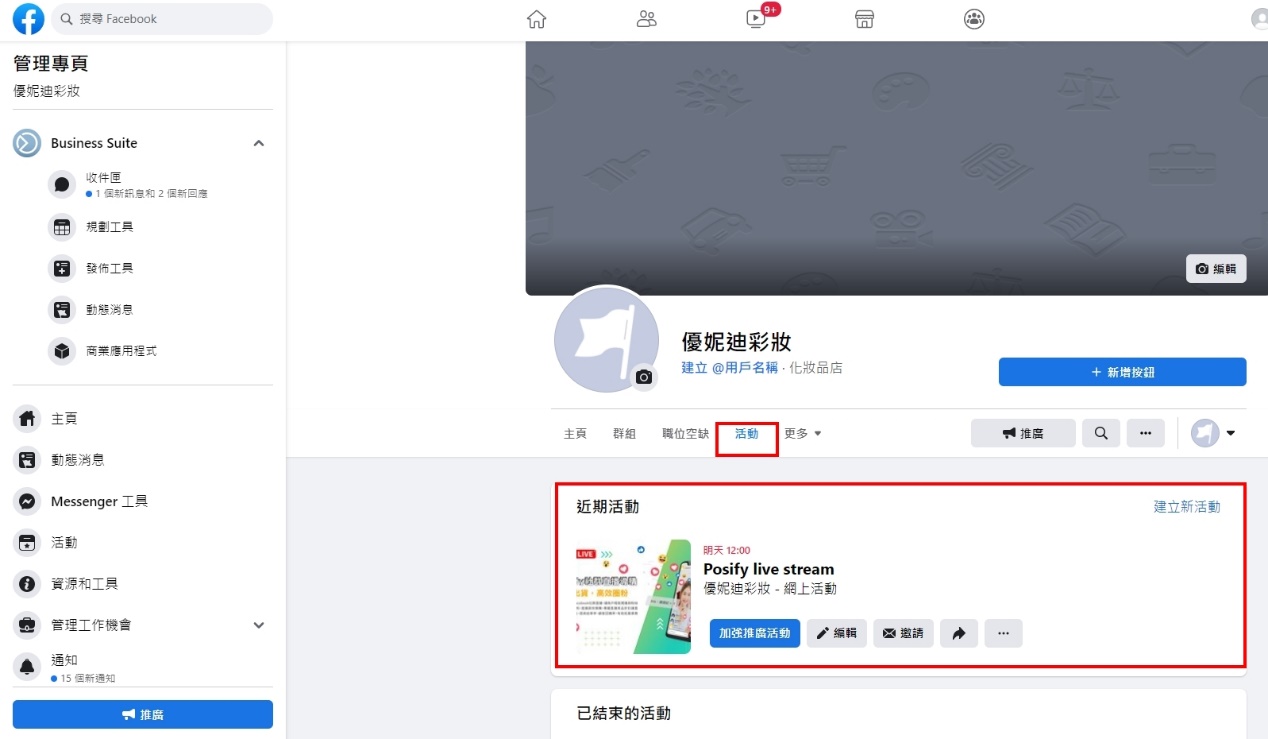
Once you tap Create event, you'll see a teaser of your live event on your page, and click the Share link to promote your event.
2. Design livestream script content to easily livestream non-card words
Livestreaming is a TV program that can't be ignored. In order to make the entire live broadcast process smooth, the content must be designed so that the audience knows that your live broadcast is ready to bring fans a certain degree of entertainment and content. Before the livestream, you can prepare the following content to keep the livestream smooth:
a) Livestream schedule: 3-5 minutes is used as a unit to plan the schedule, and when to introduce products, product questions and answers, interact with fans, etc.
b) Ready to Sell: Understand item details, item prices, promotions, order of item introductions, etc.
c) Fast online purchase completion: Posify live stream can help fans to complete the purchase quickly in the live broadcast, and quickly complete the purchase in the online store after placing the order.Merchants can quickly sell as long as they set up the payment and delivery configuration in the CMS backend in advance.
.png)
3. Bring your fans closer with real-time high engagement
The biggest advantage of live broadcasting is that it can interact with fans at a distance of 0, improve fan participation, view product details up close, get fan feedback at any time, and answer any questions from fans in a timely manner, close the distance between fans, increase likability, and add a lot of points to the purchase experience.
Here are some interactions you can try:
a) Ask questions Answered by fans
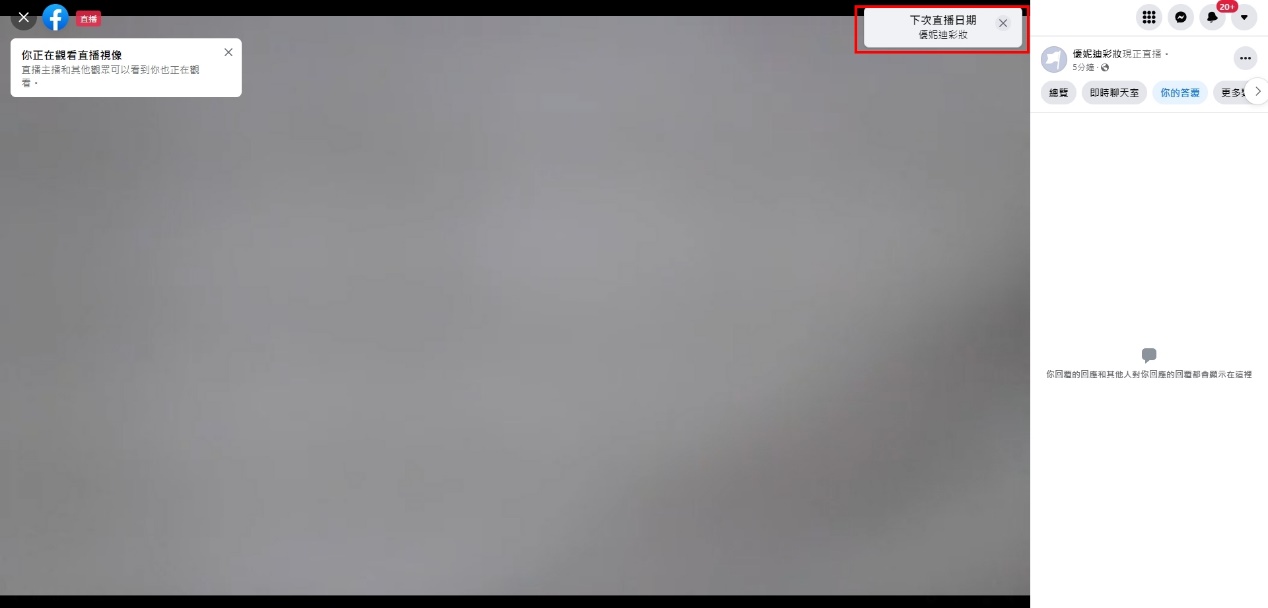
Create answers to questions in Facebook Live, ask various questions to allow fans to answer, improve fan interaction, make the live broadcast process more interesting, increase fan engagement, and allow fans to answer questions related to products or other questions, not necessarily related to brands and products, thereby increasing fun.
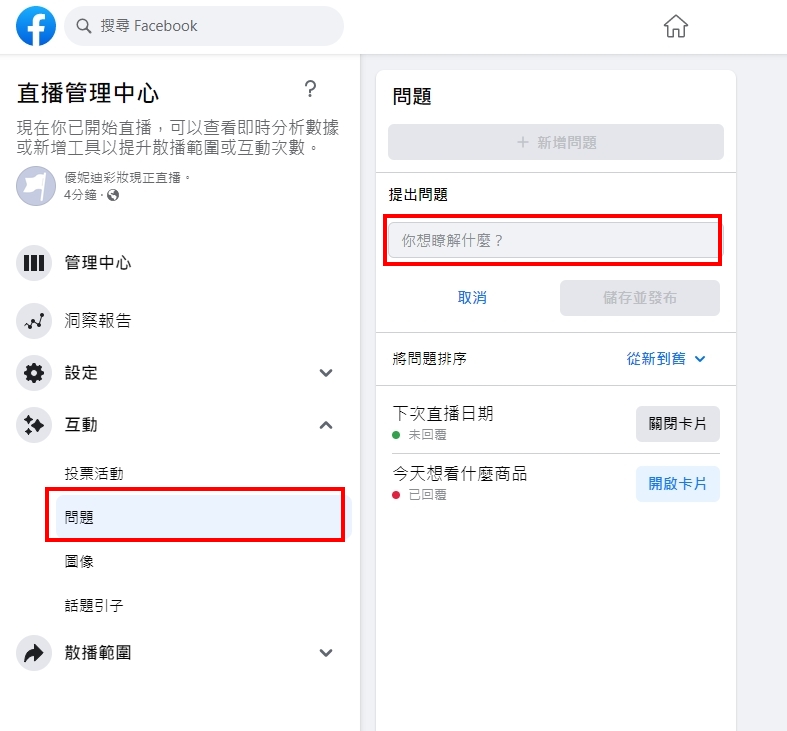
The question will appear in the upper right corner of the livestream screen to remind fans to answer the question.
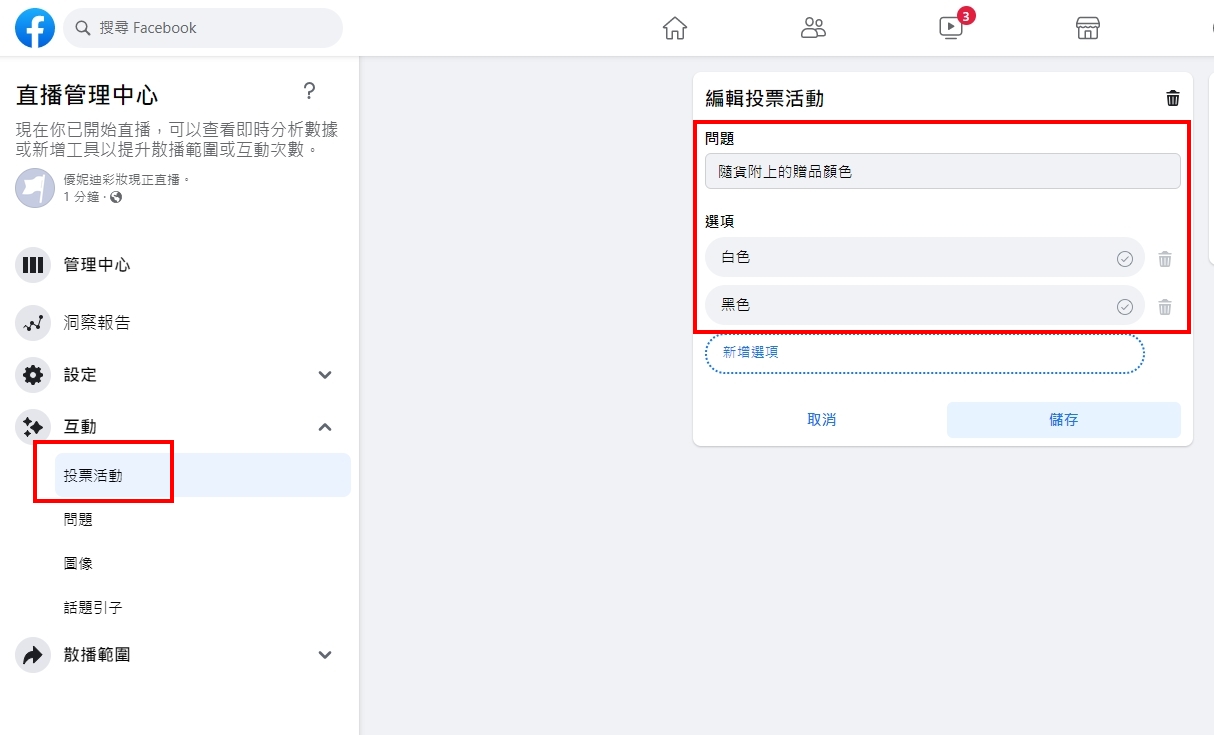
b) Create a poll
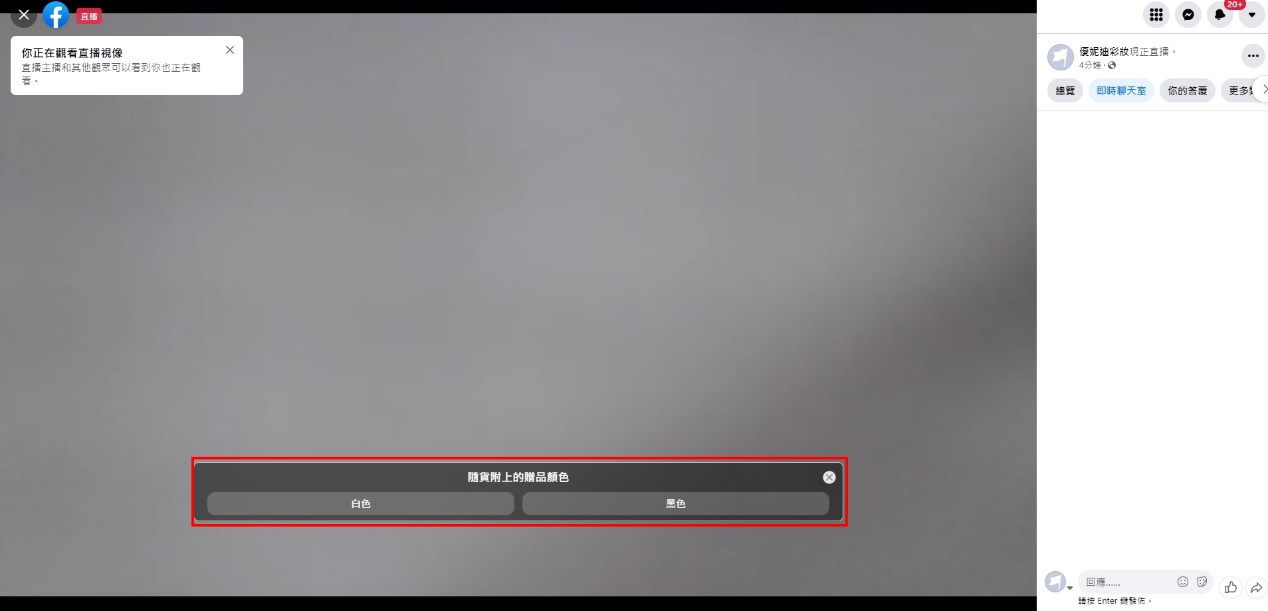
Create polls to make live events more interactive and allow fans to decide what to do with the live event, such as what color to give away as a gift for a live item.
Voting events are displayed in the middle of the livestream and you can vote directly by clicking on the option.
4. Remind the product list and empty the cart
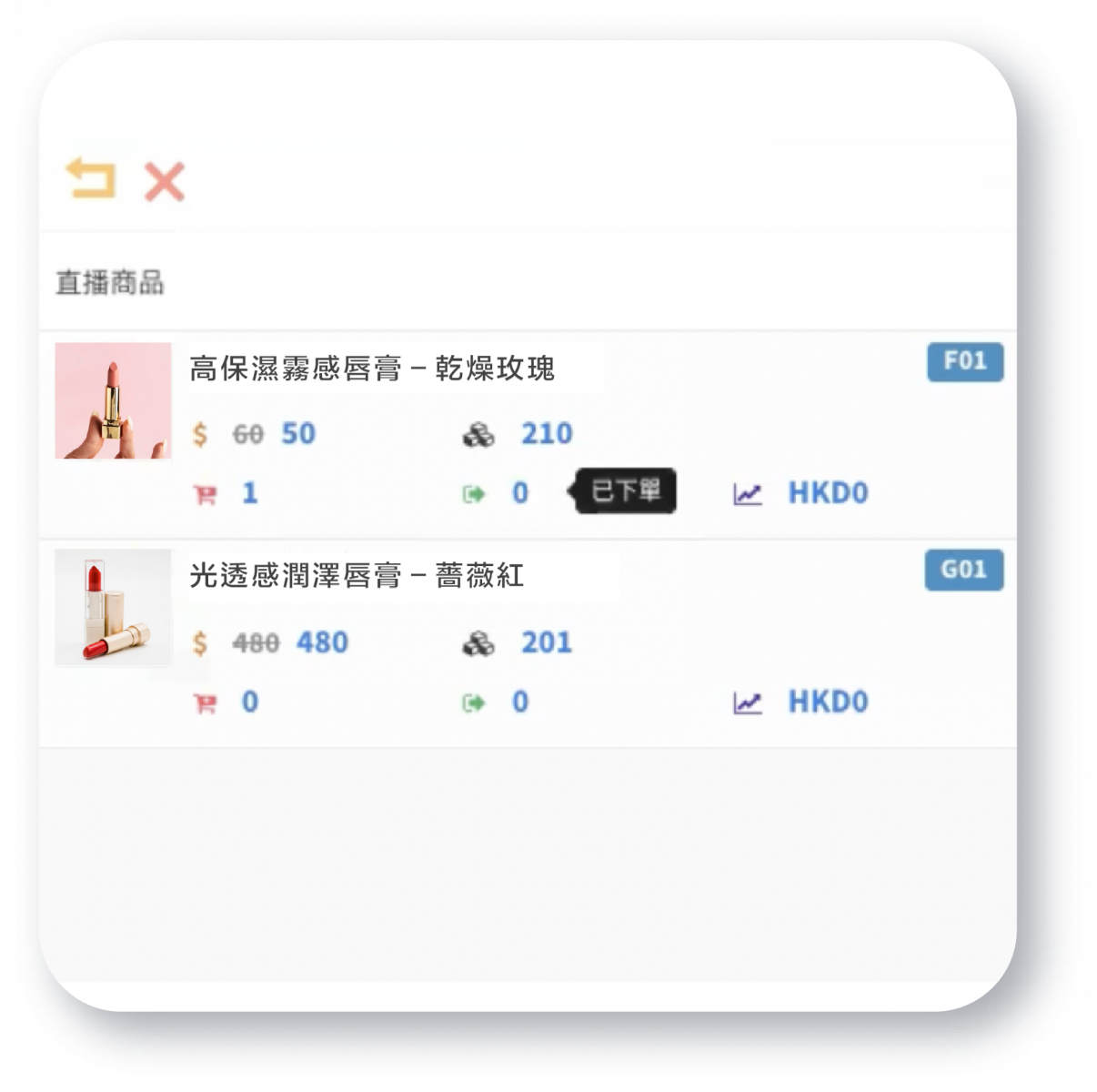
In the Posify live stream, you can see the number of carts added at any time, as well as the number of orders placed. The live streamer can always see the latest sales dynamics on the live stream, remind the fans who have added to the cart to complete the order as soon as possible, and provide all kinds of order concerns.
5. Efficiently organize orders and sell orders
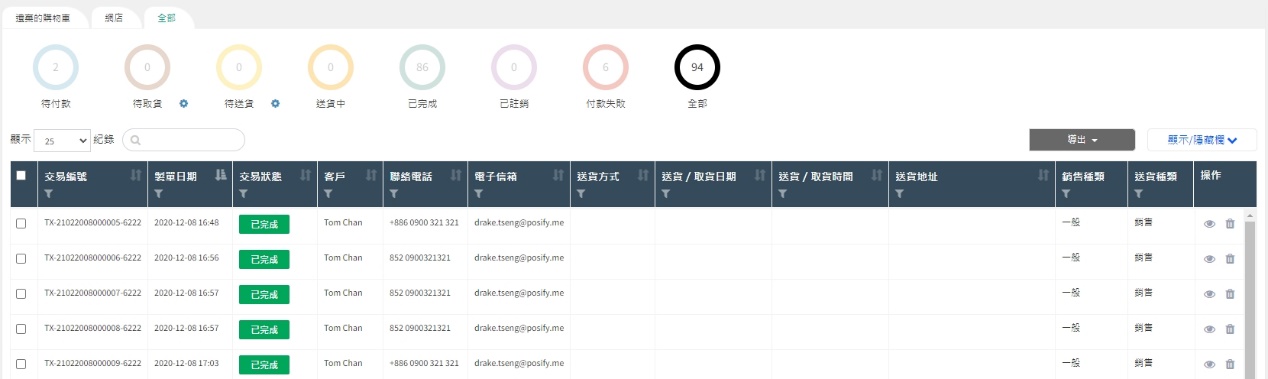
All live orders are integrated into the CMS background order management at one time, and the status of live orders is checked at one time. Orders waiting for payment or delivery are clear at a glance, improving order organization efficiency and reducing order processing time costs.
Posify Live Stream livestream guide, high-efficiency fan circle
Livestreaming is a small reality show with perfect preparation in advance. For live events, it is twice as effective. A good live show is not only the charm of the live streamer, but also the key to winning. With the Posify Live Stream function, it can bring fast sales to merchants. Through the five tips compiled by Posify, I hope that merchants can sell smoothly on live broadcasts and expand their business.
More from Posify Live Stream:https://www.posify.me/hk/livestream