Must-See for Hong Kong Merchants 2026 | HK Posify Mobile POS App - Lightweight & Convenient, Manage Store and Process Payments Anytime, Anywhere
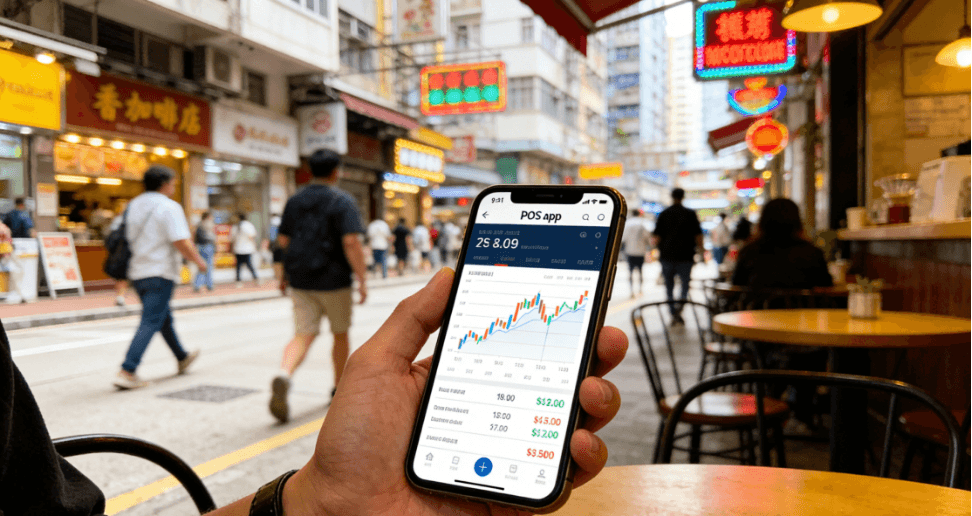
For SMEs that make up more than 95% of Hong Kong’s retail operators, as well as pop-up stores, fair exhibitors, and mobile stall merchants, traditional POS systems remain a major pain point. Hardware costs are high, flexibility is limited, checkout is tied to a fixed counter, and it is difficult to achieve real-time synchronization of store data, inventory, and orders.
Posify HK Mobile POS App integrates professional checkout, store management, and membership marketing into one mobile device. It requires no expensive dedicated hardware, is ready to use immediately, and is built for Hong Kong retail scenarios, helping merchants complete digital transformation with a much lower barrier to entry.
1. Why Hong Kong Merchants Need Mobile POS Now
The core trends are clear:
- Consumer behavior has changed: More than 80% of retail consumers now prefer electronic payments, so merchants need omnichannel payment acceptance capabilities.
- Operating scenarios have expanded: Pop-ups, exhibitions, fairs, and outdoor sales have become common, and fixed POS counters can no longer keep up.
- Decision-making has upgraded: Sales, inventory, and repeat-purchase data are now core drivers of profitability.
Against this backdrop, mobile POS has become a key solution for SMEs looking to break through operational bottlenecks. The key value of Posify Mobile POS App includes:
- Zero hardware entry cost, lowering the barrier to digital transformation.
- Fast 3-second checkout, reducing queue abandonment.
- Real-time data synchronization, so merchants can monitor operations anytime.
- All-in-one checkout, store management, and membership operations, saving manpower and time.
.png)
2. Core Functions of Posify Mobile POS App (Four Key Modules)
1) Core Checkout Functions: Supports Hong Kong’s Mainstream Payment Methods with 3-Second Checkout
- Comprehensive payment support: Supports FPS, AlipayHK, WeChat Pay HK, Octopus, UnionPay, Visa, Mastercard, and more.
- Barcode scanning: The phone camera scans barcodes and automatically matches items and prices, reducing input errors.
- One-click reconciliation: Exports standardized daily, weekly, and monthly reports for tax filing and accounting.
2) Real-Time Data Management: Stay on Top of Store Operations Anytime, Anywhere
- Live dashboard: Sales amount, transaction volume, best-selling items, and inventory status are visible in real time.
- Automated reports: The system automatically summarizes revenue structure and product performance to support purchasing and promotion decisions.
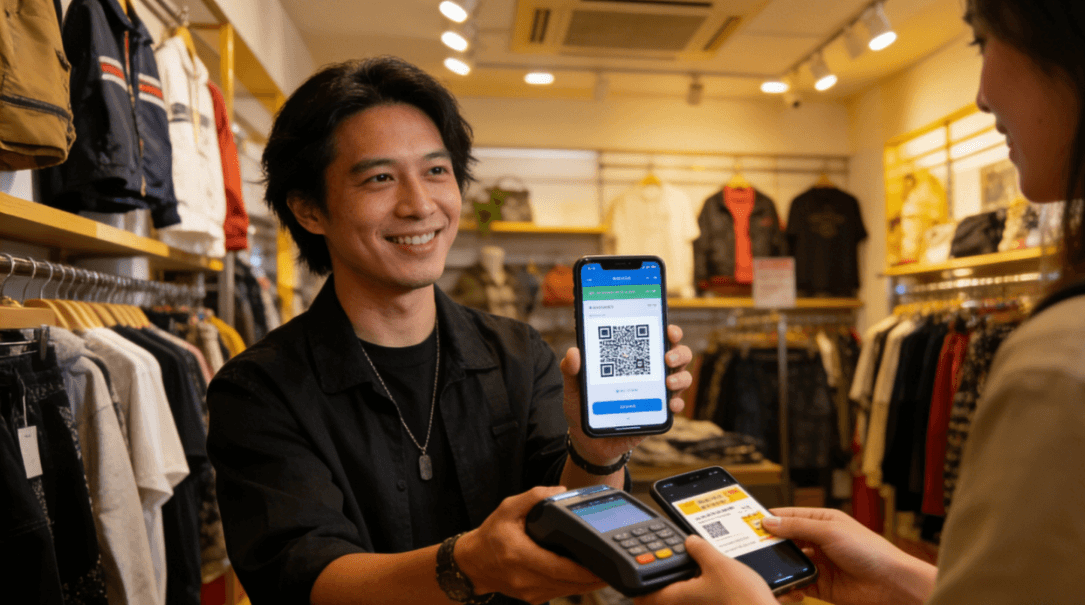
3) Membership Management: Seamless CRM Integration to Improve Repurchase Rate
- Integrated membership: Quickly enroll members, check points, and issue coupons without needing an extra system.
- Cardless experience: Scan to accumulate points, redeem rewards, and verify coupons, improving member experience and retention.
4) Flexible Expansion: Supports Merchants Throughout the Business Lifecycle
- Multi-end synchronization: Syncs across Posify Kiosk, self-service terminals, and desktop back-office systems.
- Permission management: Different access rights can be set for cashiers, store managers, and administrators.
3. Traditional POS vs. Posify Mobile POS
| Comparison Dimension | Traditional POS System | Posify Mobile POS App |
|---|---|---|
| Initial hardware cost | Thousands to tens of thousands of HKD, requiring dedicated devices | HKD 0, can use your existing phone or tablet |
| Mobility and scenario fit | Fixed checkout counter, limited for mobile selling scenarios | Suitable for stores, pop-ups, fairs, and exhibitions |
| Feature coverage | Mainly basic checkout, with advanced functions often requiring add-ons | All-in-one checkout, inventory, reporting, and member CRM |
| Data synchronization | Mainly viewed in-store, with delayed data updates | Real-time multi-end synchronization for store management anywhere |
| Localization and support | Limited support for local payments and accounting workflows | Hong Kong-localized design with local customer support |
| Hidden costs | Higher maintenance, upgrade, and extra transaction-related charges | Mainly fixed monthly fees with transparent costs |
4. Real-World Example: How a Pop-Up Store Improved Checkout Efficiency by 75%
A Hong Kong cultural and creative brand once faced issues such as no fixed checkout counter, high queue abandonment, and difficulty consolidating campaign data during mall and fair pop-up events. After adopting Posify Mobile POS App, the results included:
- Preparation time for each pop-up event was reduced by 80%.
- Barcode entry plus scan-to-pay improved checkout efficiency by 75%.
- Queue abandonment dropped to below 10%.
- Inventory turnover increased by 35%, and post-event repurchase rate increased by 28%.
5. 2026 Mobile POS Buying Checklist (5 Key Factors)
| No. | Buying Factor | Checklist Standard |
|---|---|---|
| 1 | Local payment compatibility | Supports KPay, AlipayHK, WeChat Pay HK, Octopus, and more |
| 2 | Transparent cost | No hidden fees, no extra transaction fees, low hardware investment |
| 3 | Complete functionality | Checkout + inventory + data reports + member CRM |
| 4 | Local service support | Traditional Chinese interface + Hong Kong local support |
| 5 | Scalability | Multi-account permission control and online to offline data synchronization |
6. Frequently Asked Questions
Basic Usage
Q1: Do I need to purchase a dedicated phone or device?
A: No. It supports regular iOS and Android phones and tablets, so you can use your own device.
Q2: Is it complicated to use? Can older staff learn it easily?
A: No. The Traditional Chinese interface and clear workflow make it easy to learn, and basic training can usually be completed within 10 minutes.
Q3: Is it powerful enough for daily operations?
A: Yes. It supports barcode entry, order lookup, stock counting and adjustments, transaction lookup, real-time data, membership functions, and coupon verification.
Functions and Permissions
Q4: Can I check sales and inventory at any time?
A: Yes. With real-time multi-end synchronization, you can view operating data from anywhere.
Q5: How does it connect with the membership system? Can customers earn points?
A: It connects seamlessly with Posify CRM and supports point accumulation, redemption, and coupon verification.
Q6: Can different permissions be assigned to staff?
A: Yes. Different roles can be assigned permissions for checkout, inventory, membership, and management functions.
Security and Compliance
Q7: How secure are the funds and transaction data?
A: It complies with Hong Kong payment security standards, encrypts transaction data throughout the process, and supports real-time transaction record lookup.
Q8: Does it comply with the Personal Data (Privacy) Ordinance?
A: Yes. The system stores and manages data according to the ordinance’s requirements to protect member information.
Q9: What tax reports can be exported?
A: It supports standard daily, weekly, and monthly sales reports, transaction details, and revenue summary reports.
Cost and Service
Q10: Are there any extra transaction fees?
A: No. Core functions are included in the base plan, and the main cost is a fixed platform monthly fee.
Q11: Is it suitable for pop-up stores or mobile stalls?
A: Yes. It can be activated after merchant verification and is designed for scenarios without a fixed checkout counter.
Q12: What is the core difference compared with other mobile cashier apps?
A: Deeper localization, all-in-one checkout and store management, real-time synchronization with the full Posify ecosystem, and transparent costs.
Q13: What are the core advantages?
A: Low cost, ready-to-use deployment, broad payment coverage, real-time data, and integrated membership and operations, making it especially suitable for SMEs and mobile retail scenarios.