Creating Customized Reports
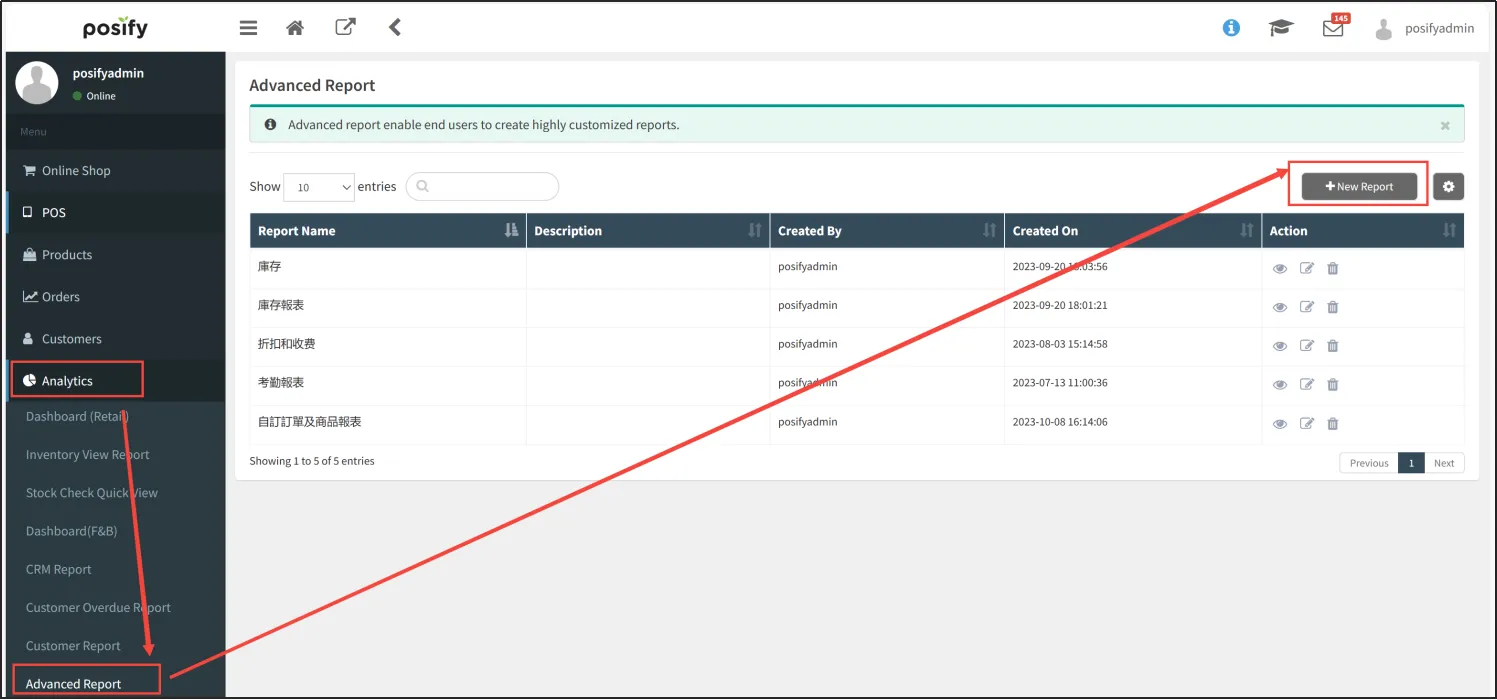
Open CMS  Click to Analyze Click to customize your report Click [Create Report].
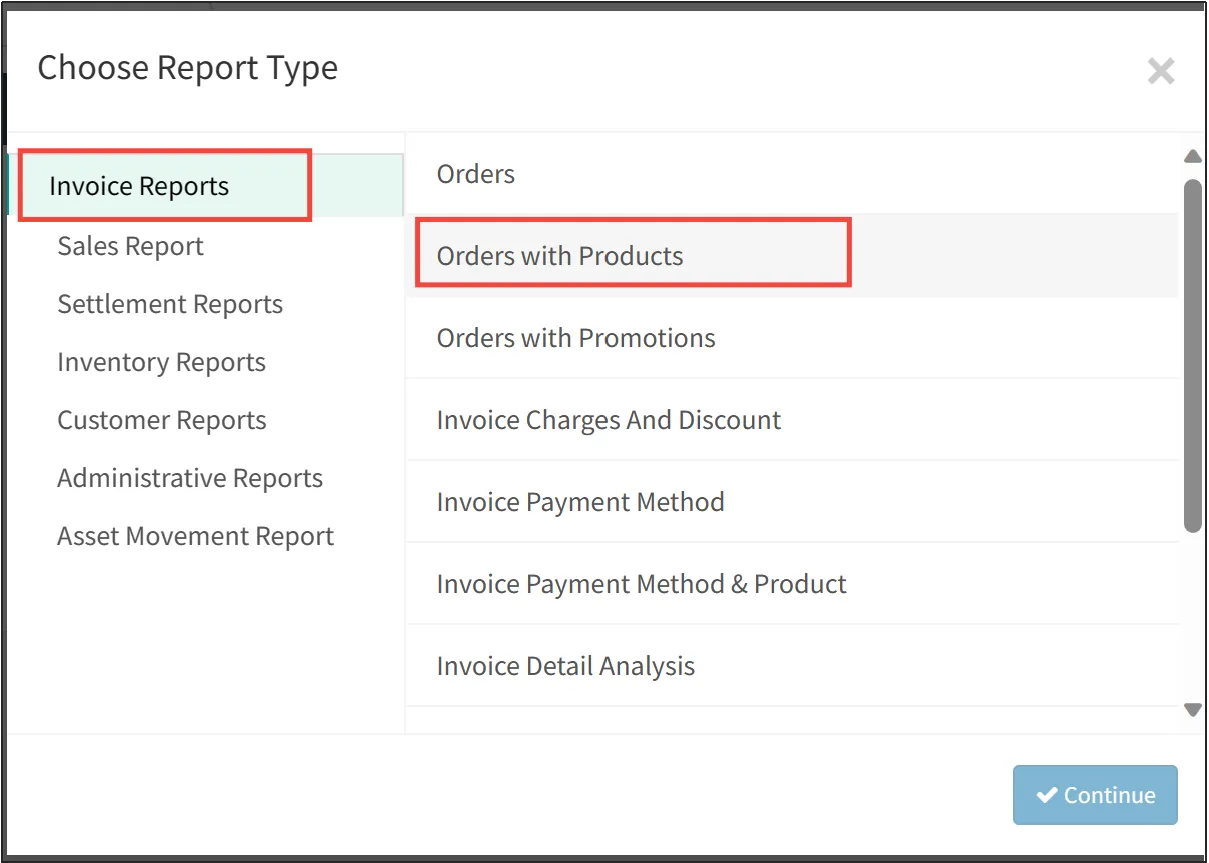
Select the report type you want to create, e.g. Order Report - Orders and Products Click [Continue].
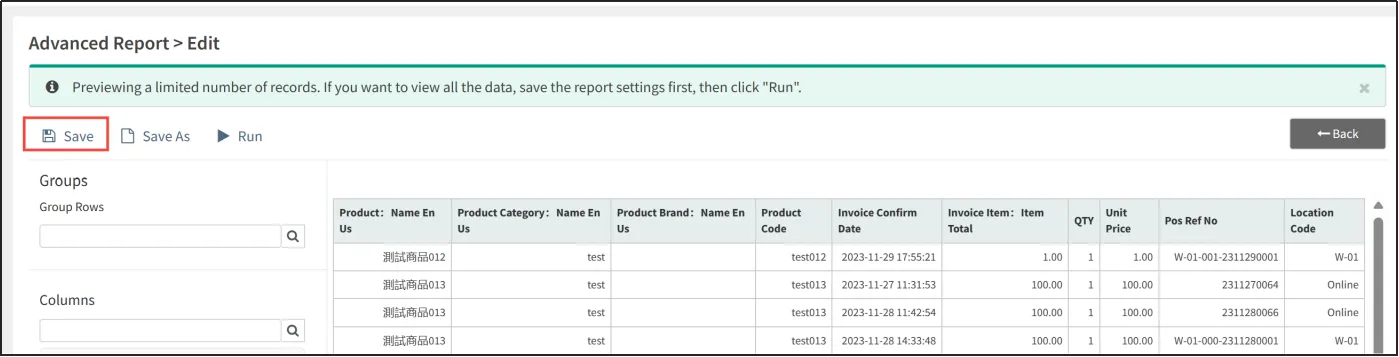
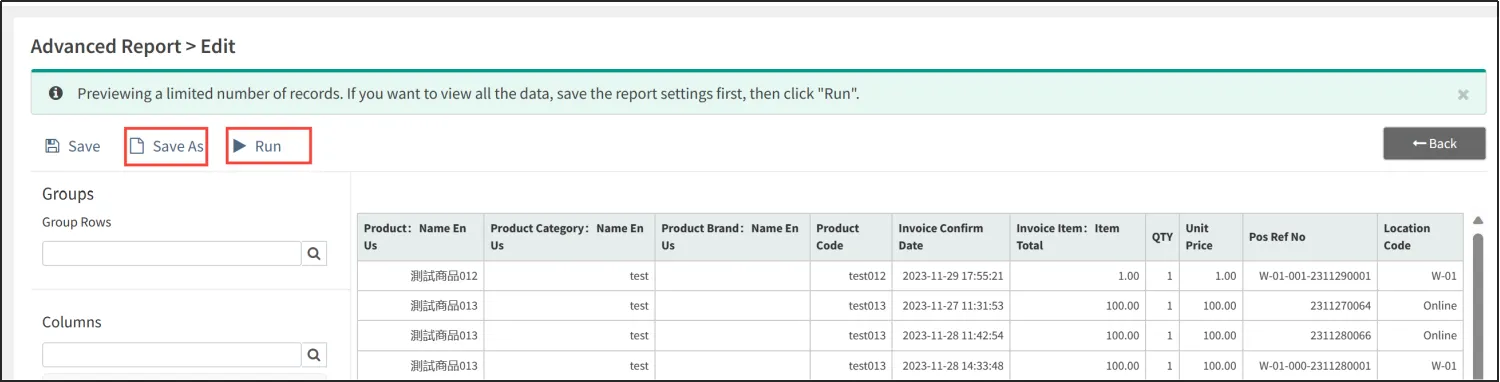
In the customized report editing page, the left side is the columns that can be edited, and the right side of the table is the report preview effect.
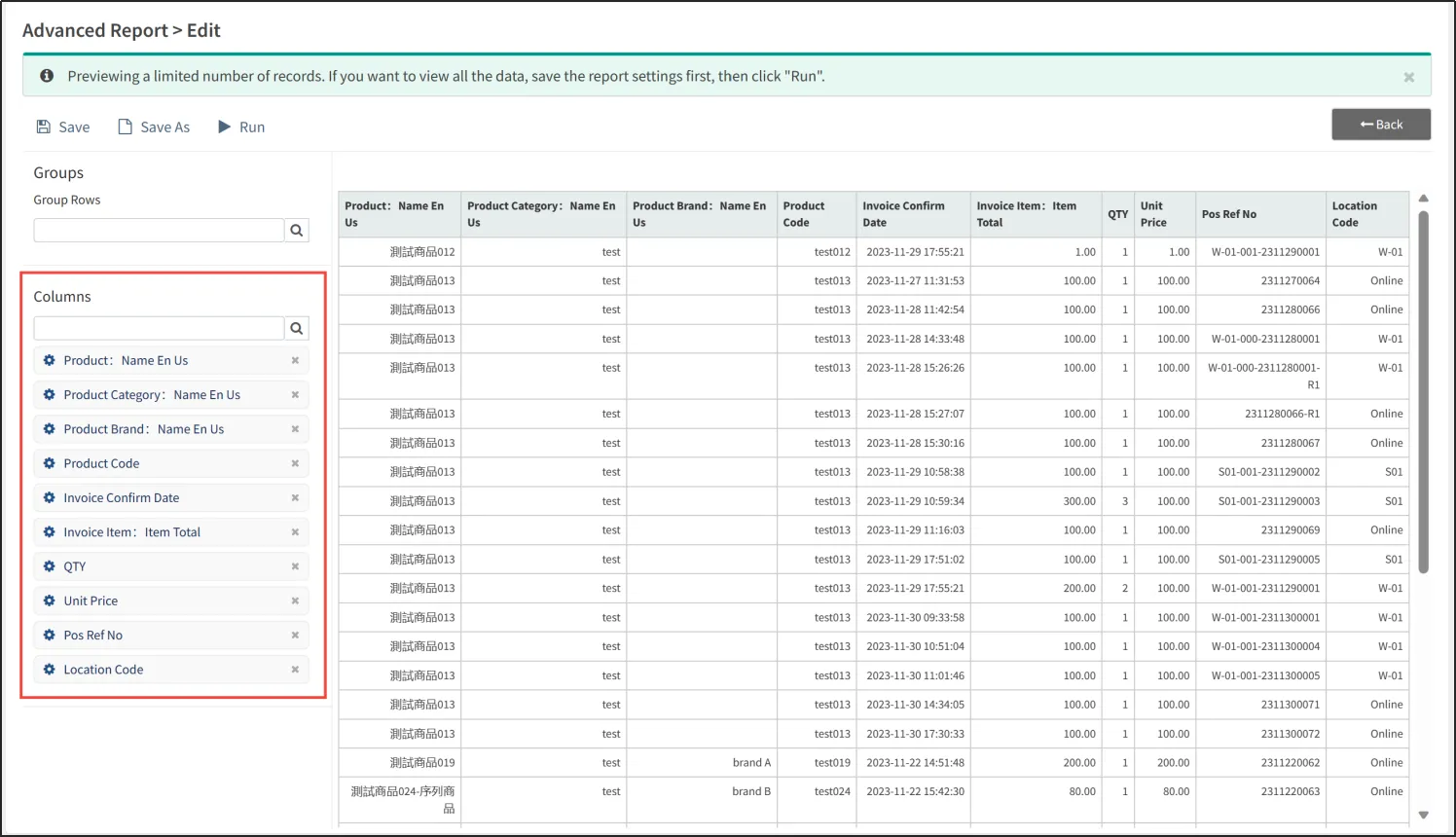
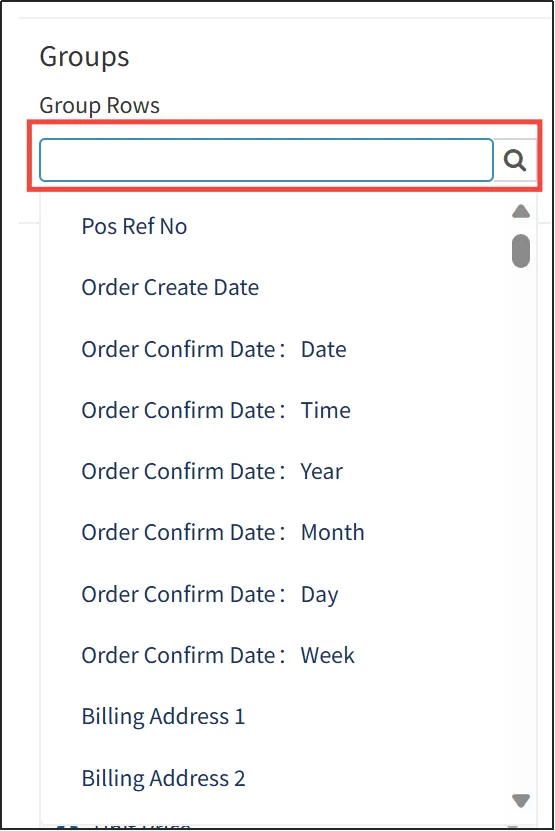
Click the search box under [Columns], and then click an item in the pop-up drop-down box to add it to the list.
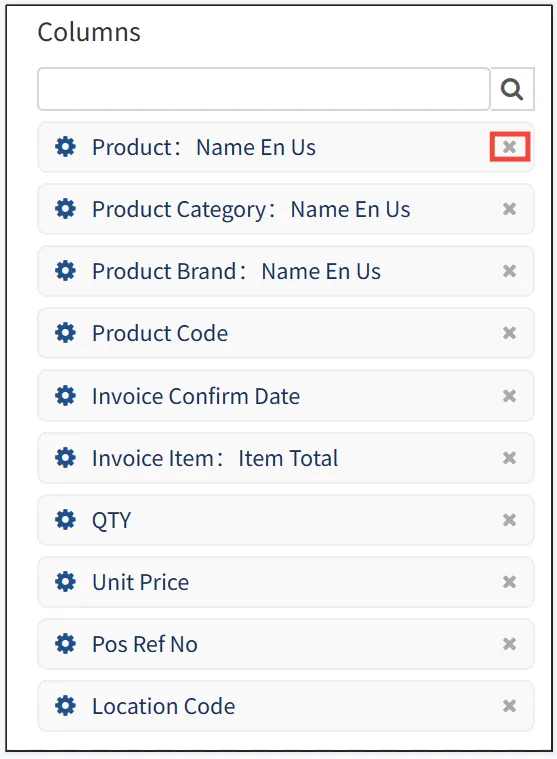
For columns that have been added to the list, drag and drop them to change the display order. Tap [X] on the right side to remove it from the list.
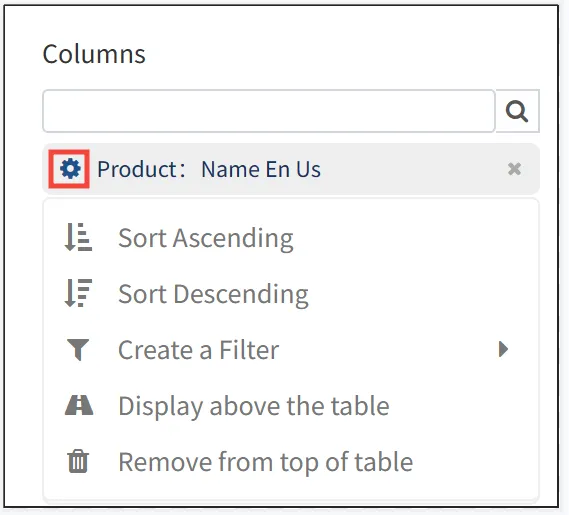
Click on the gear icon in front of a column to set the settings for that column. It is possible to sort the column in ascending/descending order, to filter the column (display only part of the data, e.g. only data containing keywords or only data from a certain period of time), to make the column appear above the table/remove it from the table (the column can be used as a searchable item when it appears above the table, e.g. if you set the [Product: Traditional Chinese name] to appear above the table, you can search for data containing this product by typing its Traditional Chinese name in the input box above it).
Click [Save] in the upper left corner after editing.
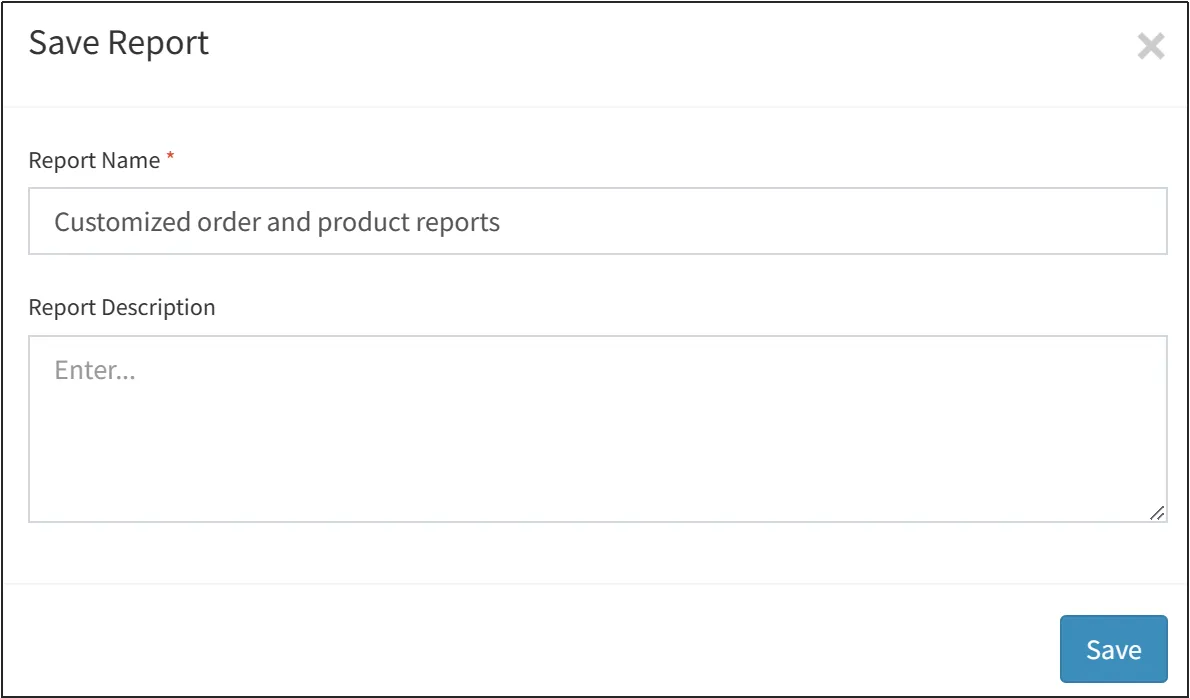
Enter the name of the customized report Click [Save].
Click [Run] to view the complete report and [Save] to save the report as another report.
View and export existing reports
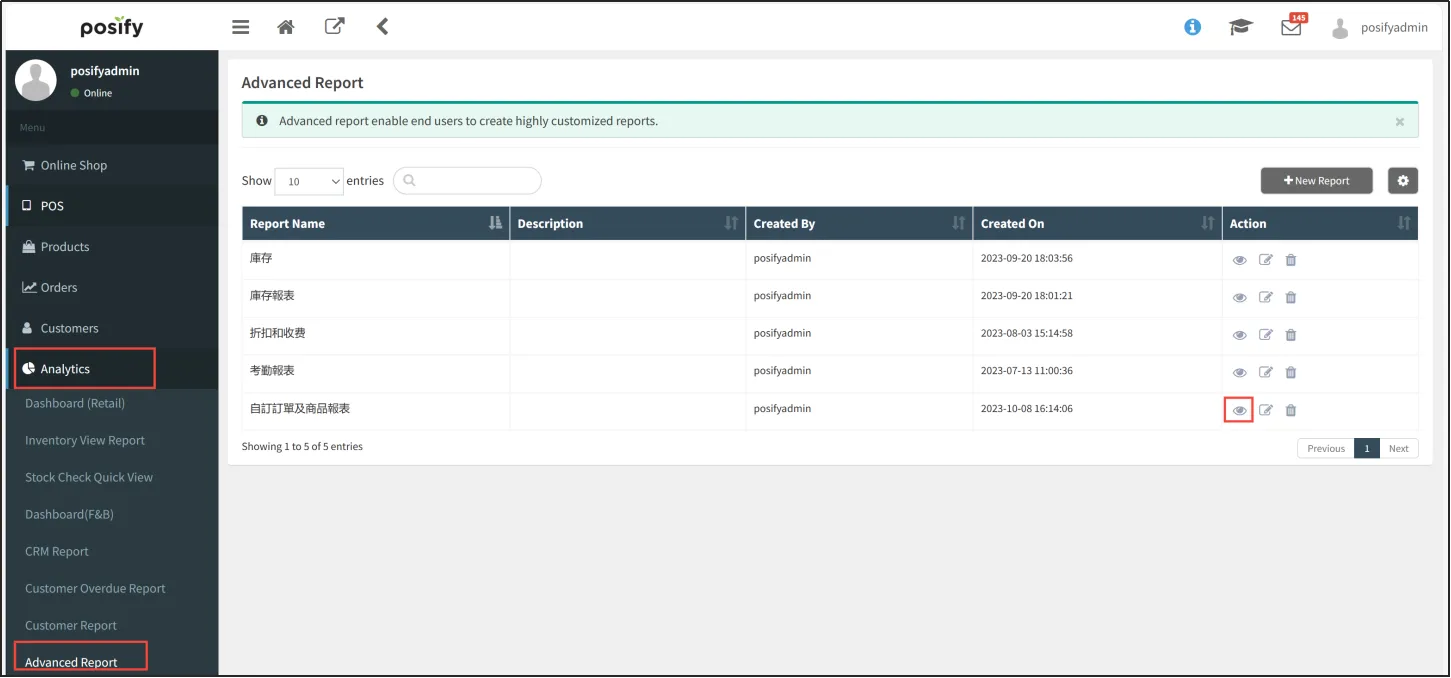
Open CMSClick to AnalyzeClick to customize your reportFind the customized report you want to view and click on the right side of the .
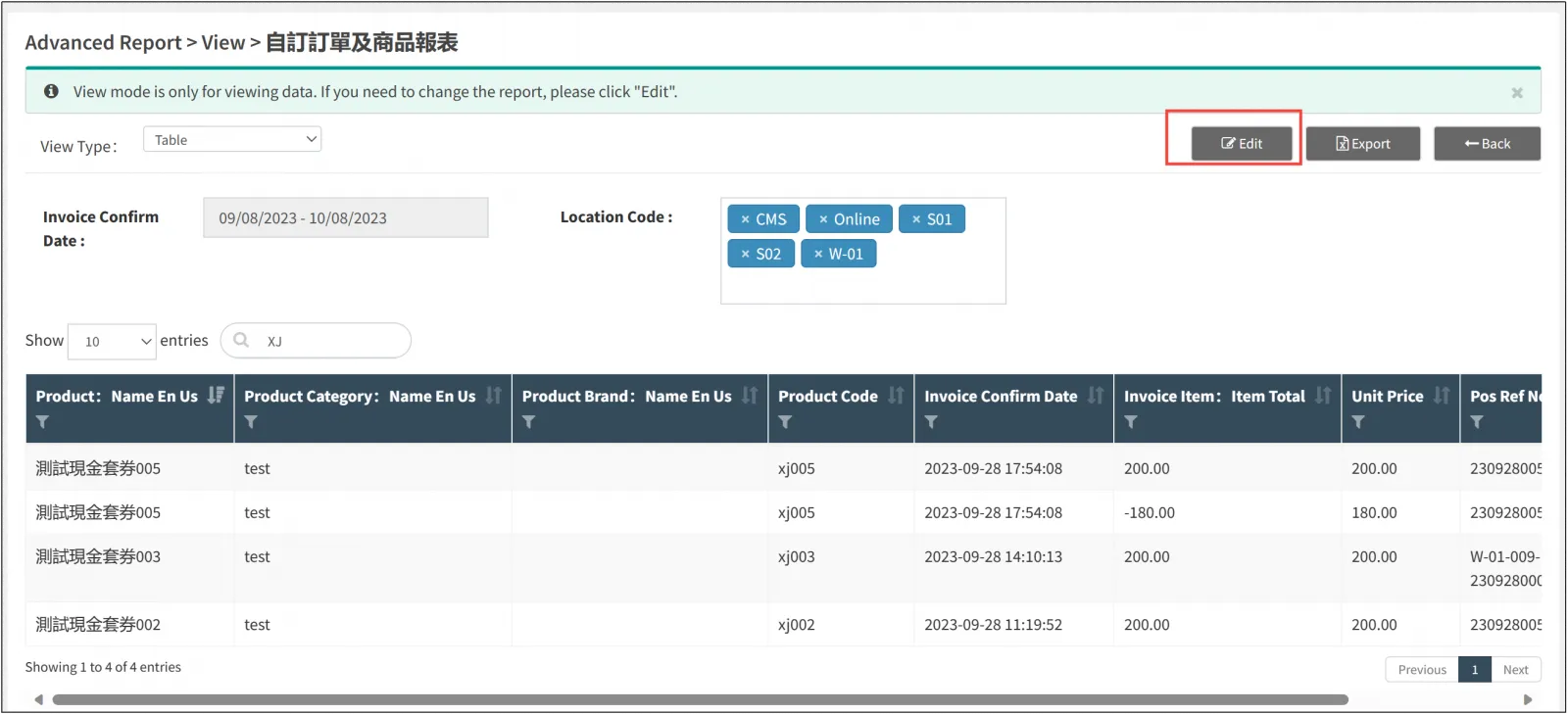
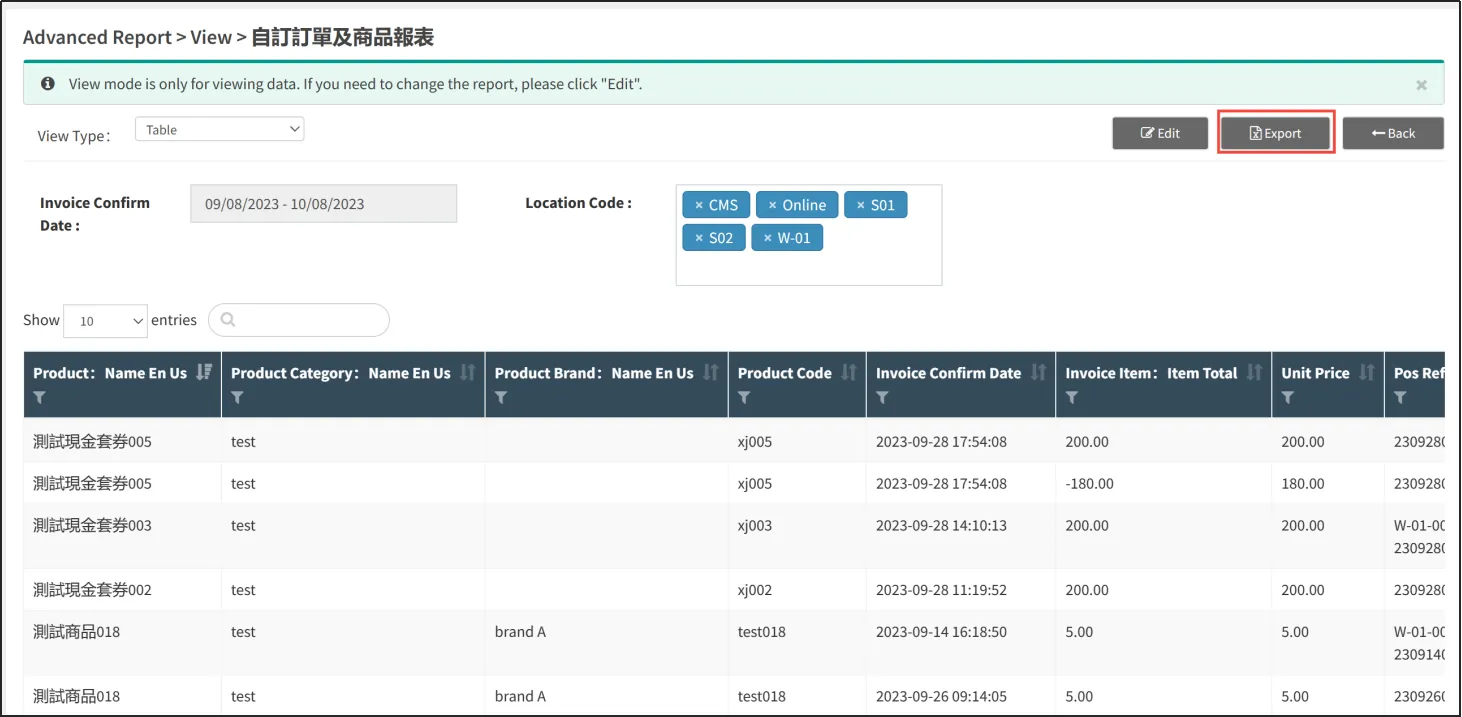
Click [Export] to export the report to Excel.
If you want to export the whole report, just click [Export].
Reports can also be exported after searching/filtering.
Input the keywords you want to search in the input box, or click the filter icon on the left side of the column to filter the data, after filtering, again, click [Export] to export the report.
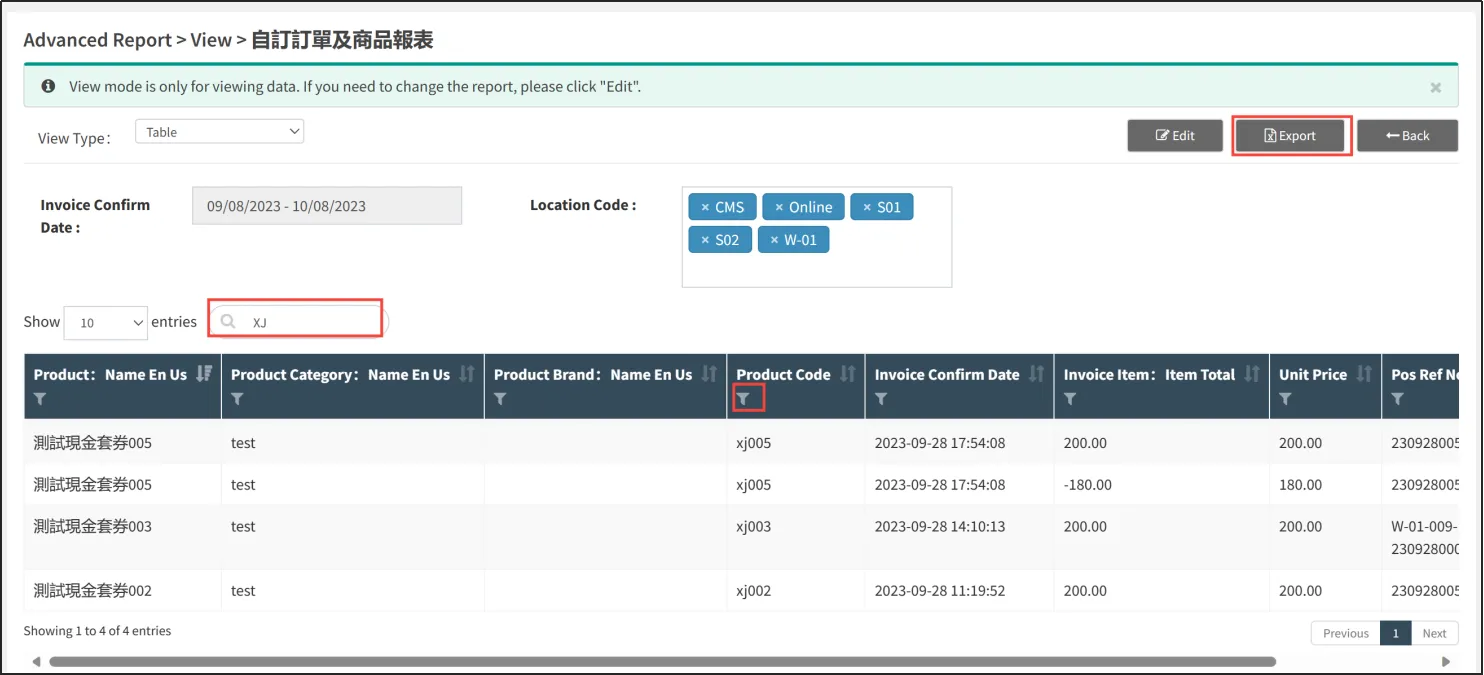
Click [Edit] to re-edit the customized report.