How to set up distribution benefits
Merchants can promote products through live broadcasts, so that people in the live broadcast can promote products through product links, and customers can get a certain commission after purchasing the corresponding products.
For example, if a merchant is designed to bring a Maxwell cat litter through the online celebrity live broadcast, if the customer successfully purchases the product through the online celebrity's product link, he will receive a 10% welfare fund and allow withdrawal, as shown in the figure, which can be set like this.
Open the CMS click Customersclick Membership Systemclick the small pen icon on the right side of a membership level to open the member editing page.
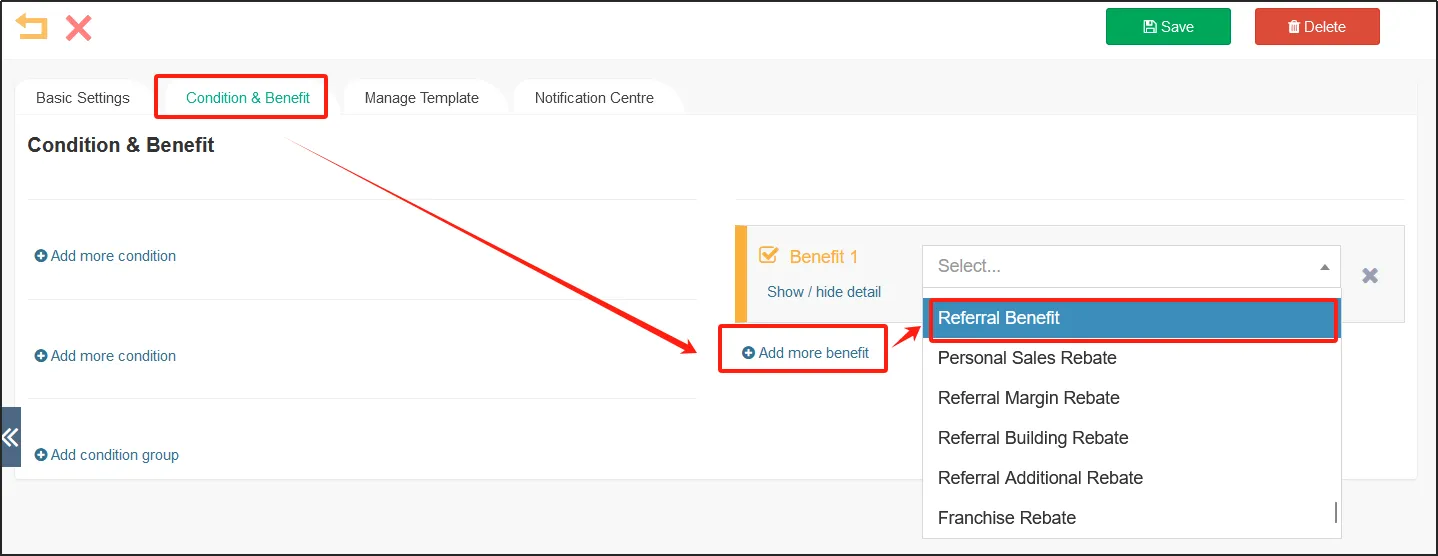
Click the Conditions & Benefits tabclick [Add More Benefits] on the rightselect Distribution Benefits.
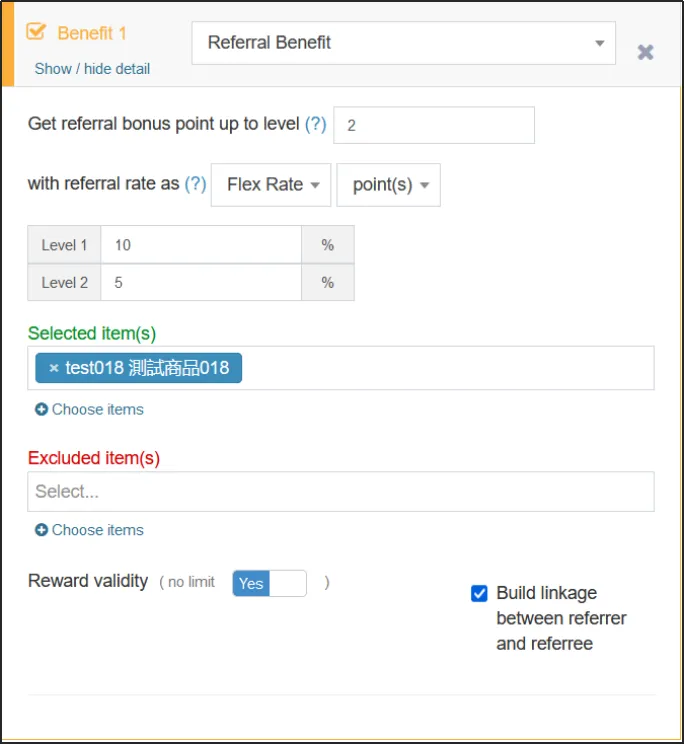
The number of referral layers that can be rewarded is: refers to the number of layers of subordinate referrers whose referrer has the most profits, for example, member A recommends member B to buy goods and get benefits, here is one layer, if B recommends member C to buy goods, C is the second layer relative to A, and so on.
The profit ratio is: the rate at which the subordinate referrer is rewarded. Ratios can be set to choose from fixed percentages, elastic percentages, and calculation equations. If you choose a fixed percentage, all sub-referrers will receive the same reward rate, if you choose a flexible percentage, you can set the reward ratio separately for sub-referrers of different tiers, e.g. 10% for the first tier and 5% for the second tier, and if you choose a calculation equation, you need to select a calculation equation... The reward can be in the form of points or benefits.
Divide the scope of products that are eligible for this distribution benefit by [Select Items] and [Excluded Items].
Reward Validity: If [Unlimited] is enabled, the reward obtained through the distribution benefit will be valid for a long time, if [Unlimited] is not enabled, you need to fill in the validity period of the reward (unit: days).
Bind Referral Relationship: After this check, the referrer and the referee will be bound, and the referral relationship cannot be changed once established.
Withdrawal settings
If the merchant has set up distribution benefits and allows withdrawals
Open the CMSclick Customersclick Settingsclick the Withdrawal Settings tab.
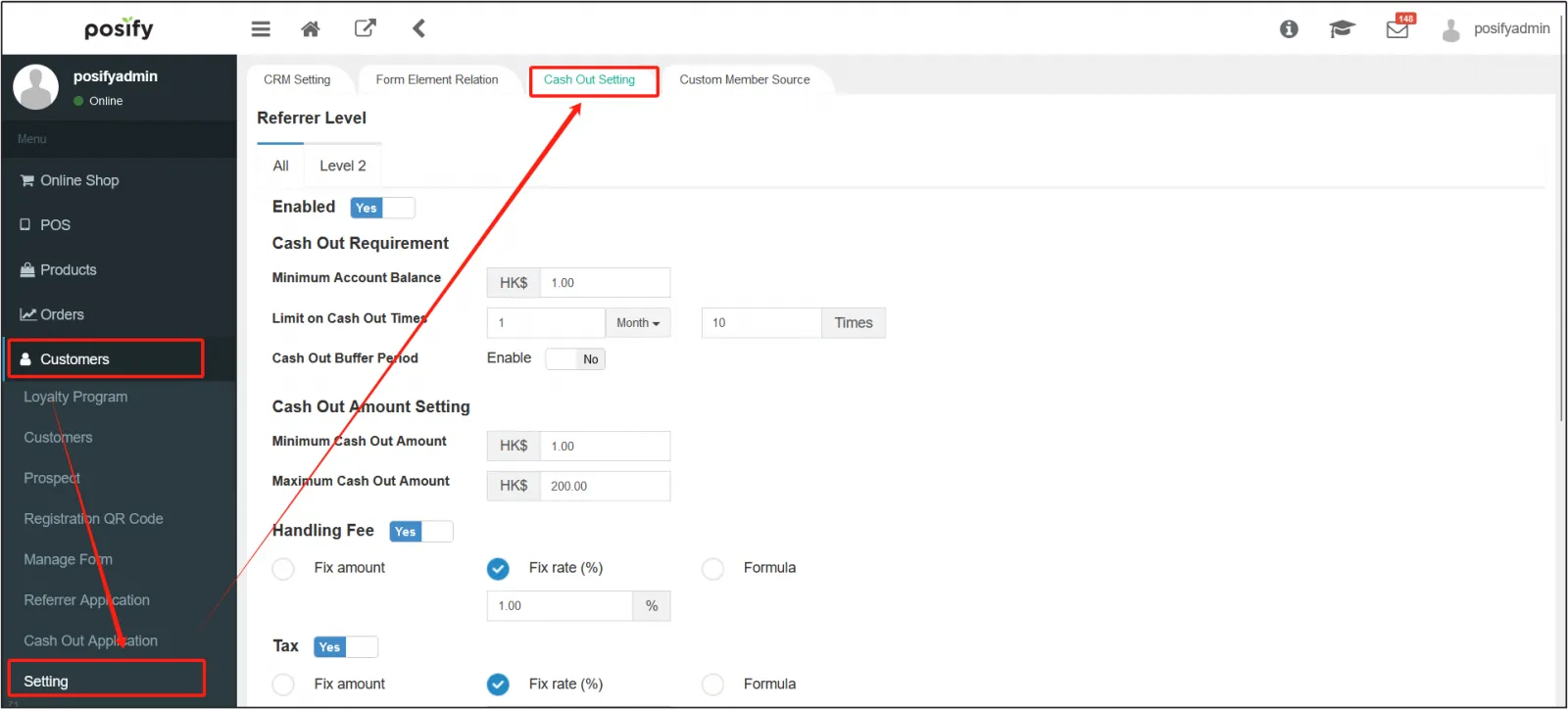
Enable [Allow] to turn on withdrawals.
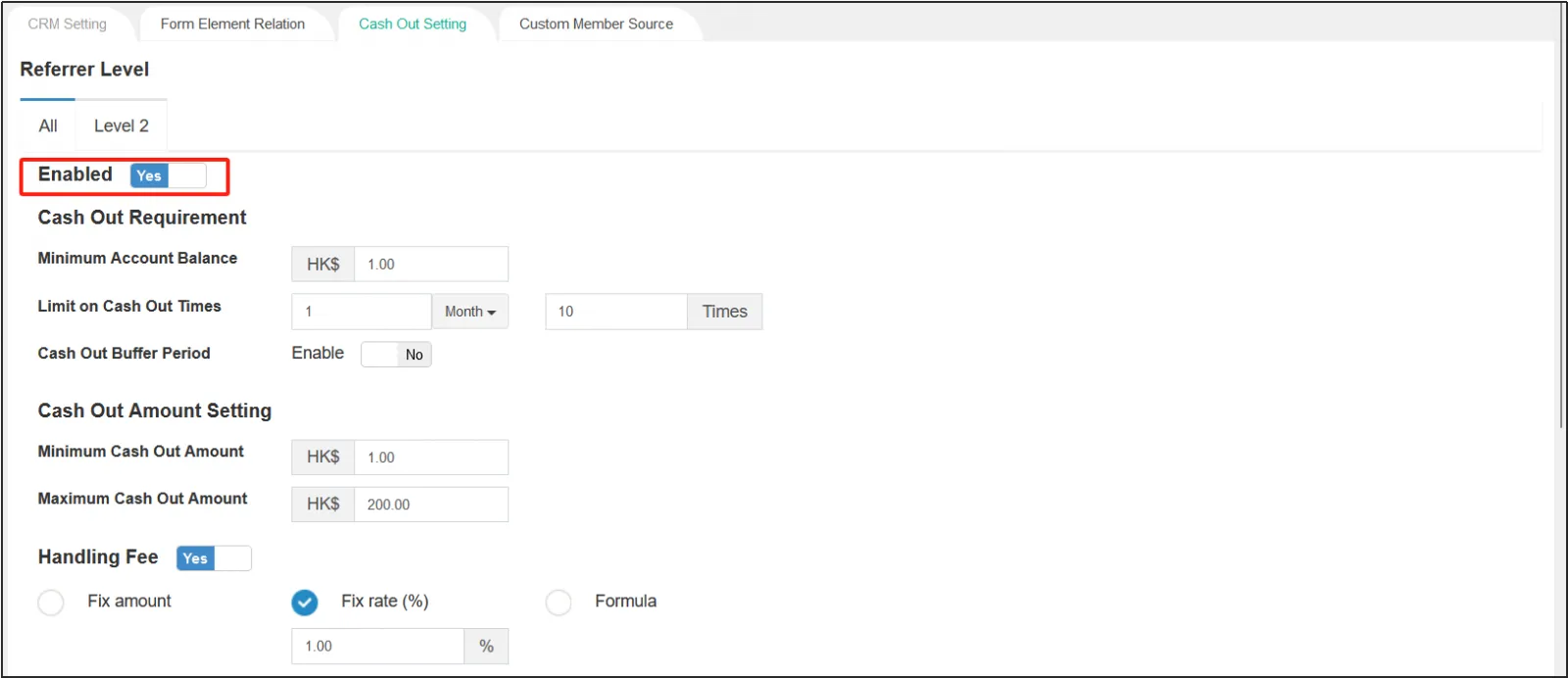
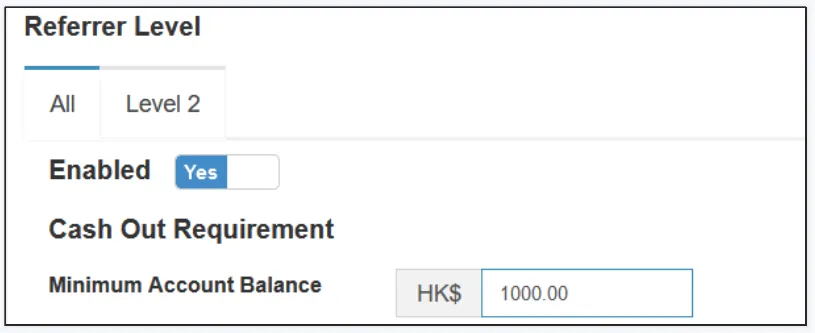
Minimum Account Balance: Withdrawals can only be made if the account balance is higher than [Account Minimum Balance].
Limit on the number of withdrawals: Set the number of times it can be reflected in a period of time, such as "1 time per day" and "3 times in February", and the time unit in the middle can be days, weeks, months, or years.
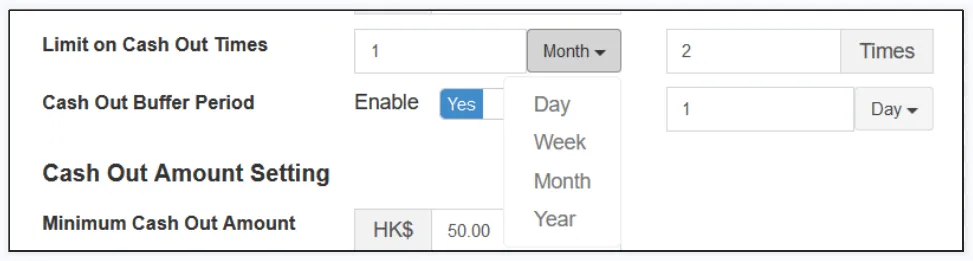
Withdrawal buffer period: After enablement, there will be a buffer period for withdrawals, that is, you need to go through a buffer period after withdrawal before you can receive the withdrawal amount. Set a payout period, which can be selected as a day, week, month, or year.
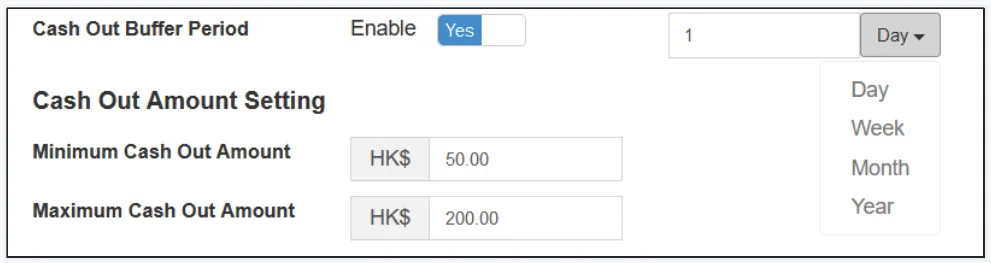
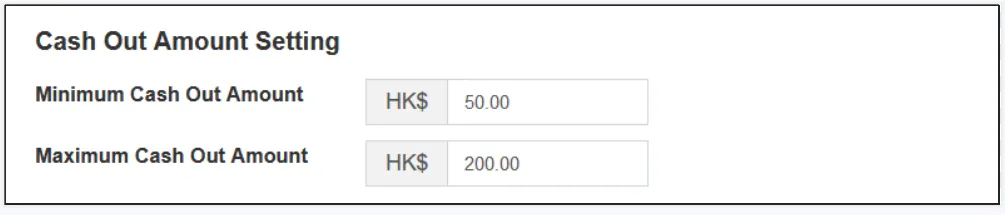
Set the Minimum Withdrawal Amount and Maximum Withdrawal Amount.
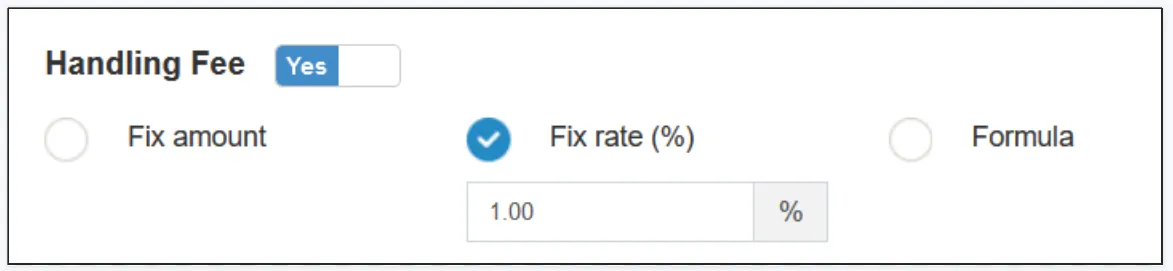
Click the button to the right of Make Fee to make it Yes to enable the fee.
There are three ways to charge withdrawal fees, fixed amount, fixed percentage, and equation calculation.
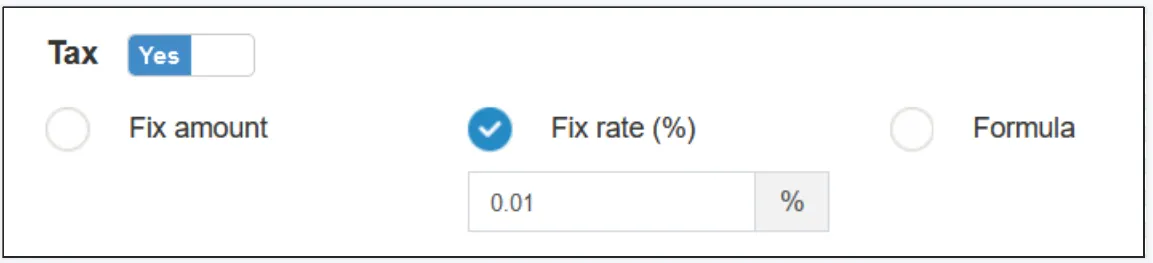
Click the Make Tax button to the right to make it in the Yes state to enable the tax.
There are three ways to calculate it, fixed amount, fixed percentage, and equation calculation.
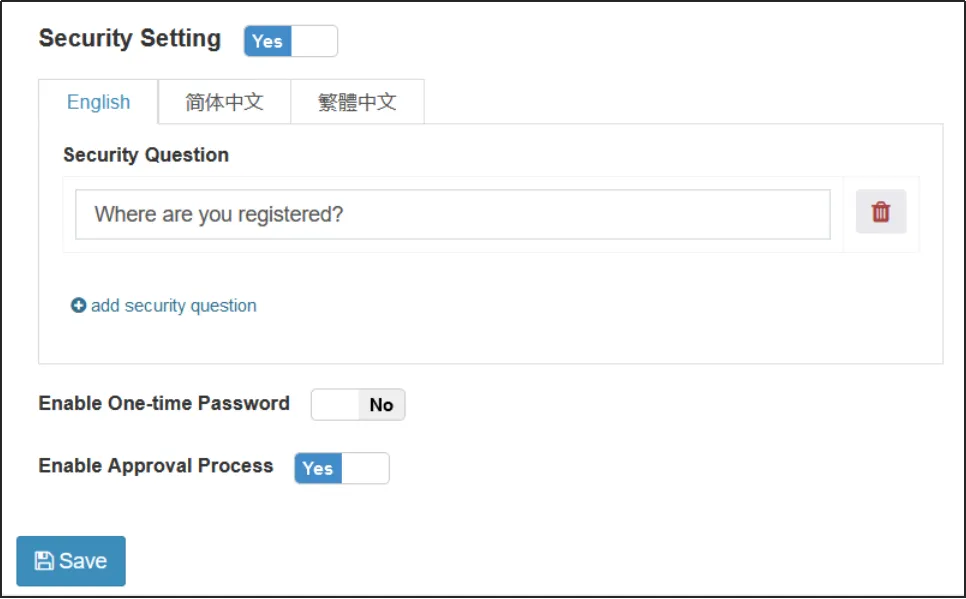
Security questions can be set.
Enable mobile one-time password: After enablement, an SMS containing a one-time password will be sent to the customer's mobile phone when withdrawing, and the one-time password will be required to withdraw money.
Enable the review process: After enabled, the withdrawal operation needs to be reviewed.
Access to distribution benefits
After logging in as a member, copy the link of the product you want to promote.
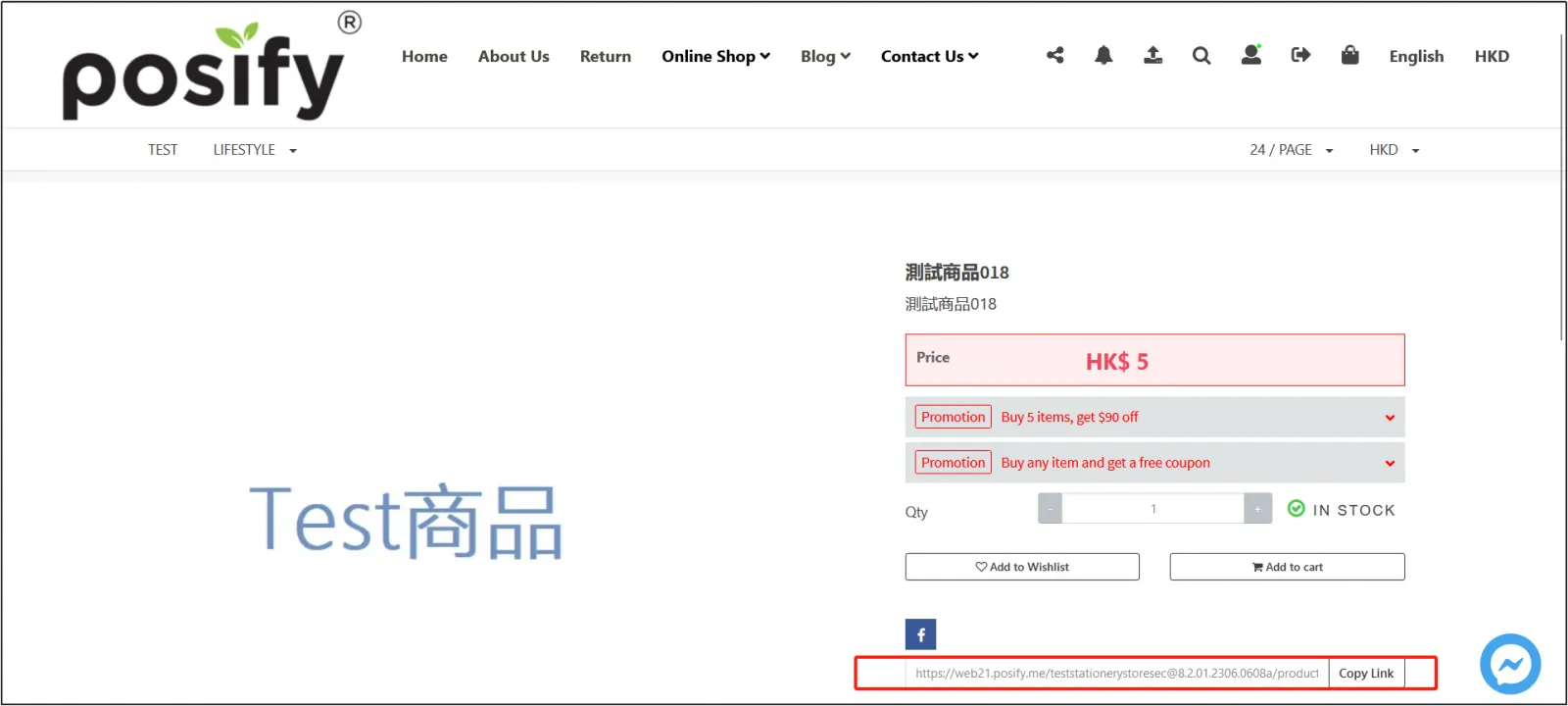
Share the copied link with other members.
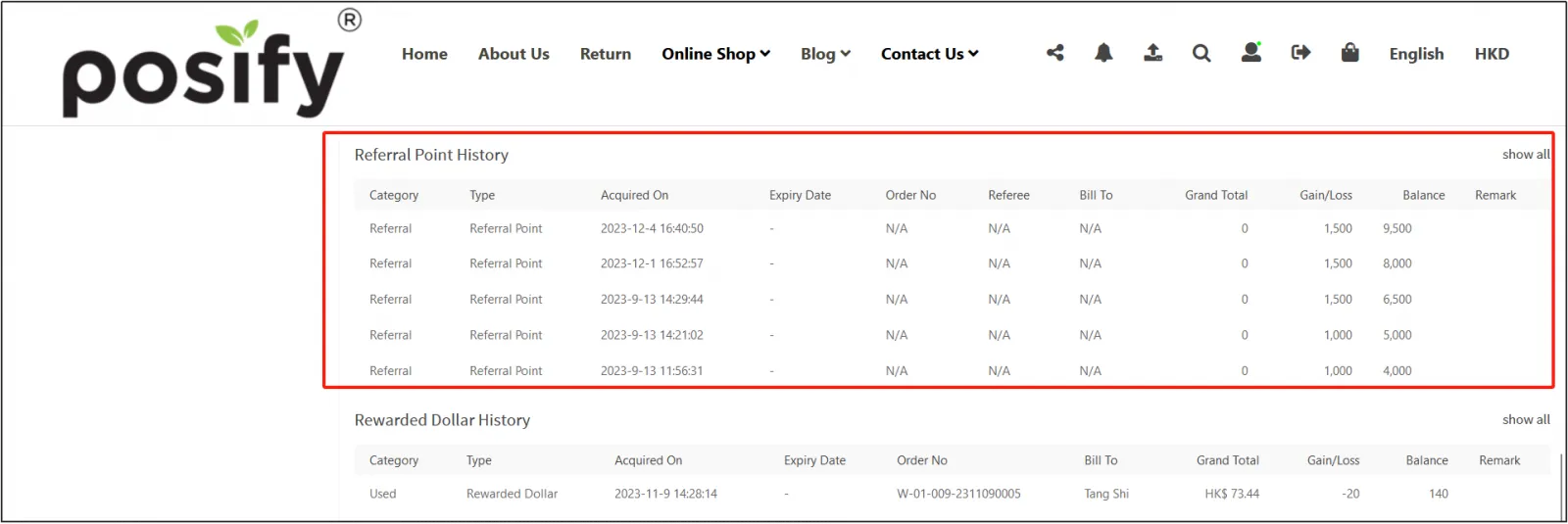
After other members receive the sharing link, log in to the member account in the online store and open the sharing link, purchase the promoted product, and after completing the transaction (referring to the completion of delivery), the referrer can see the record of the referral benefits in the member center.