Selling Partner Application Form (Individual Selling Partner)
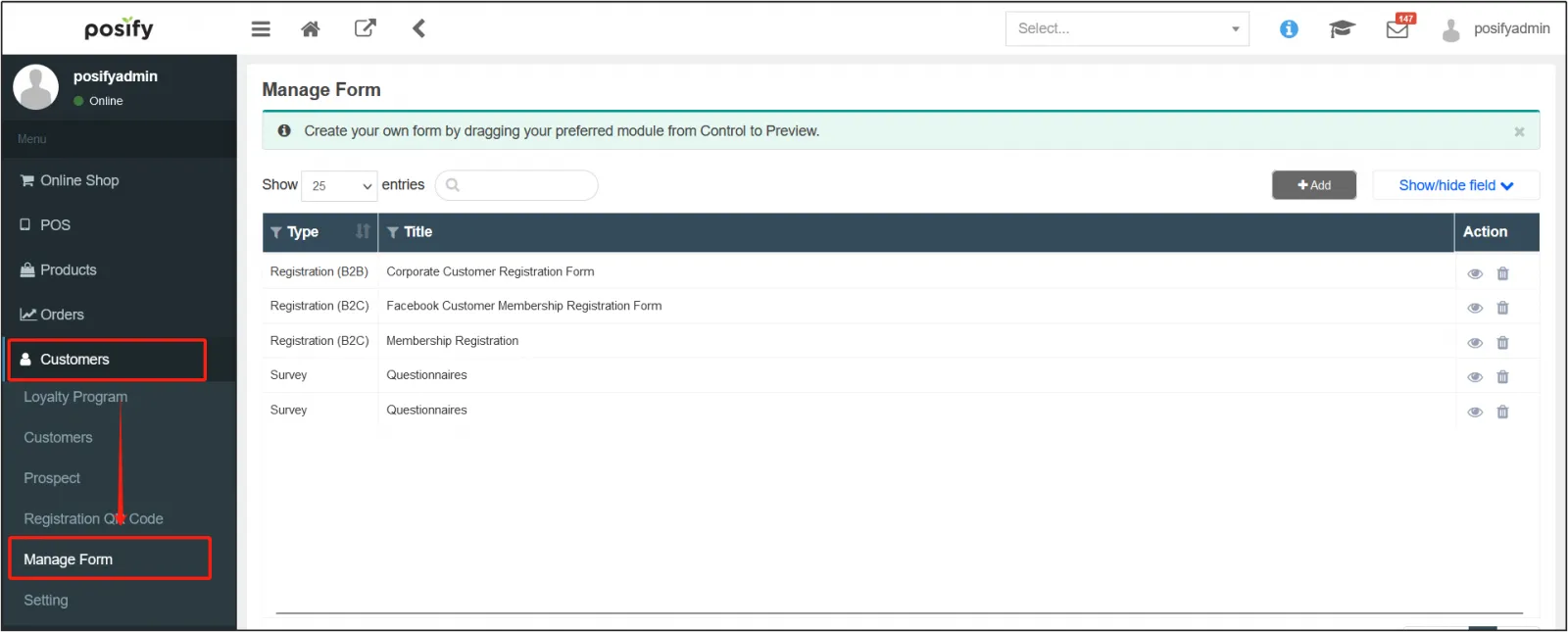
Open the CMS click Customersclick Manage Formsclick "Add".
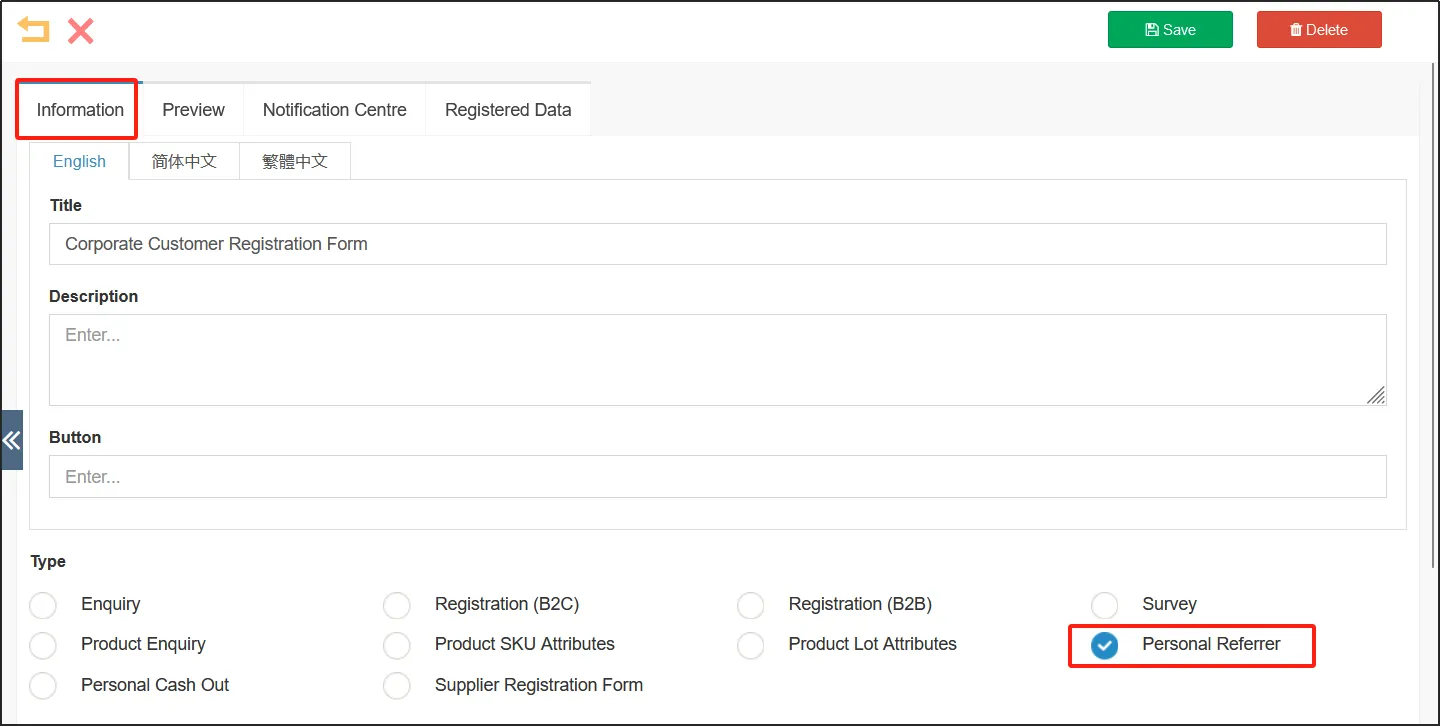
On the tab page, select Type as Individual Selling Partner.
Fill in other information and edit the content of the form, please refer to playbook-table management for specific settings.
Submit the Selling Partner Application Form
The applicant opens the "Become an Individual Selling Partner" application page in the Online store, fills it out and submits it.
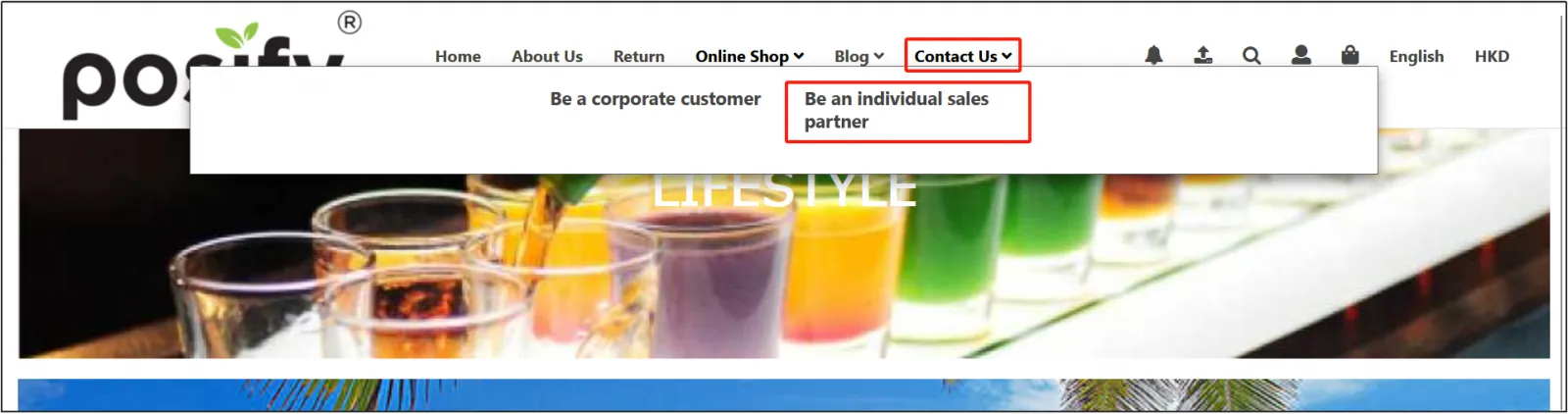
If the applicant does not have a member of the store, he or she will automatically apply as a general member after submitting the "Become an Individual Selling Partner" application form. If the applicant has a member of the store and wants to apply to become an individual selling partner with an existing membership, you need to fill out and submit the "Become an Individual Selling Partner" application form on this page after logging in.
Selling partner application approval process
Open the CMSclick Customersclick Selling Partner Application.
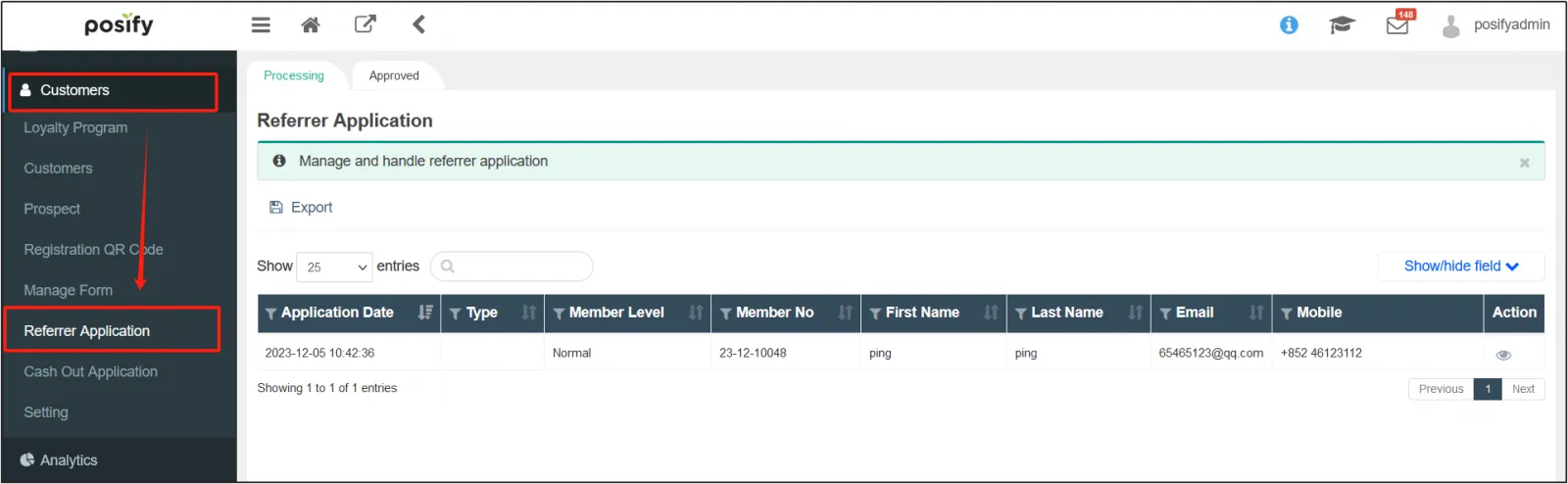
On the Tab Processing tab, you can see the selling partner applications that have not yet been reviewed. Find the application you want to processclick  on the right.
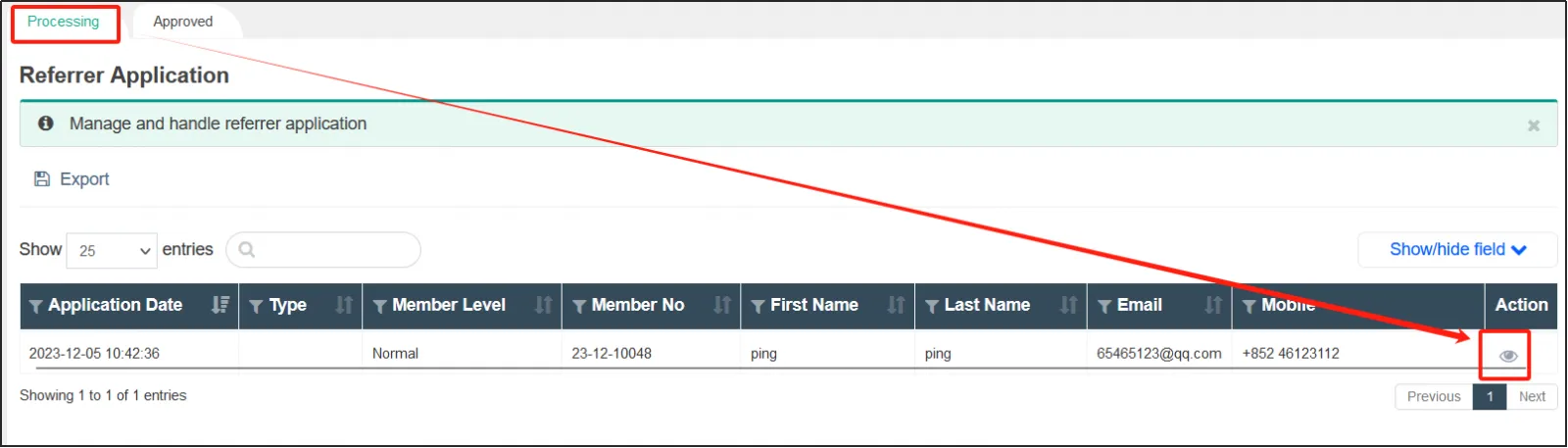
Click on the Individual Selling Partner tabclick Accept/Reject in the upper right corner to process
the member's application.

On the tab Reviewed, you can view the applications that have been reviewed.
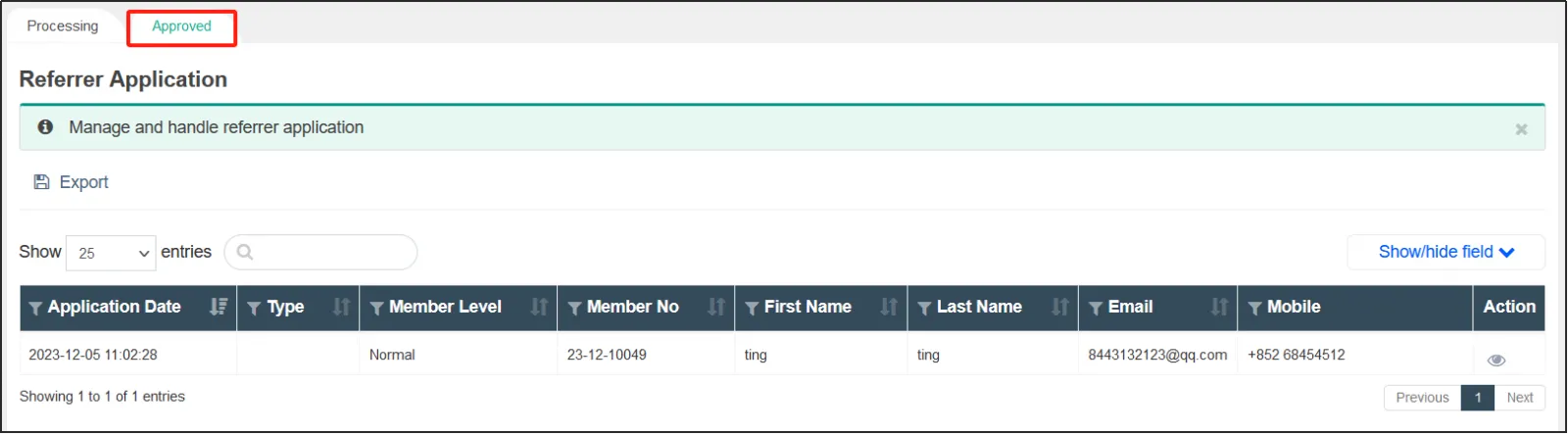
Click on the right side of the applicationclick the individual application partner tabclick Reject to return the application to the tab processing.



