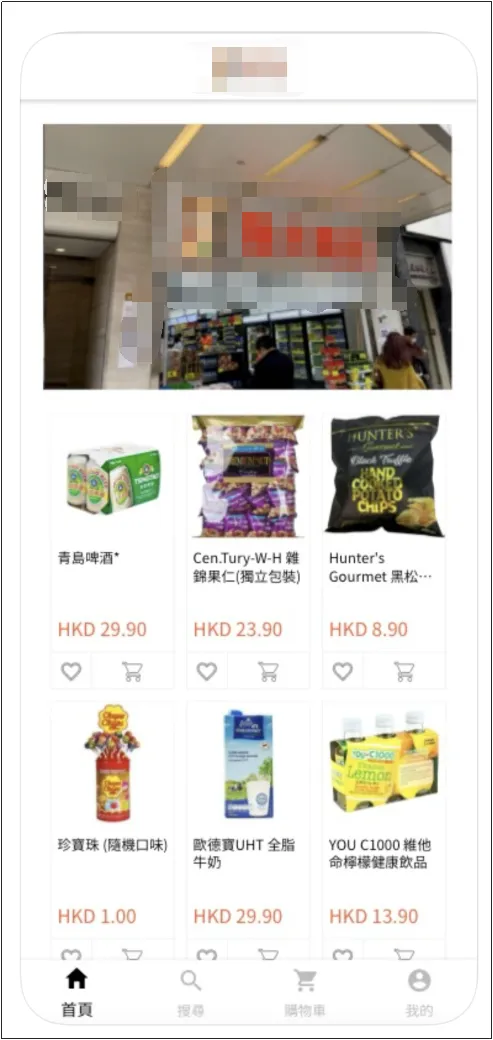
E-commerce mobile app website editor
If you are a beginner eCommerce merchant, you can quickly build a simple e-commerce mobile app website with Posify's built-in e-commerce mobile app.
Set up the homepage of your e-commerce mobile app
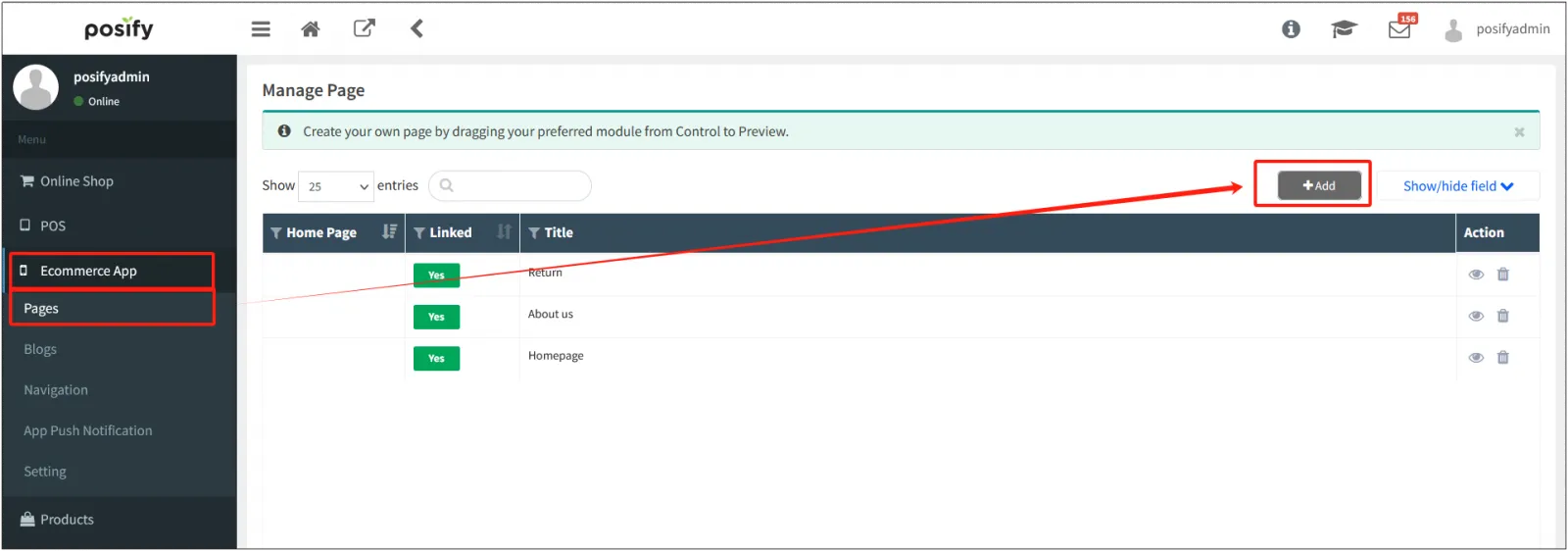
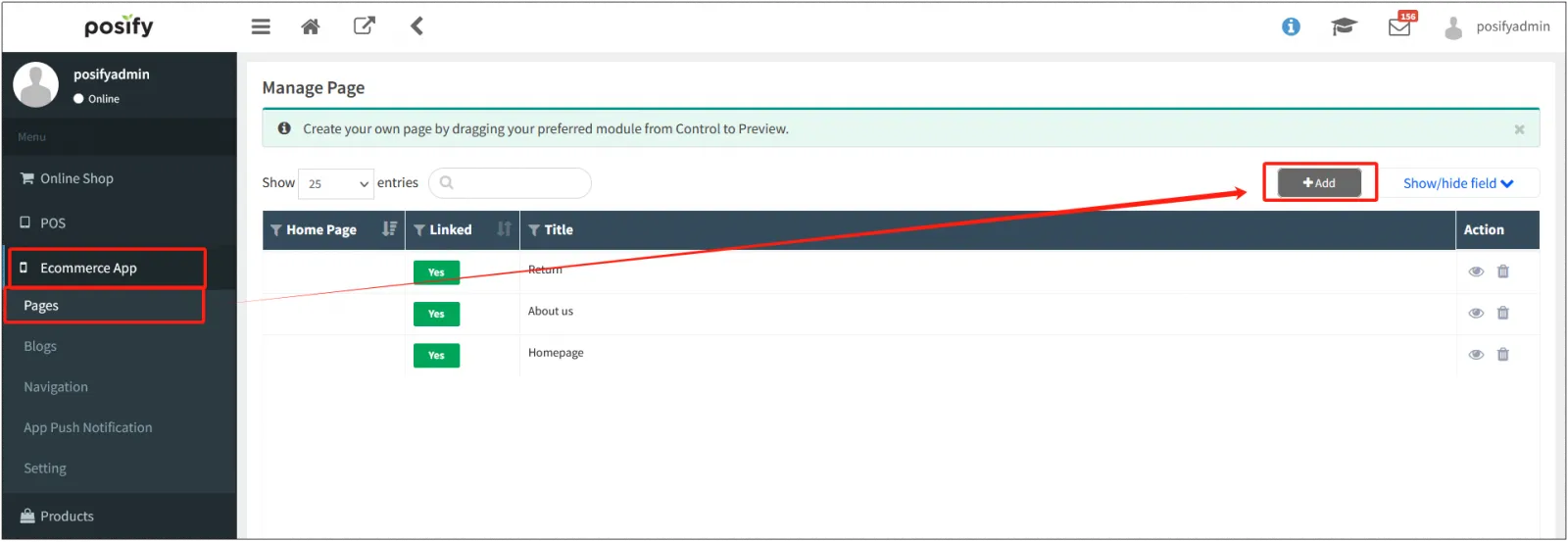
Open the CMS tap the e-commerce mobile apptap All Tabsclick [Add].
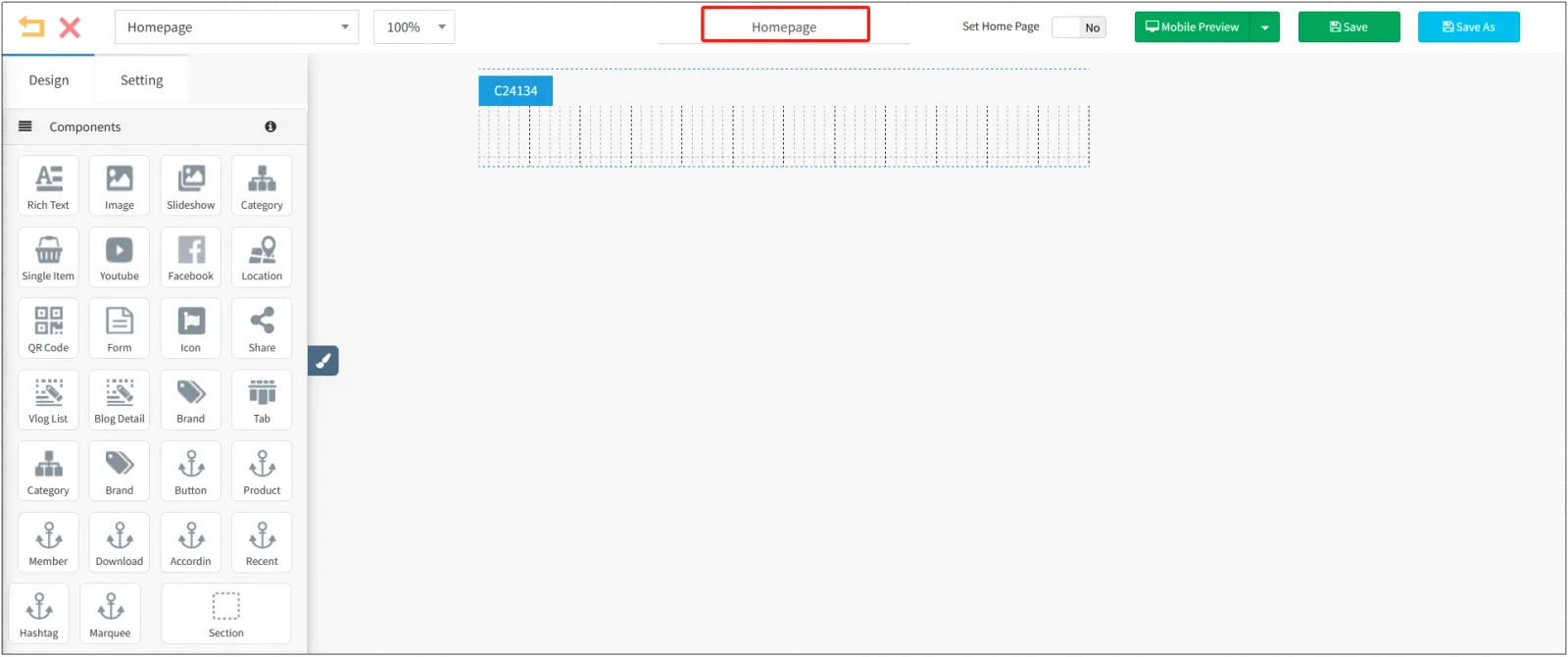
Once you are on the homepage editing page, it is recommended to change the page name to: Homepage. The e-commerce mobile app website editor is used in the same way as the online store's website editor, and you can learn how to use the website editor by checking playbook-website editor (beginner) and playbook-website editor (advanced).
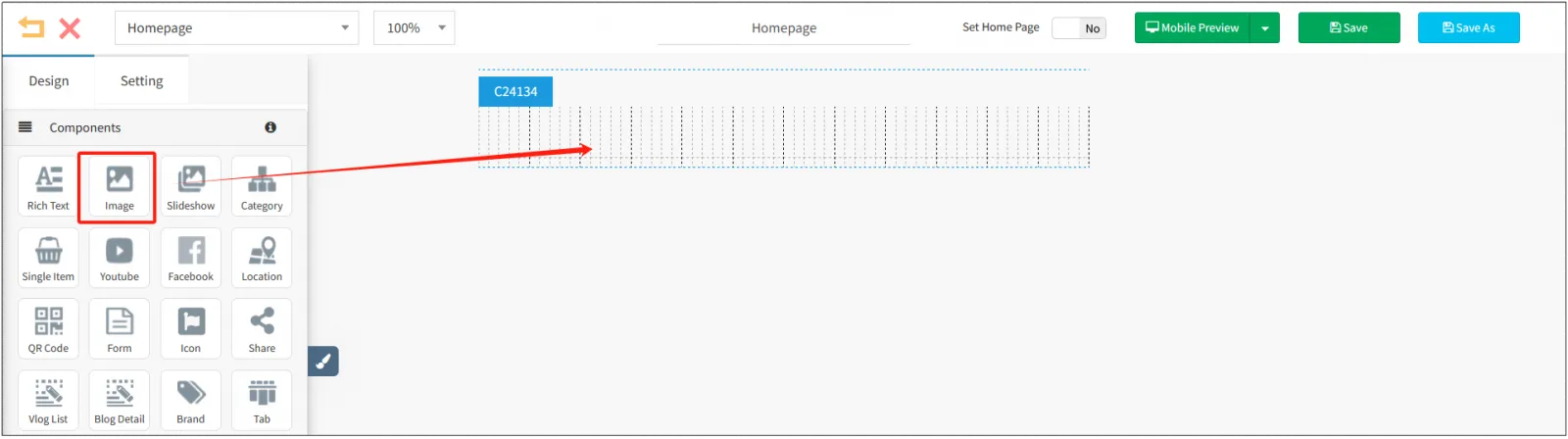
Refer to the online store website editor - the initial construction method to quickly build an e-commerce mobile application website, the first device uses image elements. Drag and drop the image symbol into the section.
Click [Choose File...] to upload your Banana image.
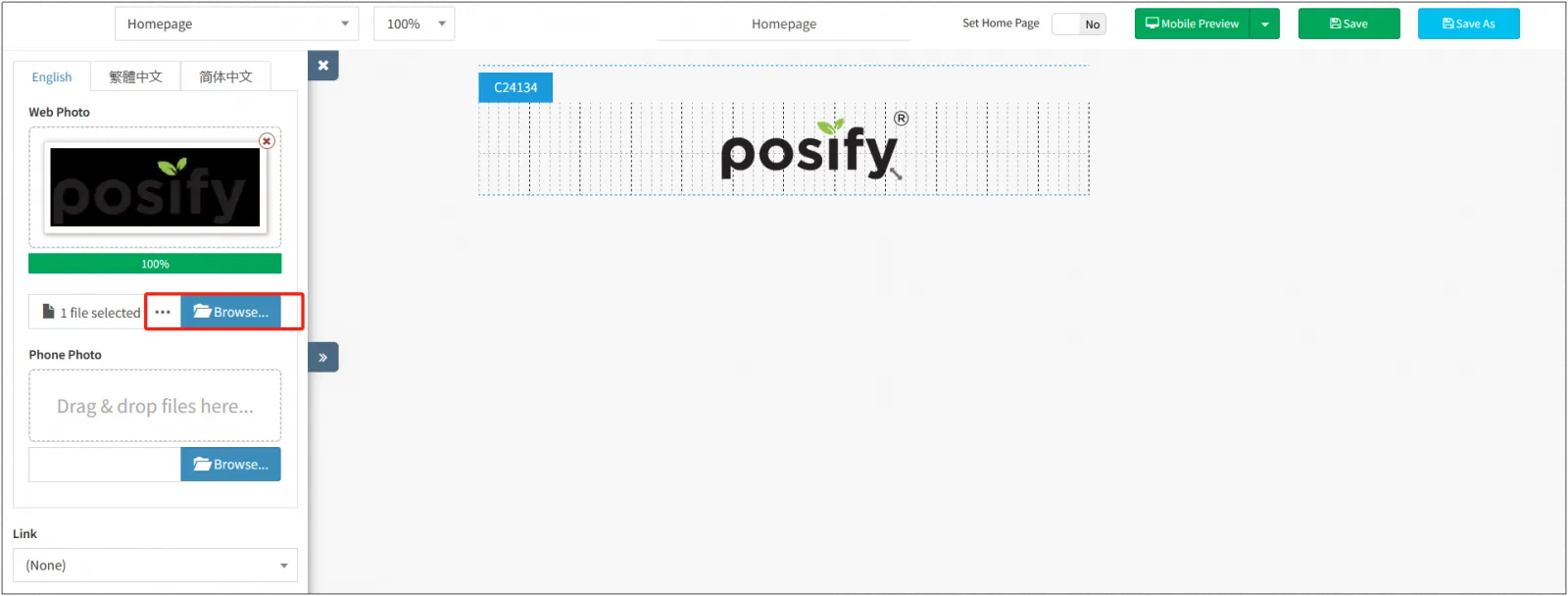
You can click [Save] in the upper right corner to avoid losing the edited content for each part of the edit.
The following refers to the construction method of the online store website (beginner) to quickly build an e-commerce mobile application website.Click Add section and use more components to edit the home page of the e-commerce mobile app.
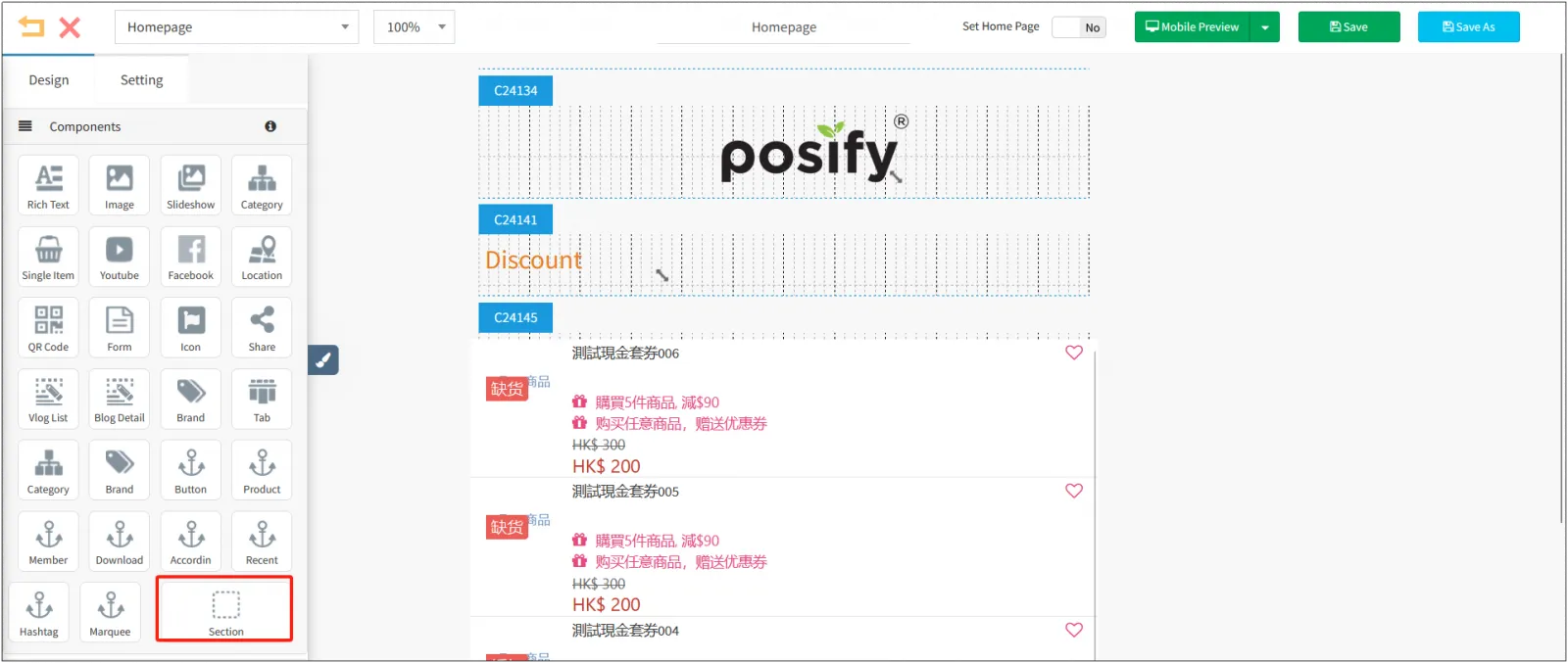
After that, you need to add some other pages, such as: About Us, Returns & Exchanges Help, etc.
Create a navigation menu for your e-commerce mobile app website
Open the CMStap the e-commerce mobile appclick the app navigationclick [+] on the right side of [Main Directory].
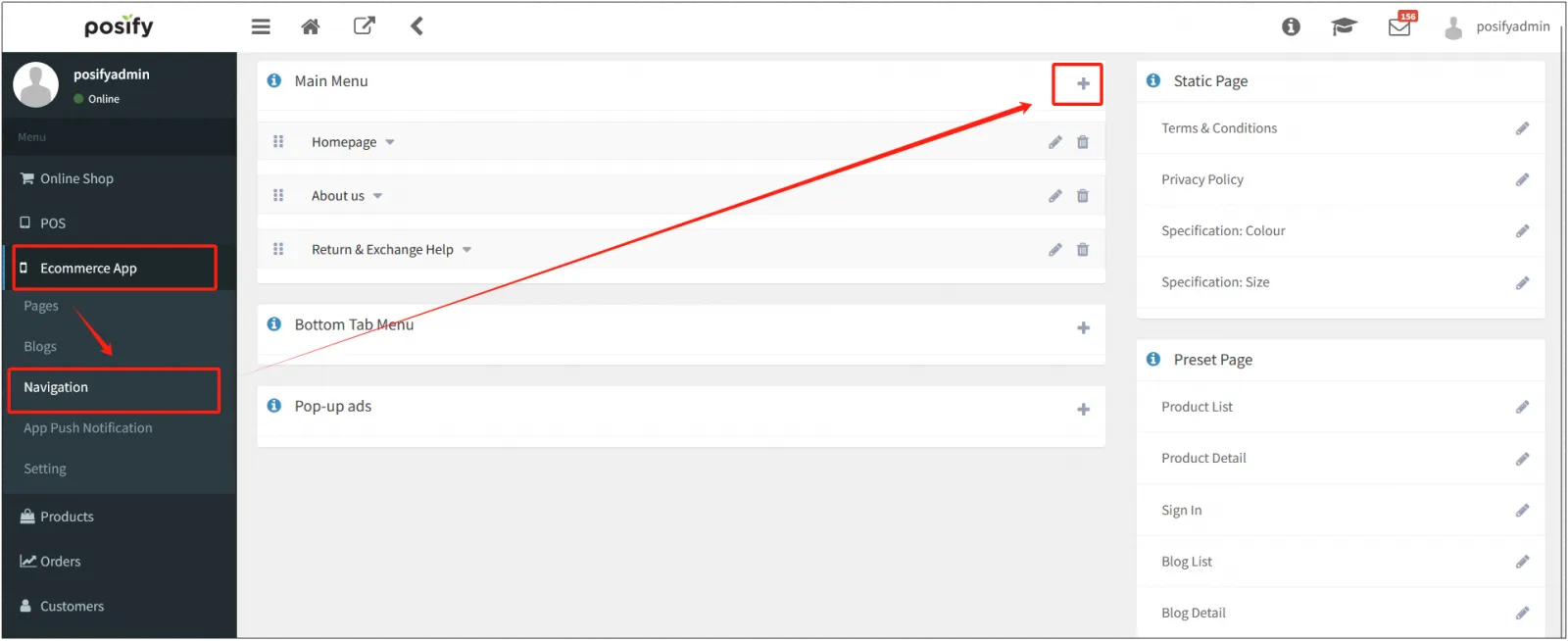
If you have already set up the "Homepage", "About Us", and "Return & Exchange Help" pages, you can apply the pages you set up here to the navigation menu, and you can see playbook - Website Editor (advanced) for details.
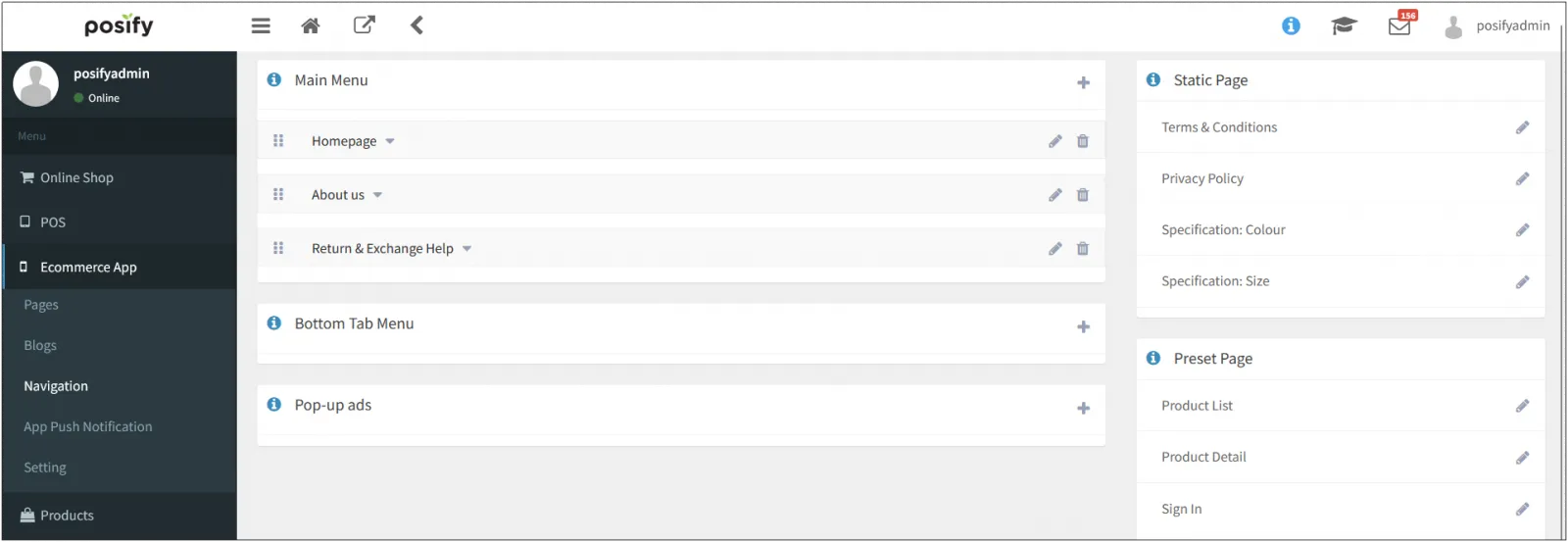
Create a terms and policies page for your e-commerce mobile app website
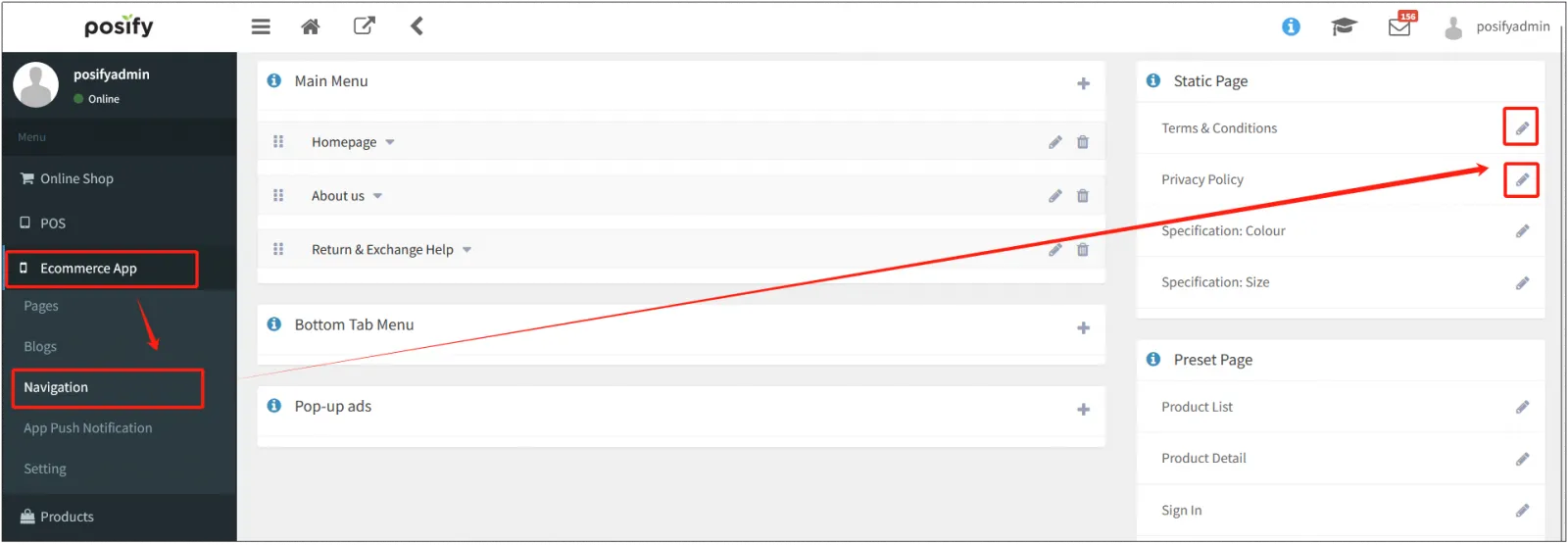
Open the CMSclick the e-commerce mobile appclick the app navigationclick the small pen icon on the right side of the [Terms & Conditions] and [Privacy Policy] pages to edit the page. For more information, see Playbook-Website Editor (Advanced).
Finally, the guest can download your e-commerce mobile app through the mobile app store to see the content you set earlier, for example, the content displayed on the e-commerce mobile app website in the figure below is set through the above steps.