Add a demo video to the product editing page
The video can not be placed in the product list and the product display image, only in the detailed content.
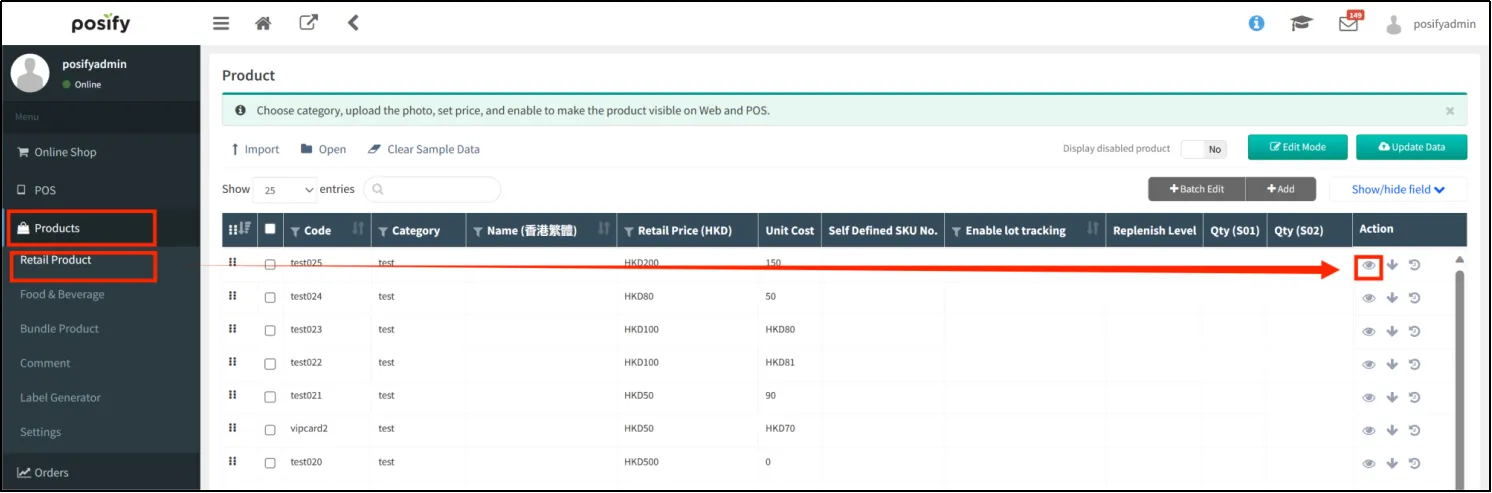
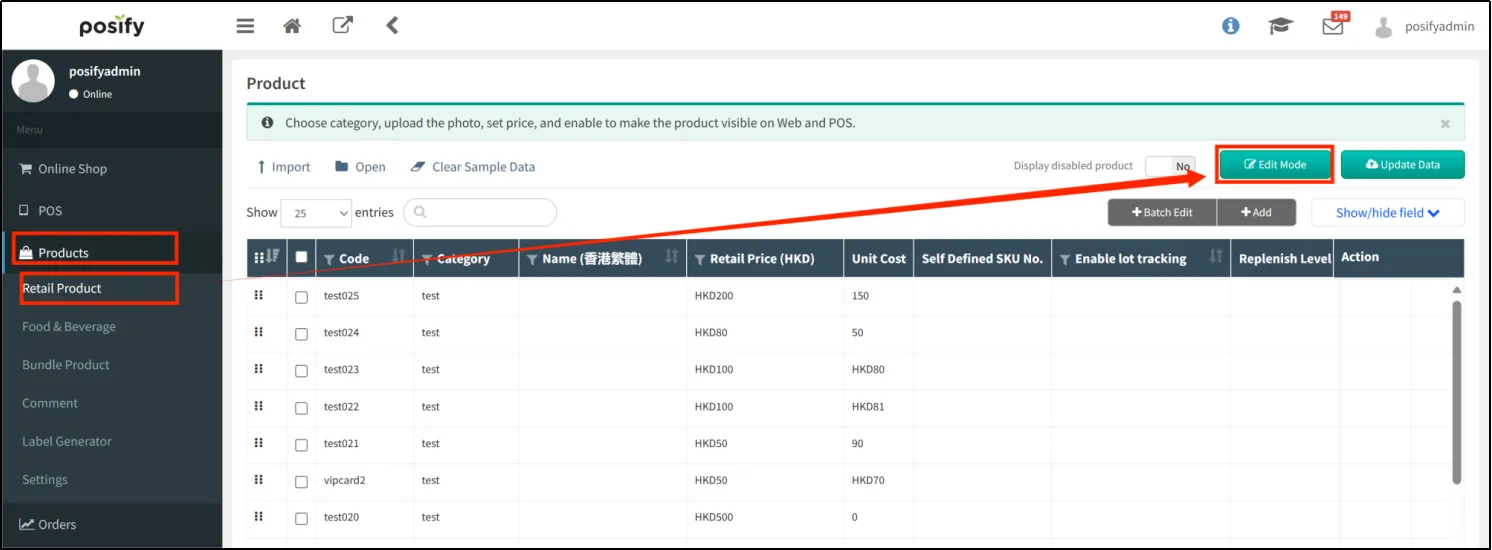
Open CMS  click on the product click on the retail product, find the product you want to add the demo video click
 to open the product editing page.
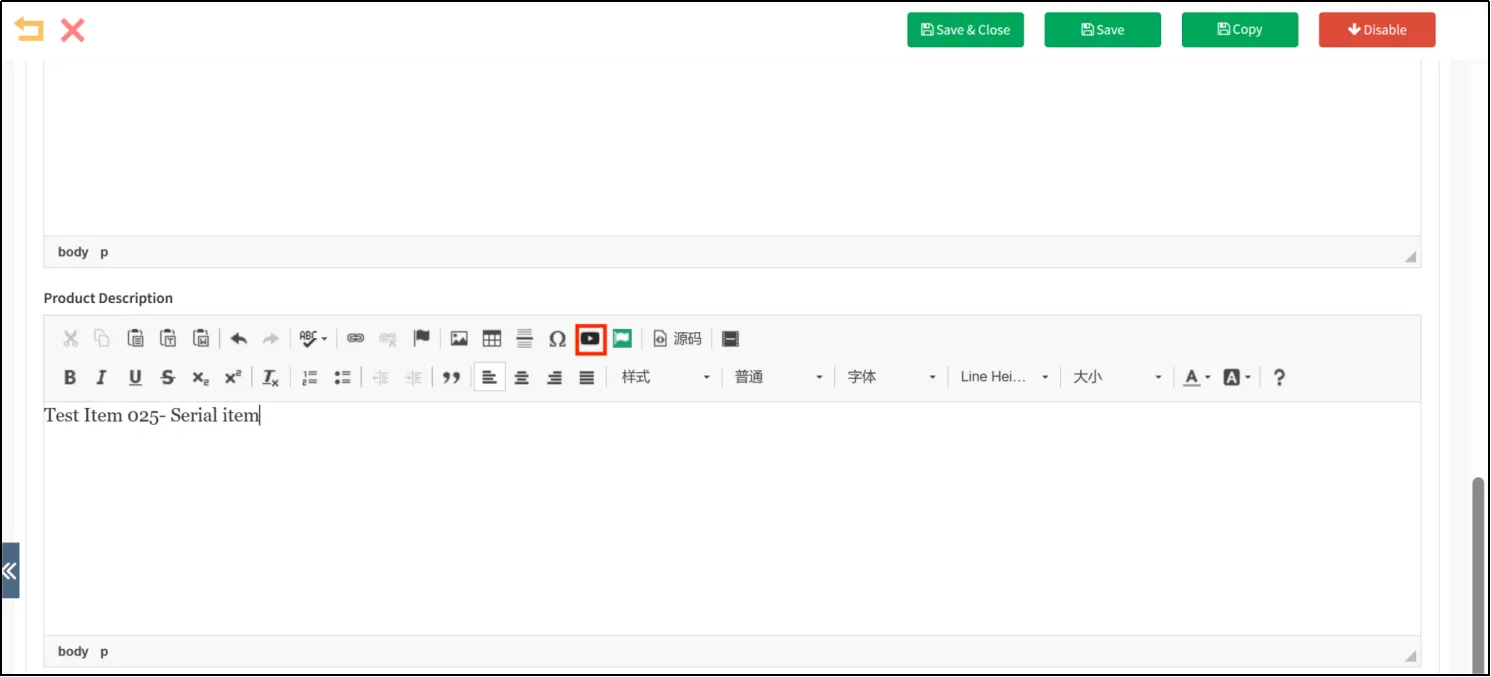
Under Details, in the rich text box, click the movie icon to add the movie to Details.
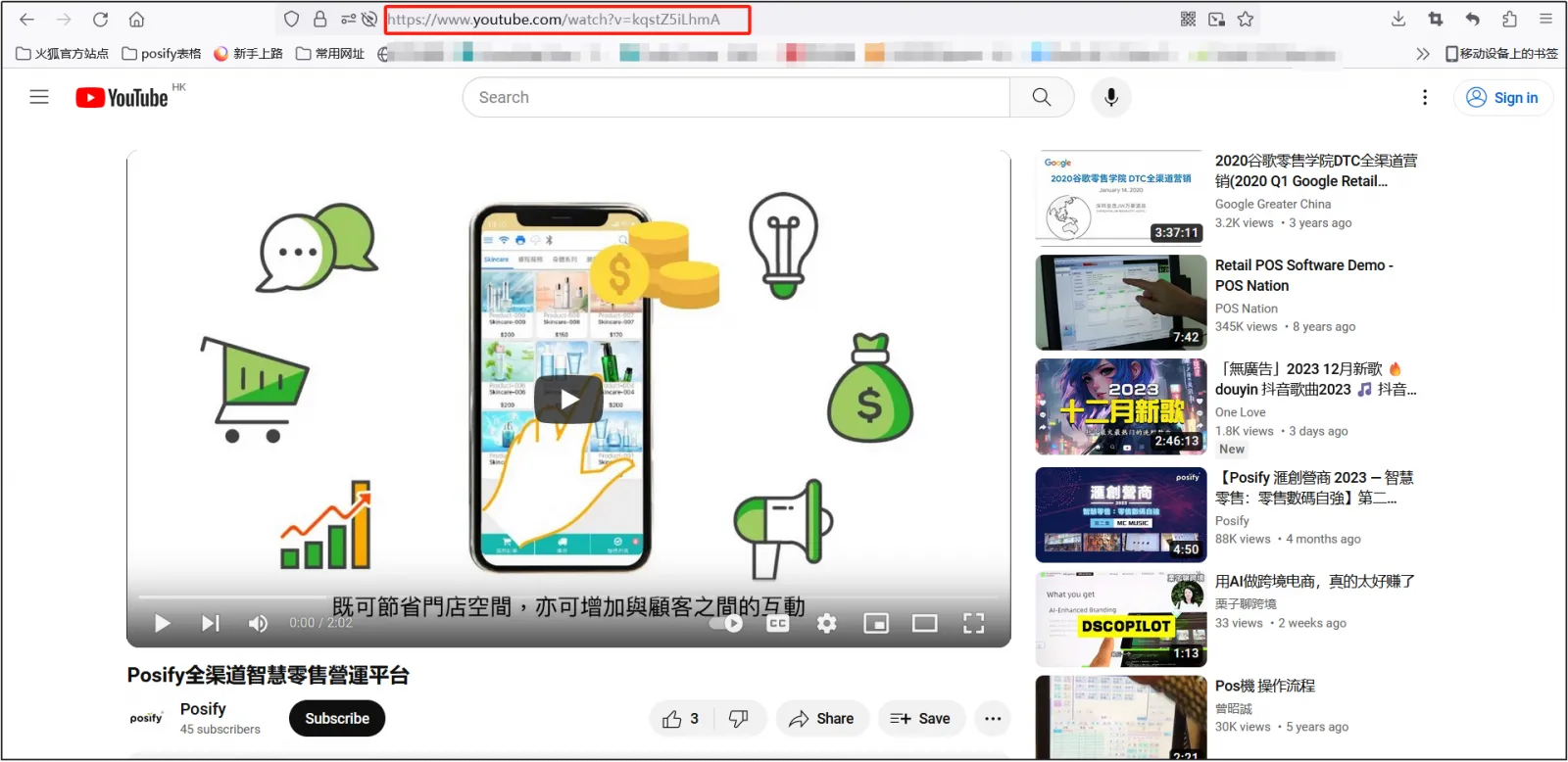
Find the video you want to add on YouTube and copy the link to the video.
Paste the link to the location shown on the image, set the other options and click [OK].
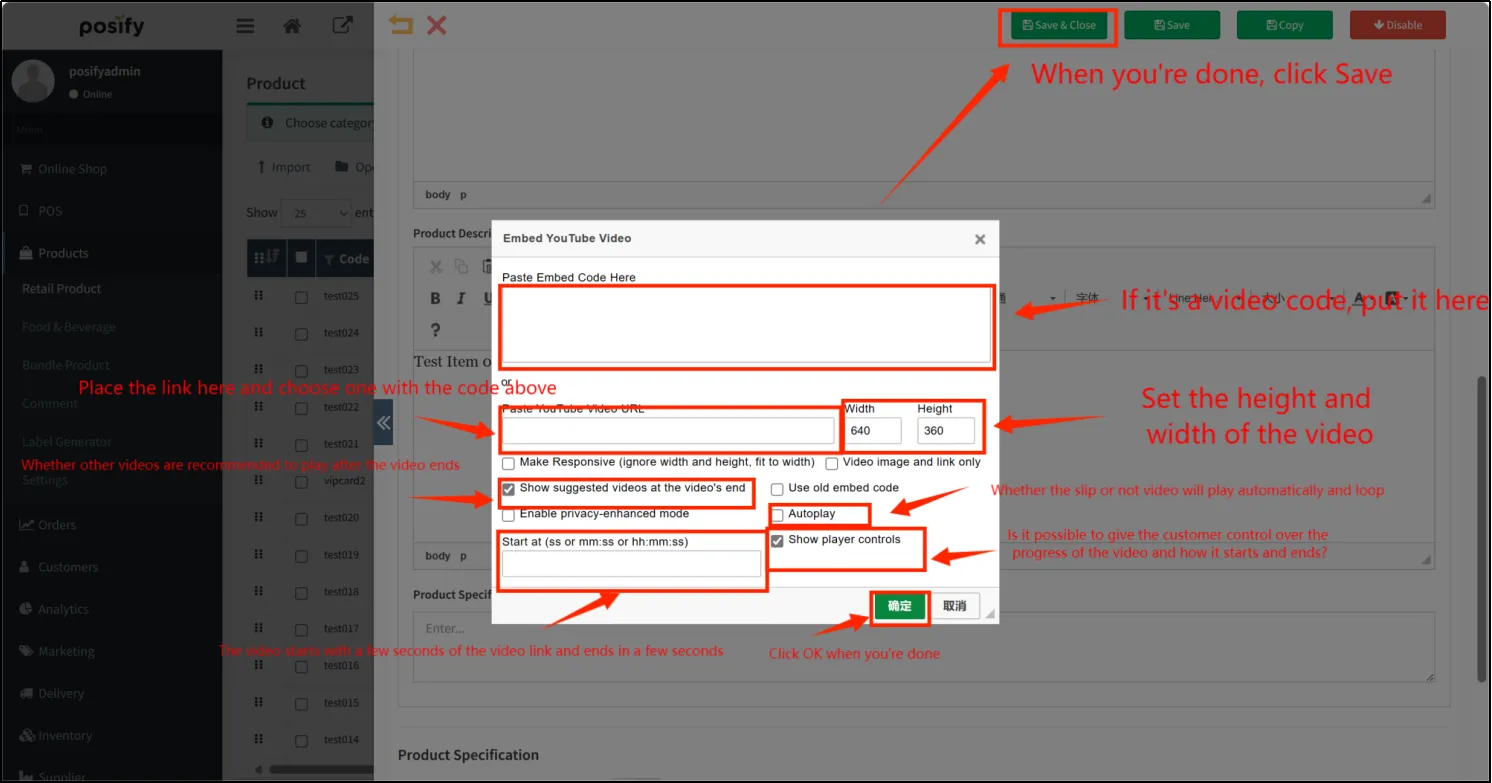
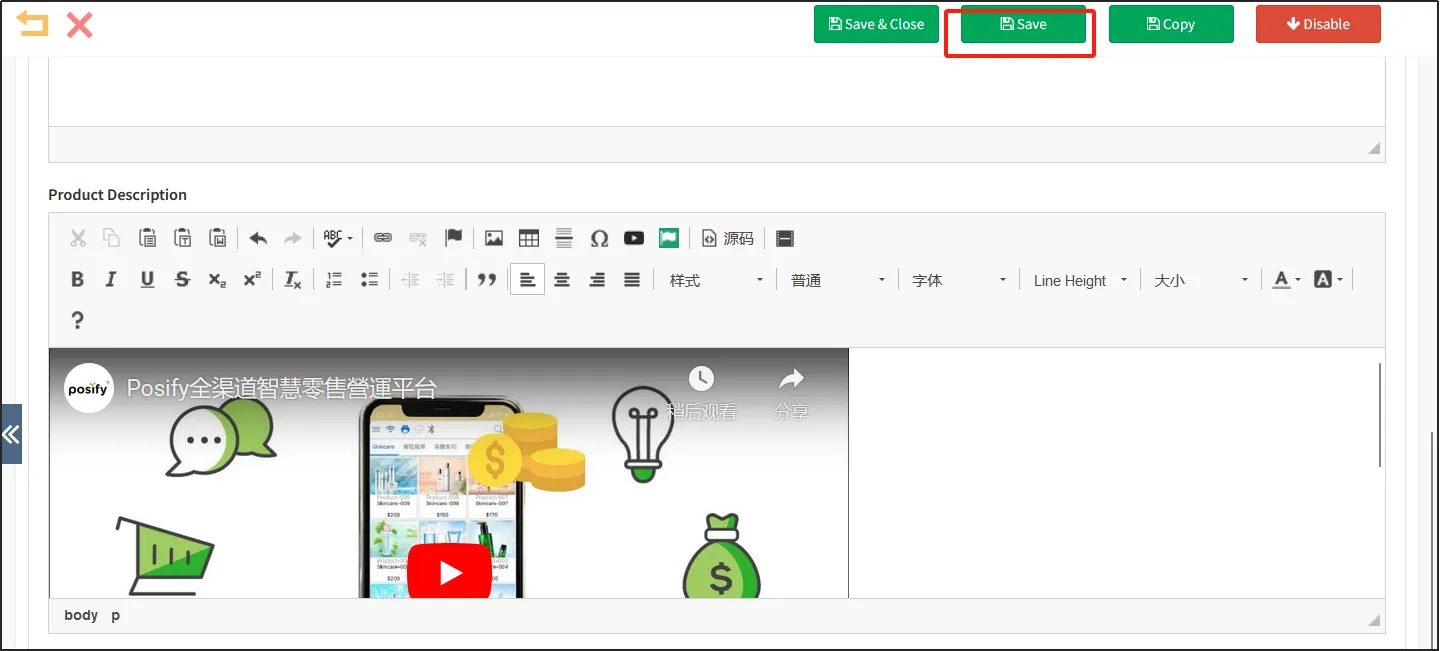
You can see that the video has been added to [Details] Click [Save].
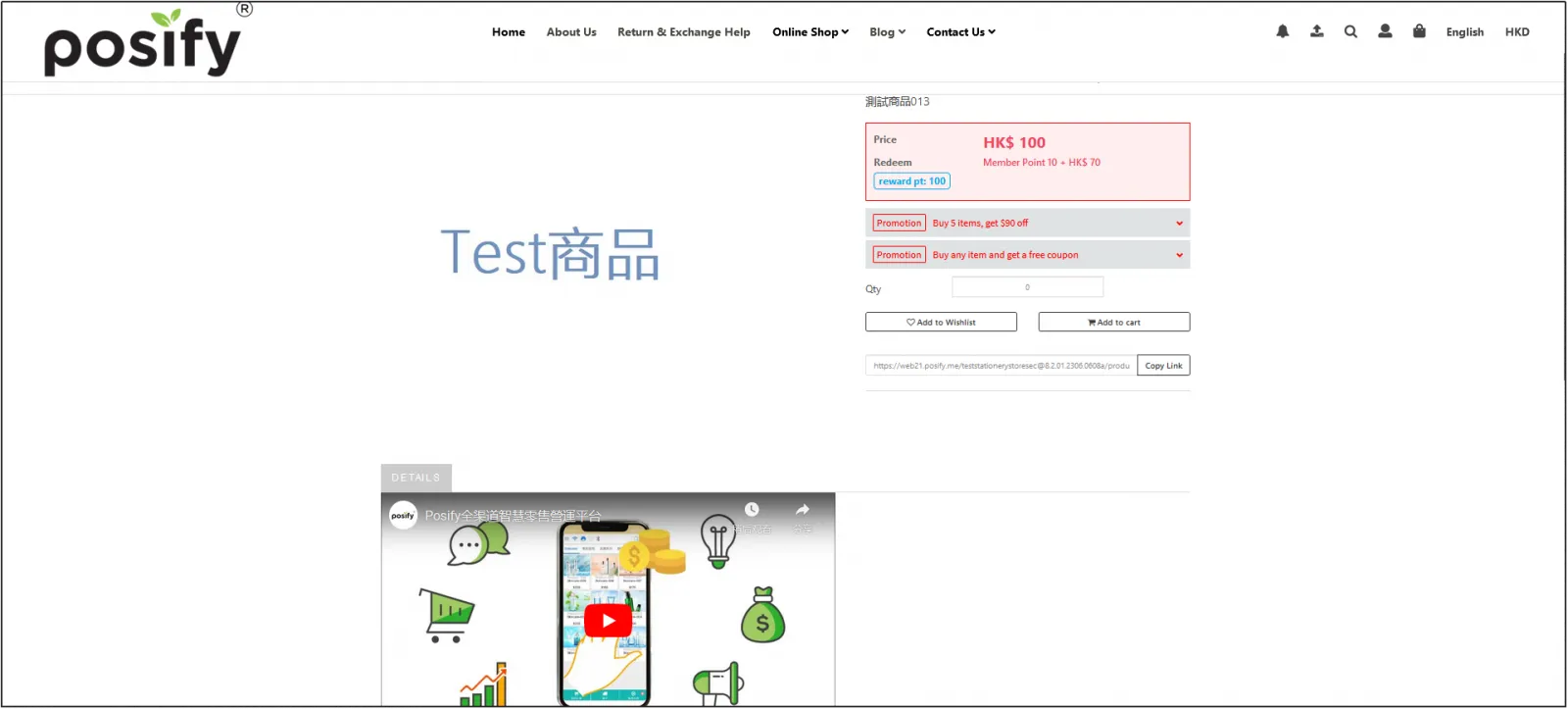
Go to the online store and open the details page of the item you just added a demo video to see the video you just added.
Import videos into products in bulk using Excel
Before batch import, please use the previous method to add a demo video to one of the products first, and set the specifications, so that the specifications of the subsequent batch import can use the first added video.
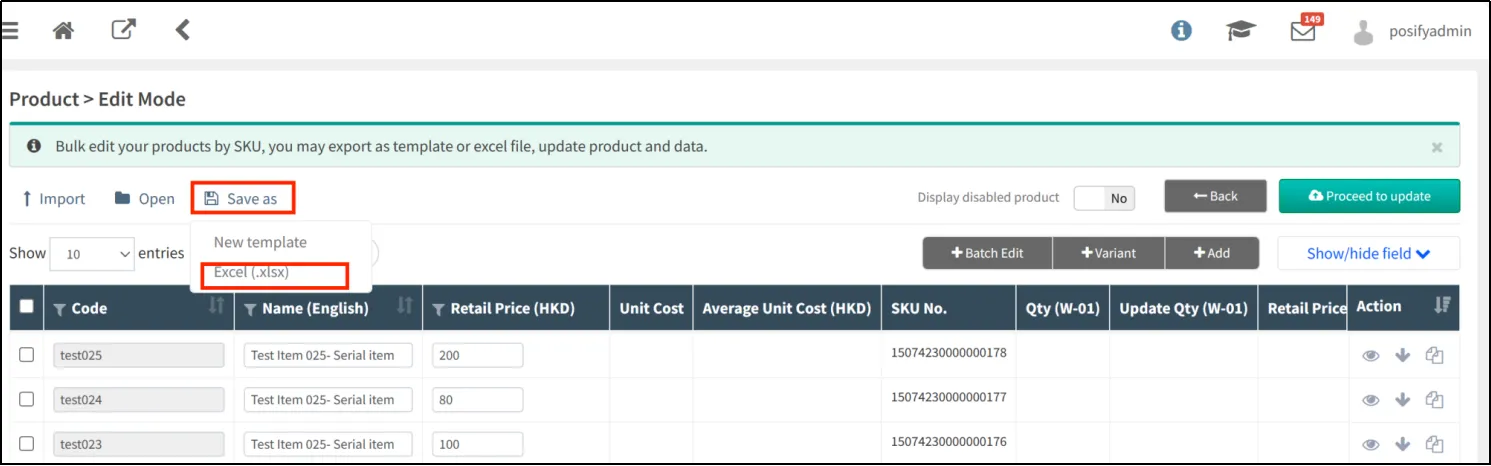
Open CMS click on merchandise click on Retail click on [Edit mode].
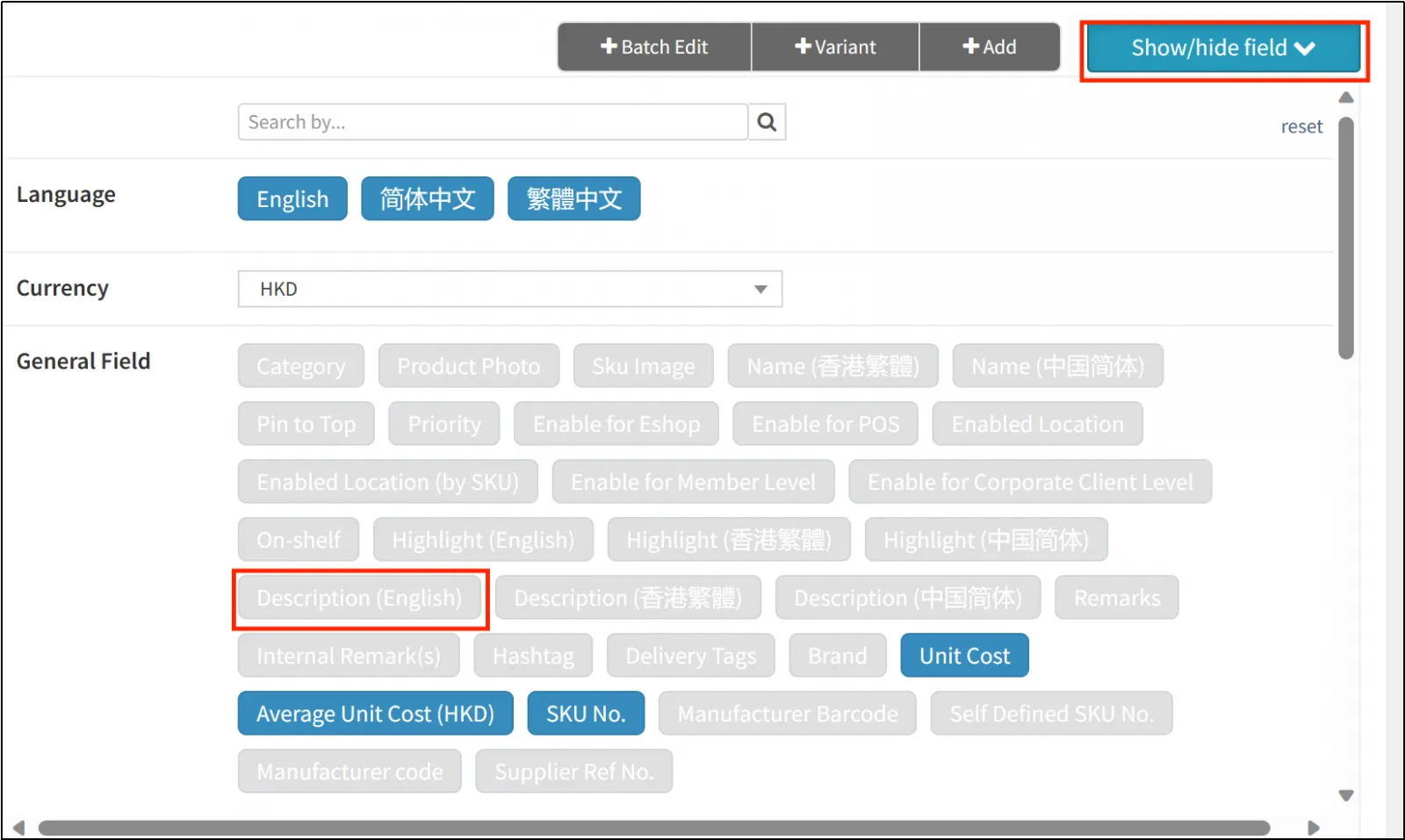
Click [Show/Hide bar] to light up [Details].
Click [Save] and select [Excel(.xlsx)].
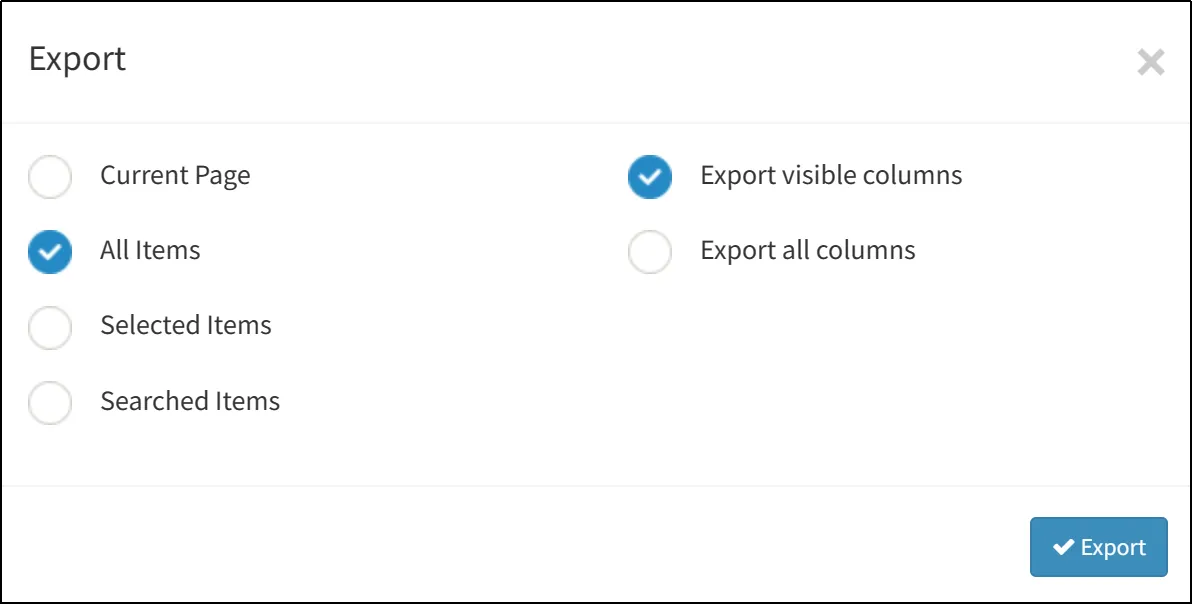
Check [All records] and [Export display columns only].
Open the exported Excel document.
You can see that the test013 product has set a demo video,
"