Refunds and exchanges for mobile POS
When transacting offline, there are times when you need to refund or exchange, and merchants can refund or exchange on the POS.
Set the reason for return
If you want to make a refund or exchange on the mobile POS, you must first preset the return reason in the CMS.
Open the CMS click Ordersclick Settingsclick the Request Reason Settings tabclick [Add].
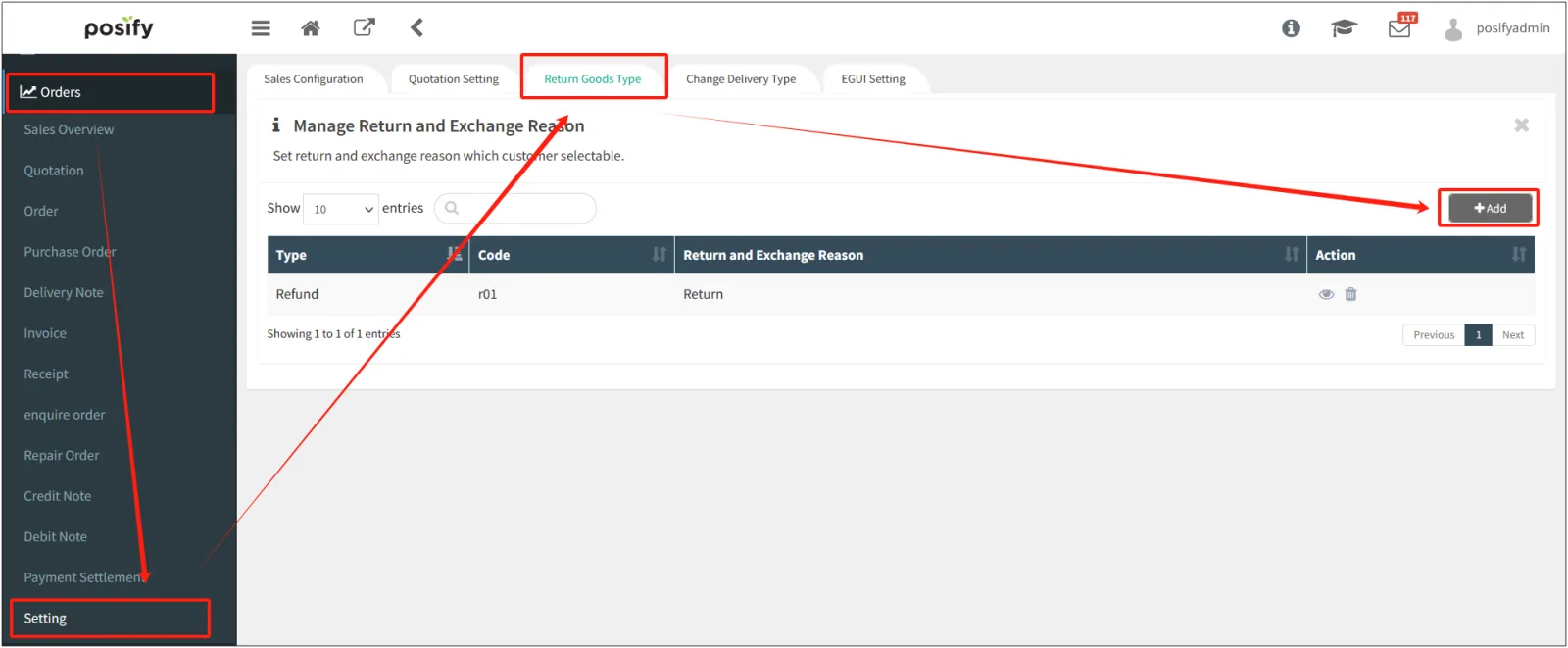
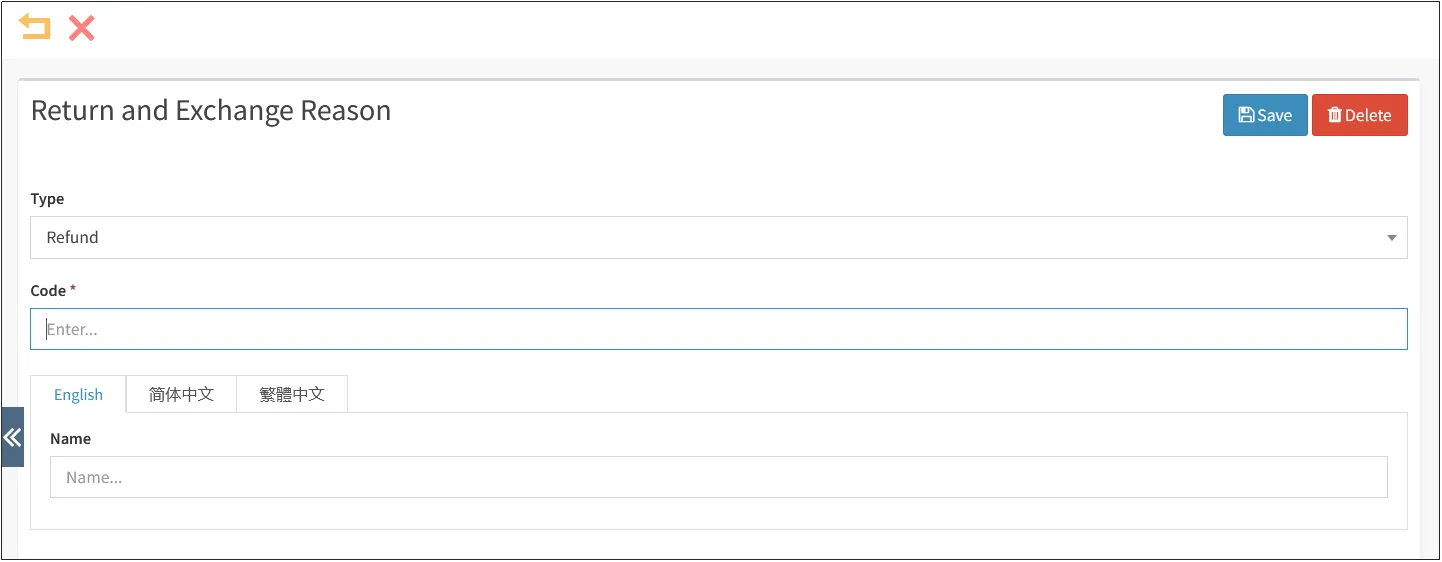
Select the type of reason for return, return (refund) or exchangeenter the number and name of the reason for returnclick [Save] in the upper right corner.
Refunds (Returns)
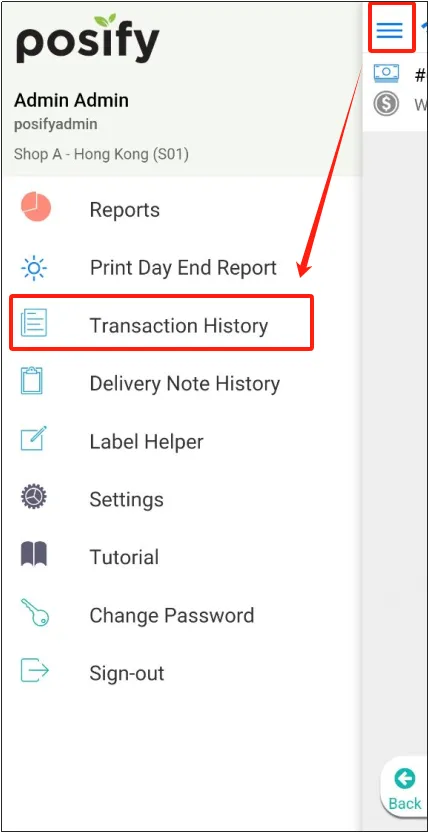
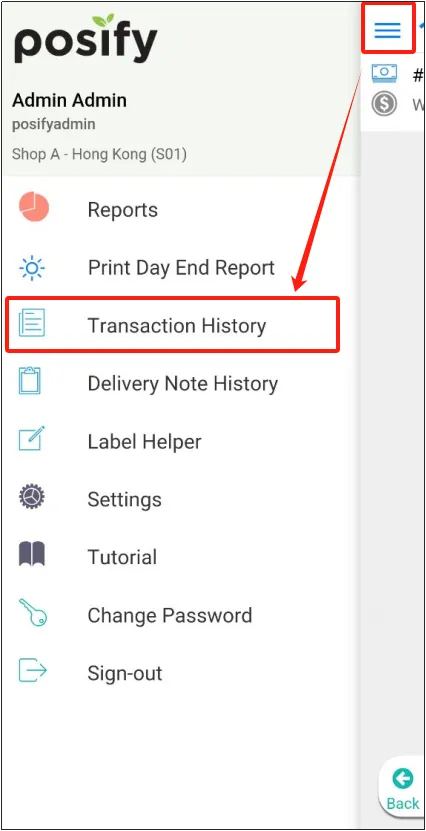
Open the mobile version of POSclick on the three horizontal lines in the upper left cornerclick on Transaction History.
Find the order you want to refundpress and hold to swipe lefttap "Refund".
Note: Only completed orders can be refunded.
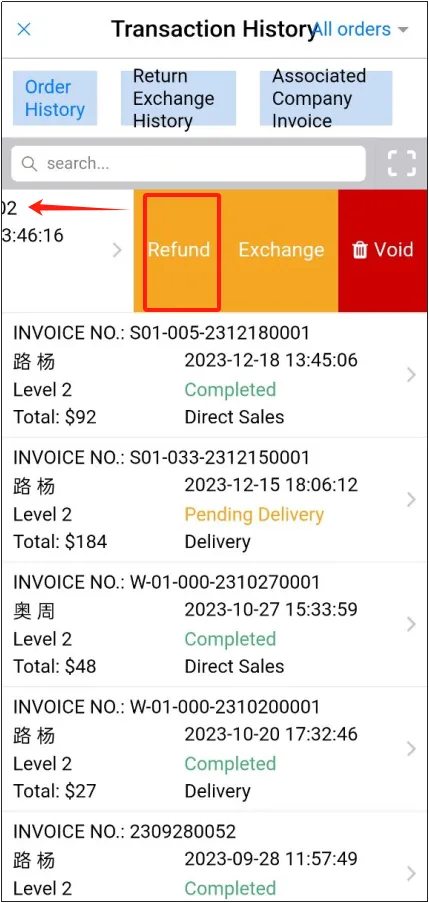
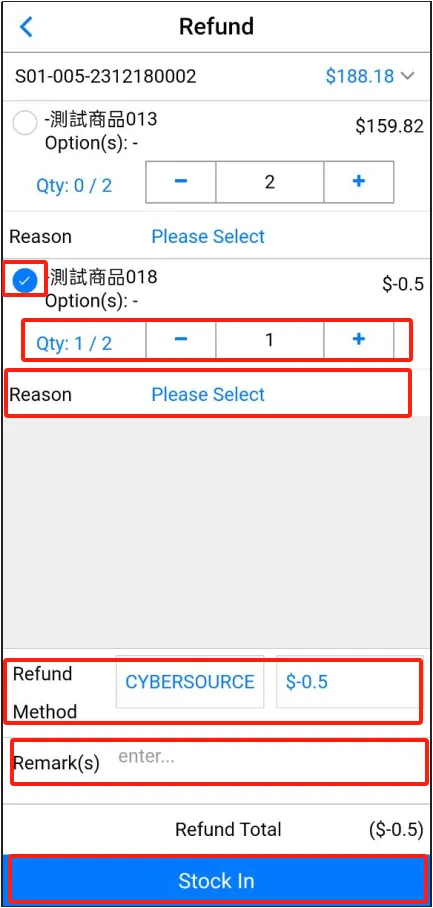
Select the items to be refundedenter the number of items to be refundedclick [Reason] at the bottom, select the reason for refundselect the refund methodenter a comment if necessaryclick [Direct Storage].
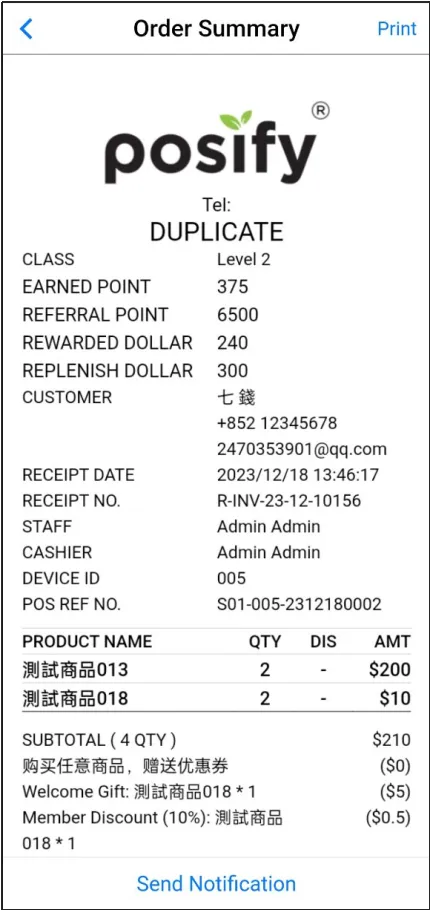
A return order will appear after the refund is issued.
Exchange
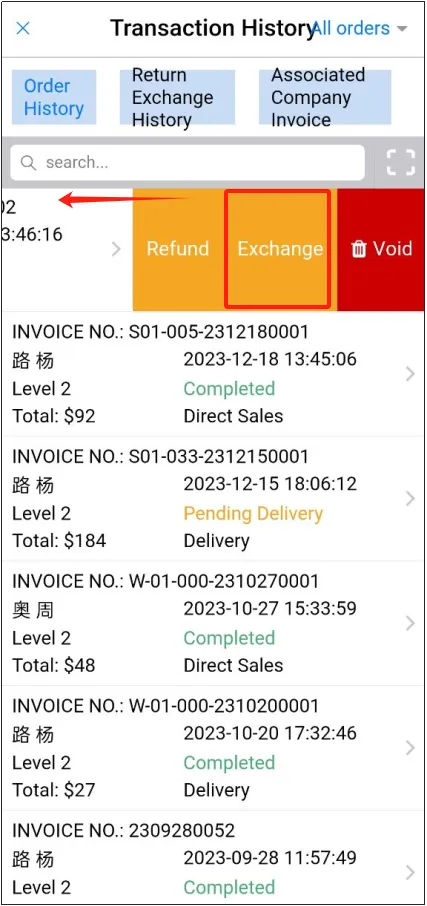
Open the mobile version of POSclick on the three horizontal lines in the upper left cornerclick on Transaction History.
Find the order you want to exchangepress and hold to swipe lefttap [Exchange].
Note: Only completed orders can be exchanged.
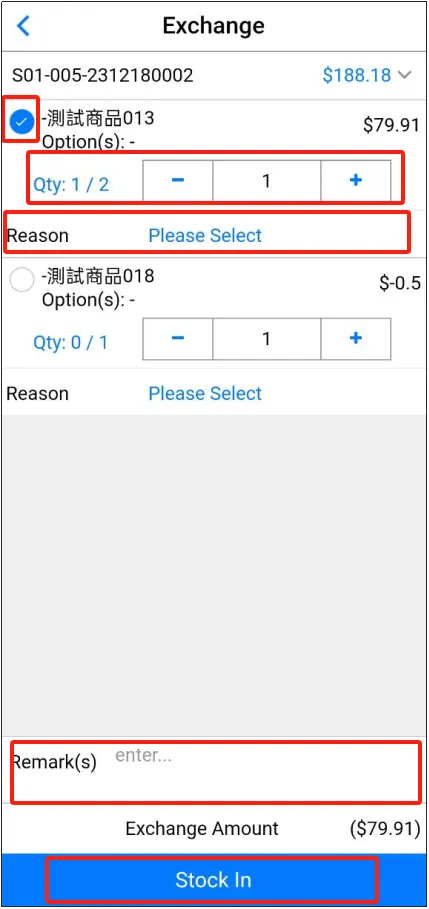
Select the products to be exchangedenter the number of productsclick [Reason] at the bottom, select the reason for the exchangefill in the exchange notes if necessaryclick [Direct Storage].
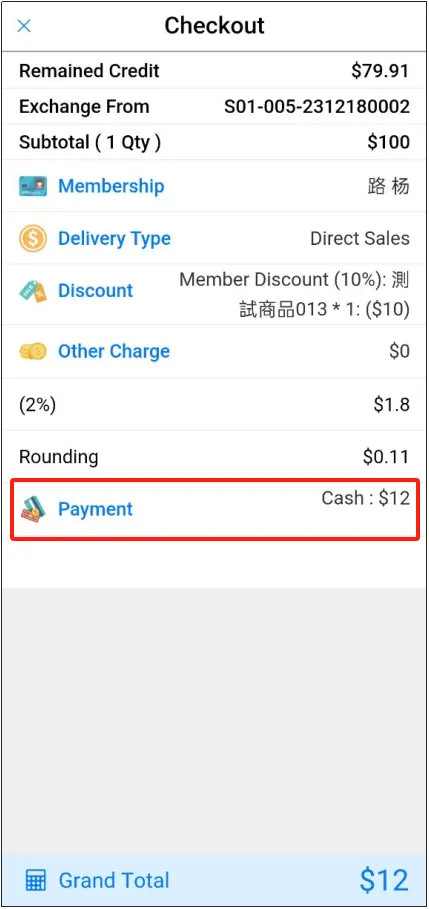
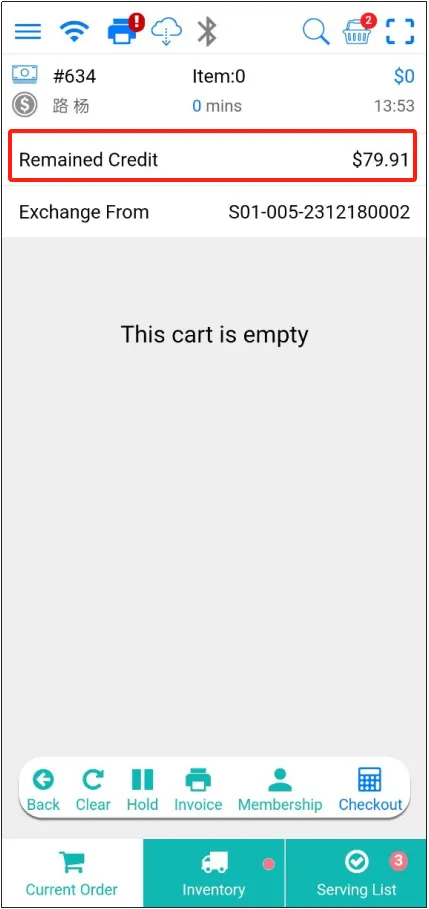
Jump to the shopping cart page, you can see that the order information above says the exchange order number, and the remaining $79.91, where the remaining refers to the exchange amount.
Click [Back] to select the product again, and the customer will need to pay the remaining amount after deducting the exchange amount.
Remark:
The total price of the re-selected item must be greater than or equal to the exchange amount, otherwise the part less than the exchange amount will not be refunded to the customer.
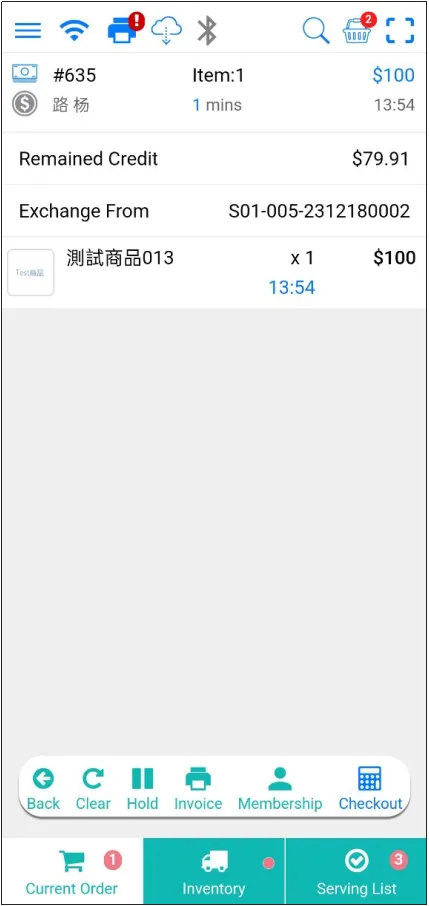
After confirming that everything is correct, click [Checkout]select [Payment Method].