Inventory added in edit mode
Open CMS click commodityclick retial commodityclick [edit mode] to enter edit mode.
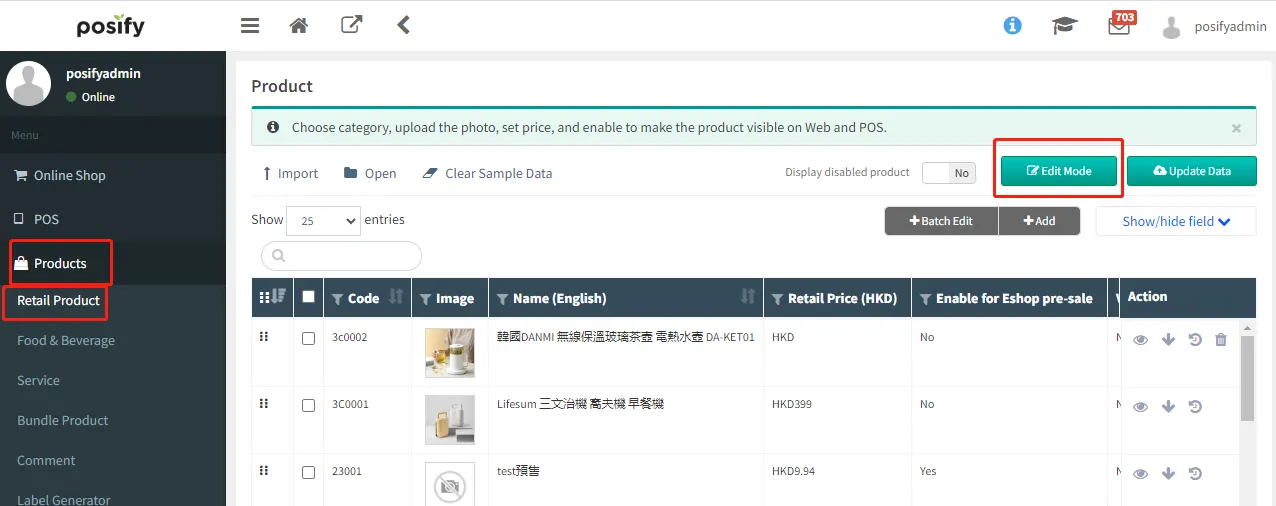
Click [Show/Hide Columns].。
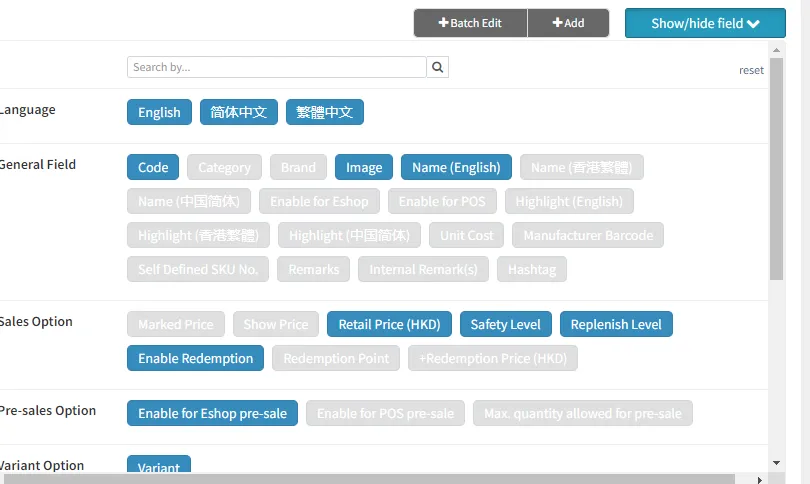
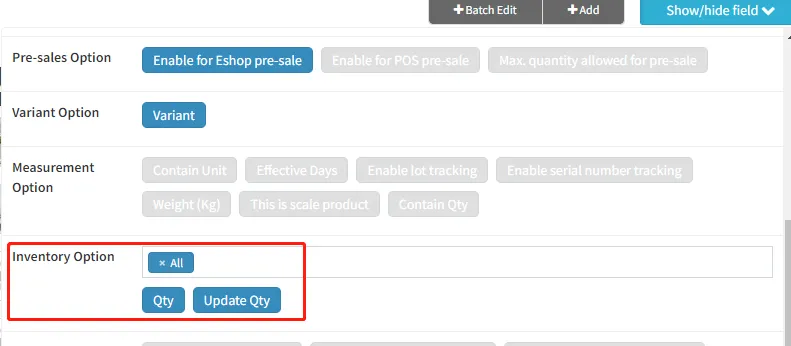
In the inventory option, select the store you want to increase the inventory light up the inventory and update the inventory.
It can be seen that the stock of all SKUs of original potato chips is 0.
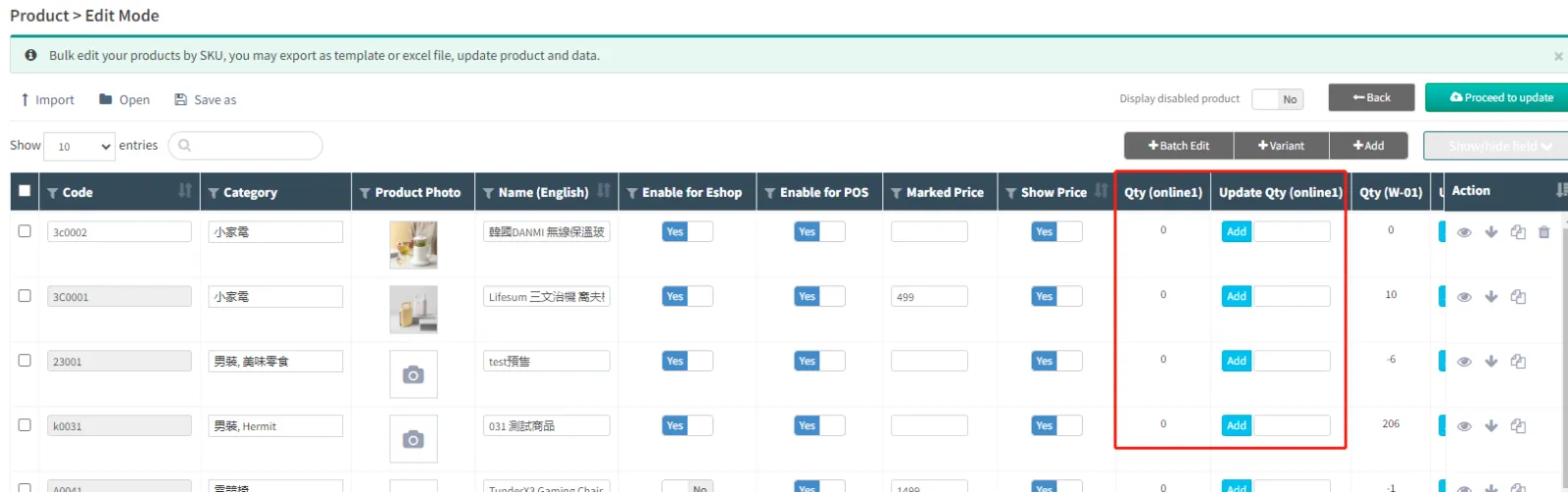
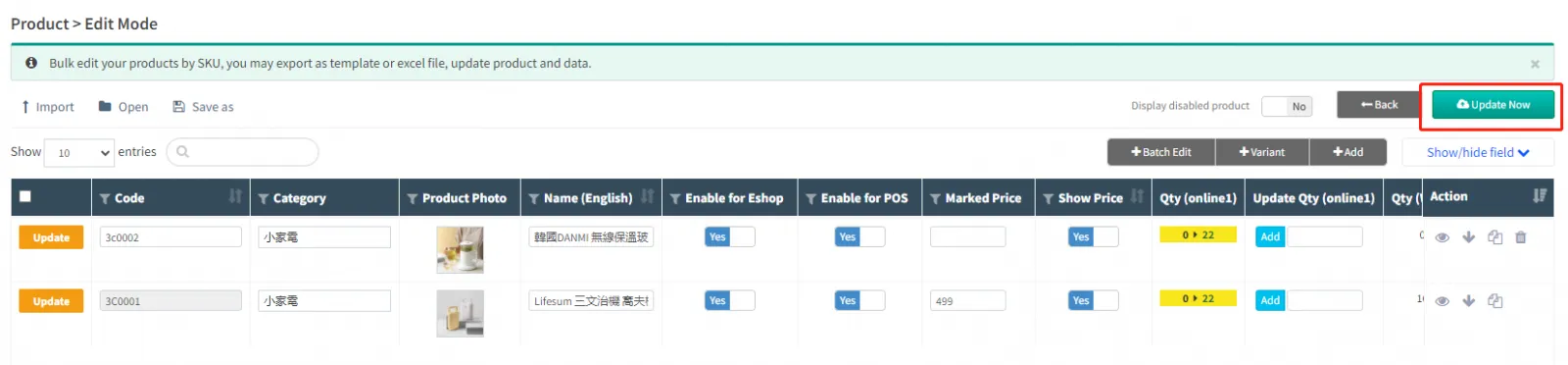
In the [Update Inventory] column, enter the increased quantity of the commodity inventoryclick [Update Now].
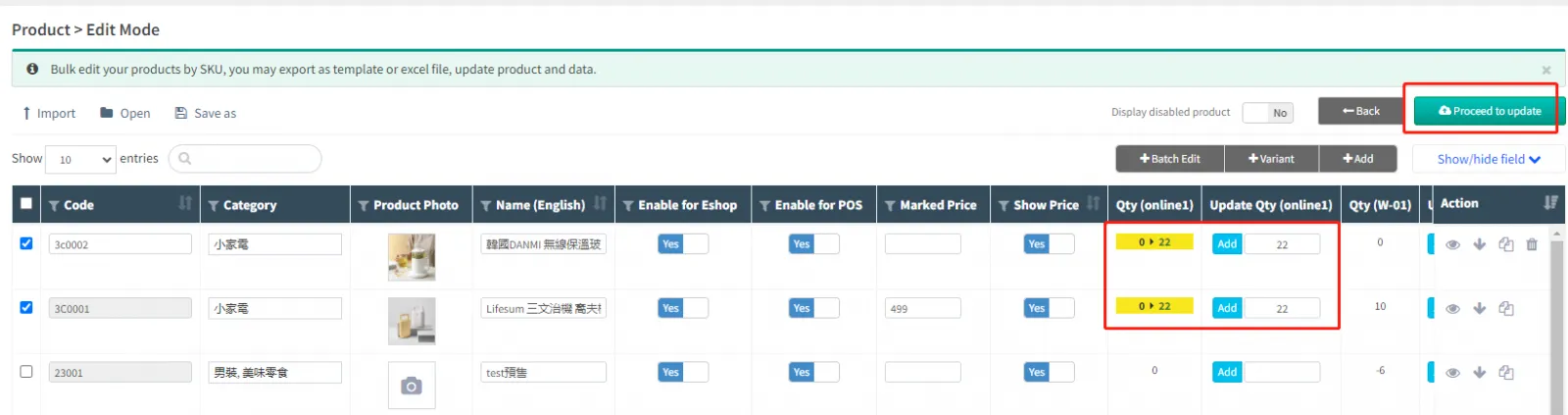
After reconfirming that the information is correct, click [Update Now].
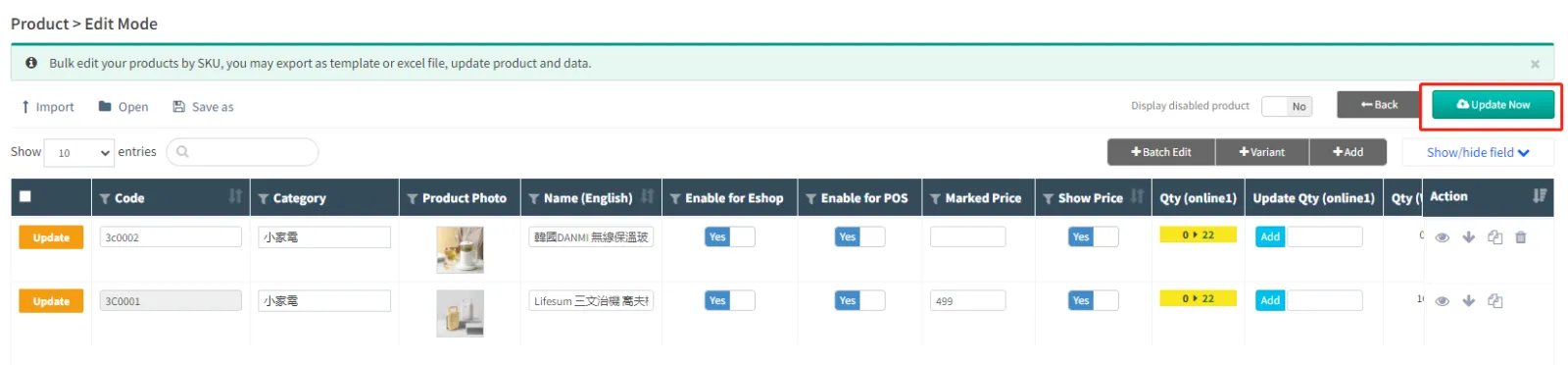
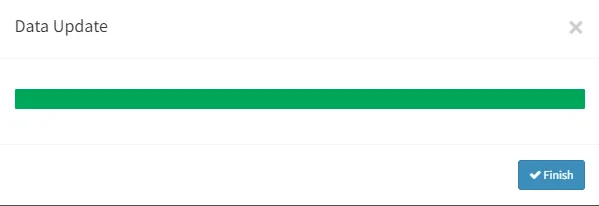
Click [Finish] to complete the relevant editing.
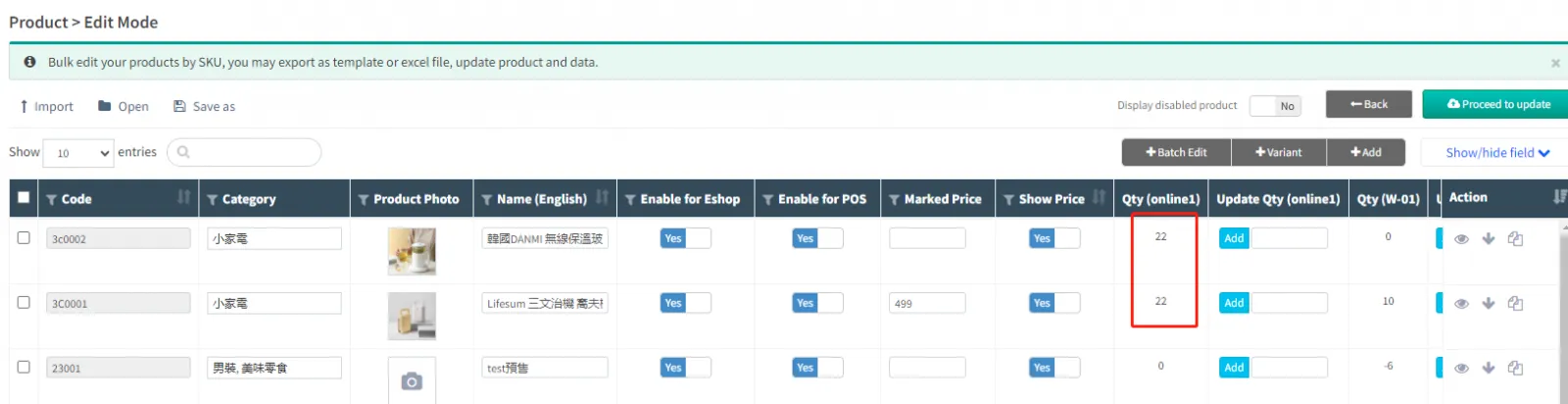
In the product management page, you can see that the inventory has been successfully increased.
Bulk import inventory
The inventory of multiple products can be updated in batches by importing into Excel.
Open CMSClick on the productclick on the retail productclick on [edit mode].
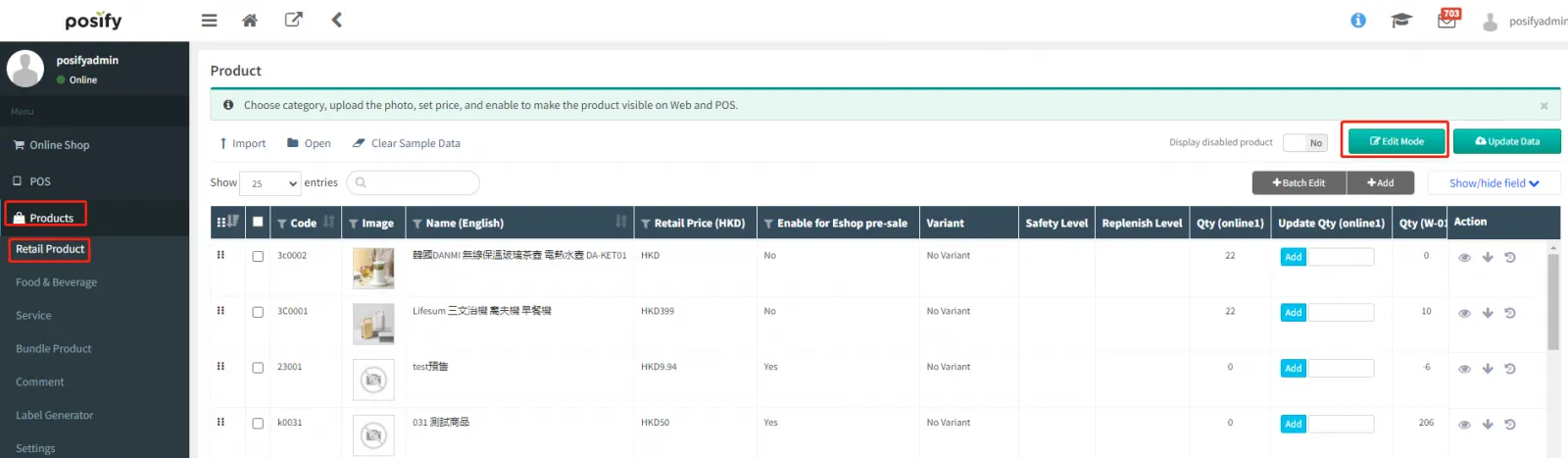
Click [Show/Hide Columns].
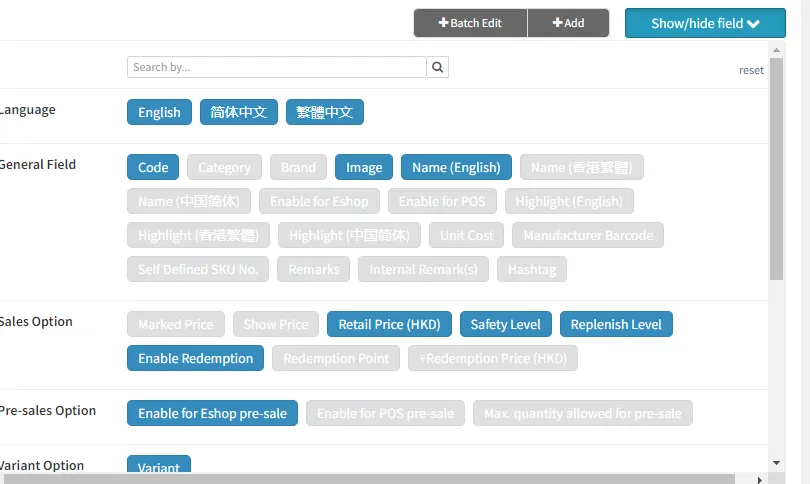
In the inventory option, select the store you want to modify the inventory to light up the inventory and update the inventory.
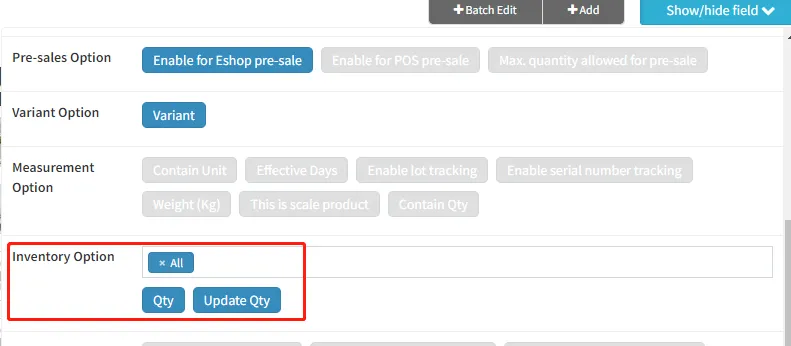
If there is an attribute product in the product that you want to increase the inventory, you need to select the relevant attribute content. Here, the attribute: packaging is used as an example.
Check the items you want to increase inventoryclick [Save]select [Excel(.xlsx)].
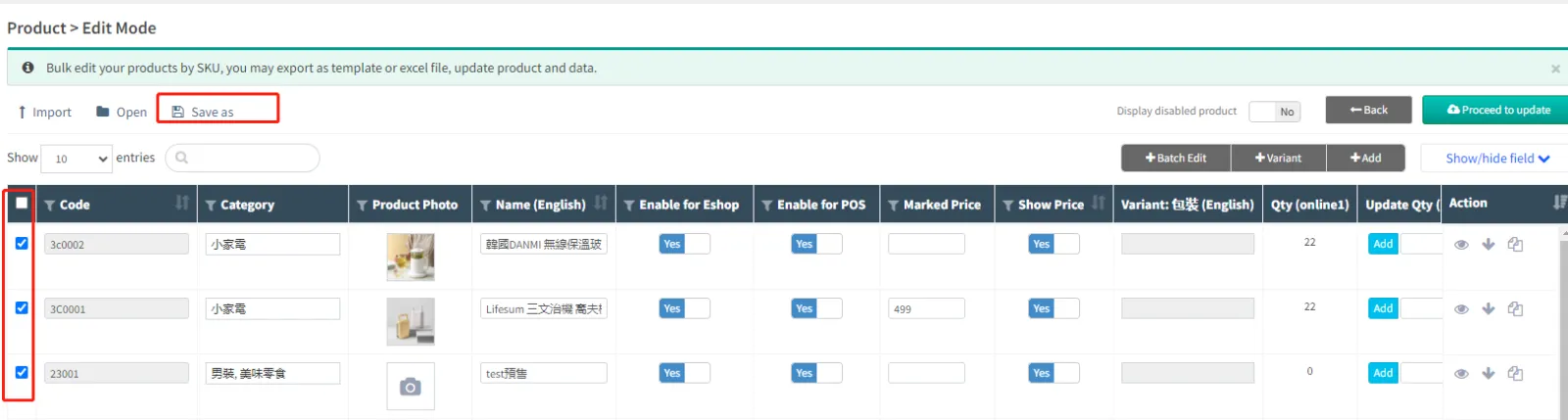
Check the checked records and export only the displayed columns export to Excel.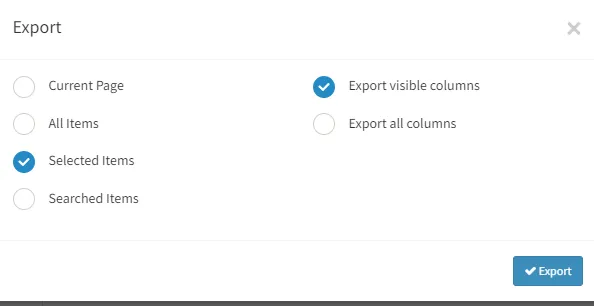
Open Excel fileenter the increase in inventory of this product in the inventory columnsave.

Open CMSclick commodityclick retail goods click [Edit Mode].
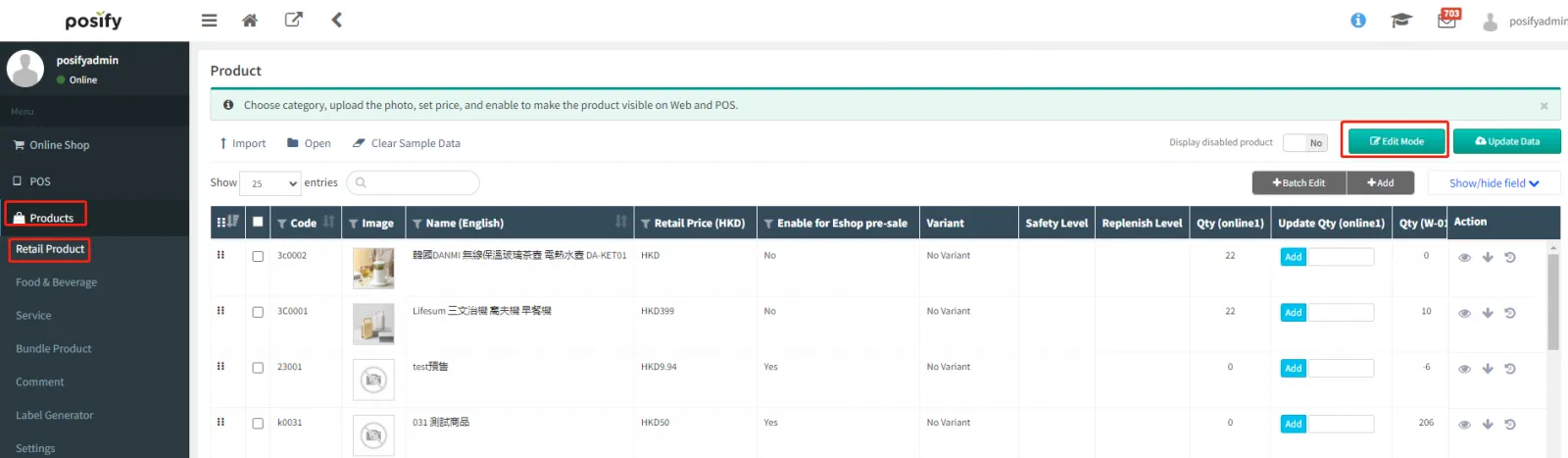
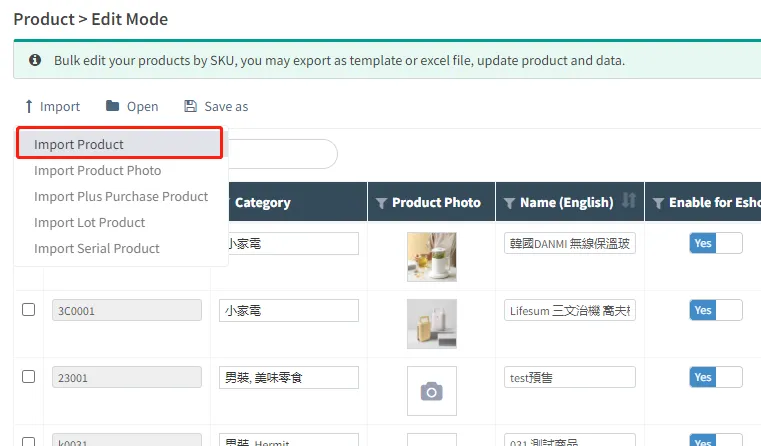
Click the exportclick the export the goodsselect the Excel import you just edited.
When you see the updated inventory data, the yellow highlight is the modified part. After confirming that it is correct, click [Update Now].
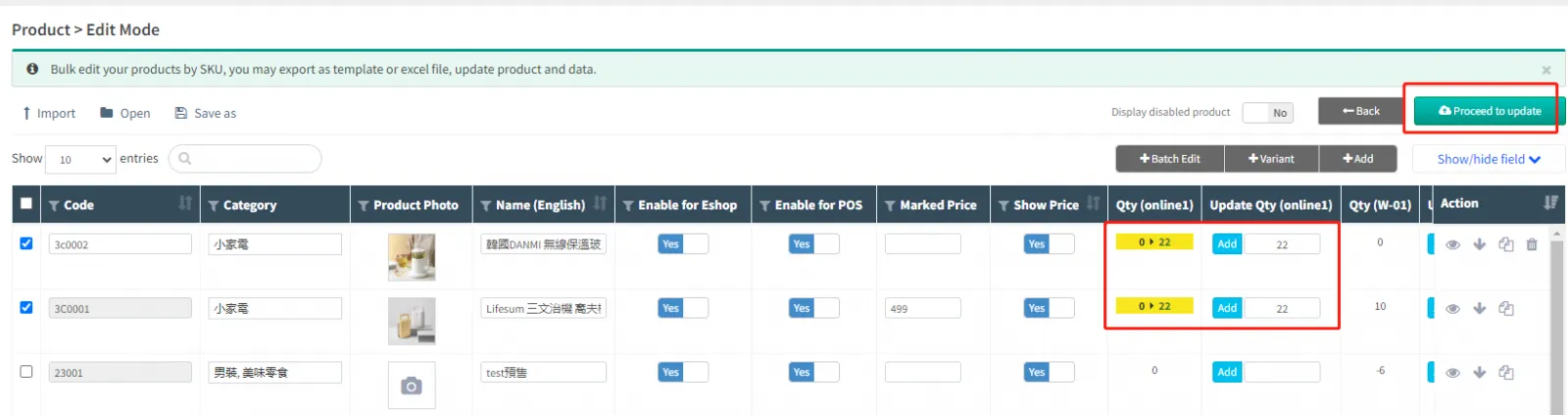
After the import is complete, you can see that the inventory data has been updated.
Purchasing goods
Increase commodity inventory by creating purchase orders to purchase commodities.
To learn how to increase product inventory by creating purchase orders to purchase products, please check the purchase order management playbook under the order module.
Correction of product inventory
Correct the inventory quantity of the commodity by pointing the warehouse.
To learn how to correct the inventory quantity of the product through the warehouse check, please refer to the warehouse check playbook of the inventory module.


