Weighing products
Set up weighing products:
Goods sold according to their specific weight。
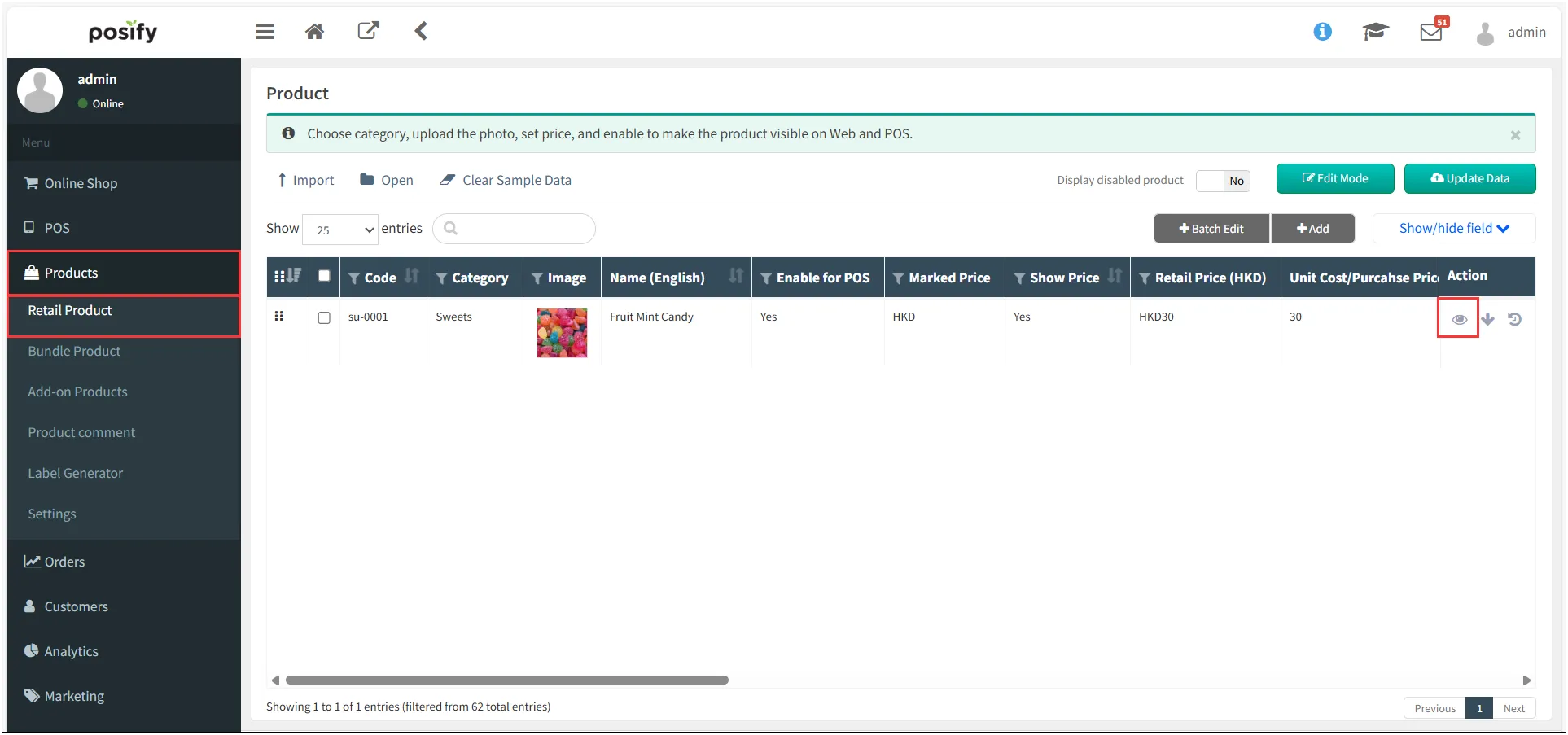
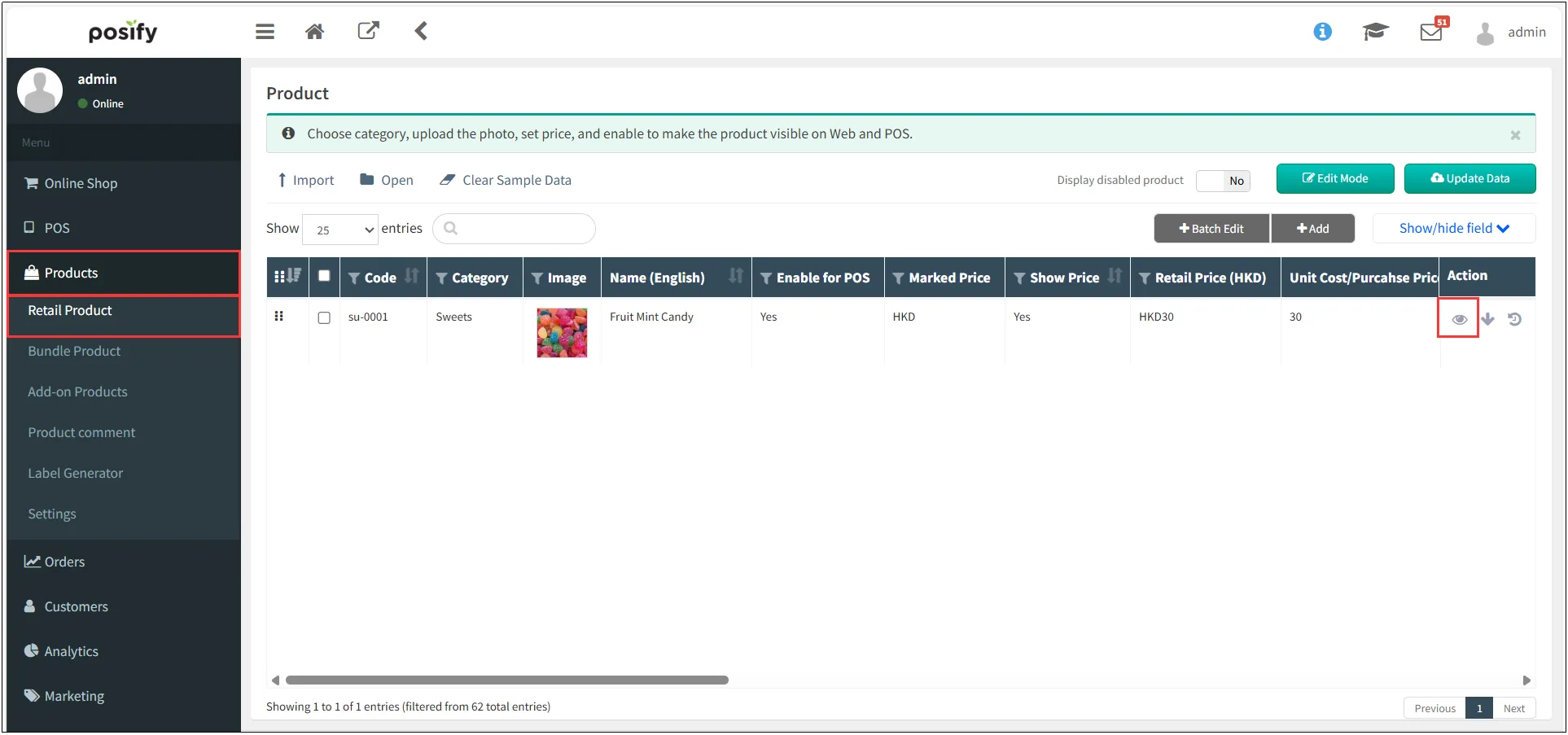
open CMS click commodityclick retail commodityFind the product you want to weigh and sellClick on the right
 。
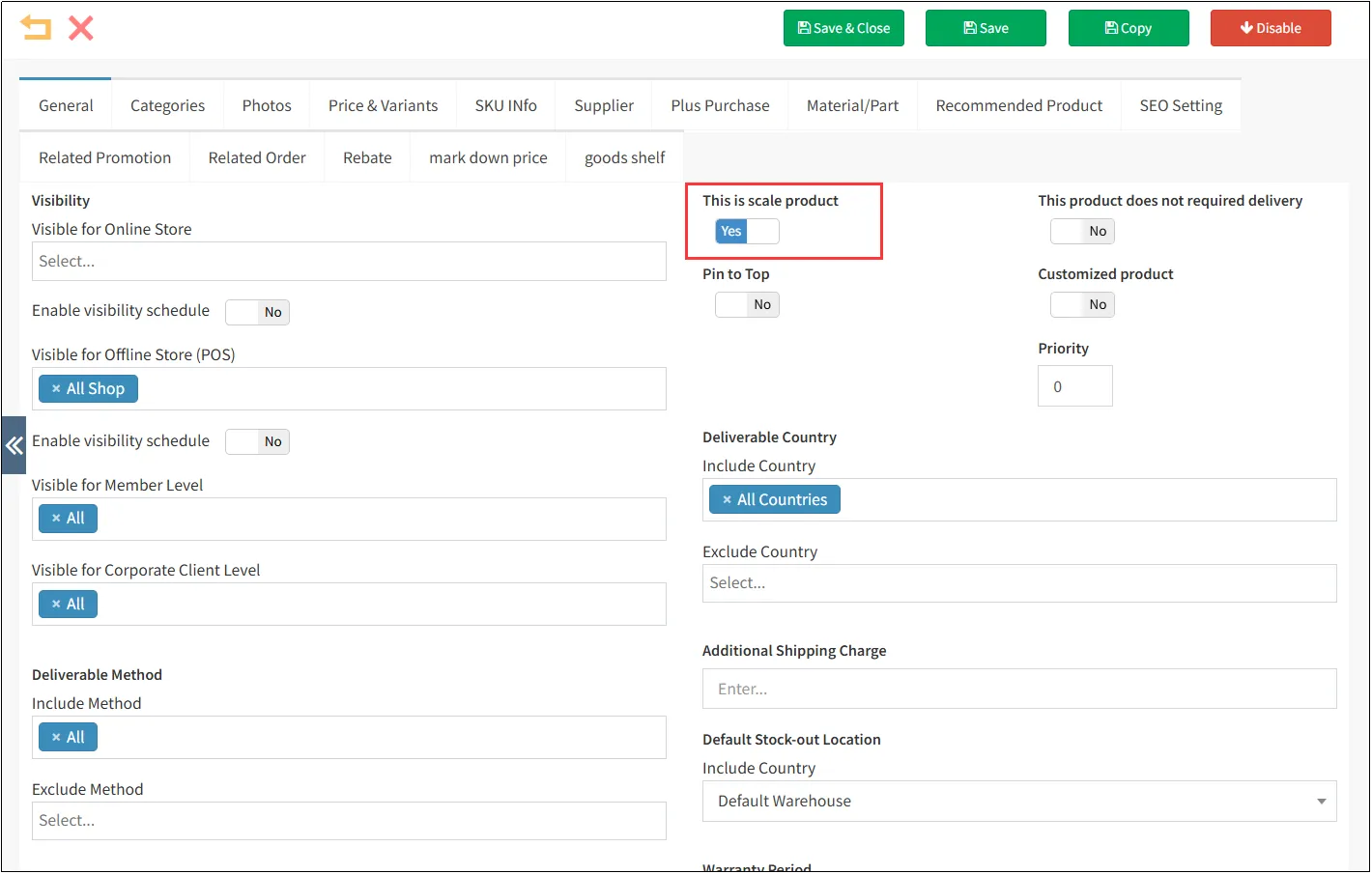
Click on the tab same asselect[This product can be weighed and sold]as yes。
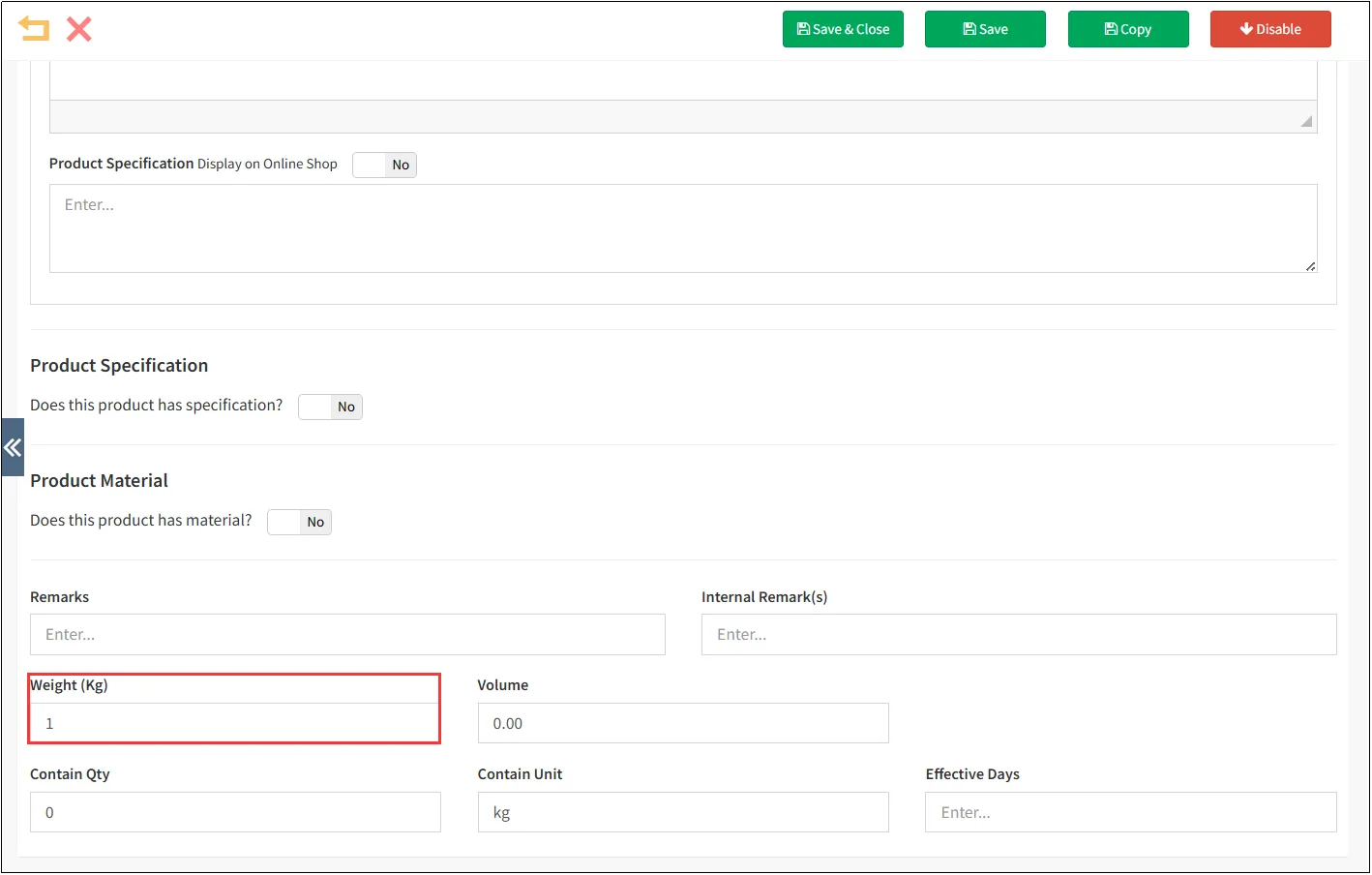
Enter the weight of this product, which can generally be set to 1kg, so that it will be sold at x yuan/kg when it is sold. If it is set to 2kg, it is x yuan/2kg, and so on.
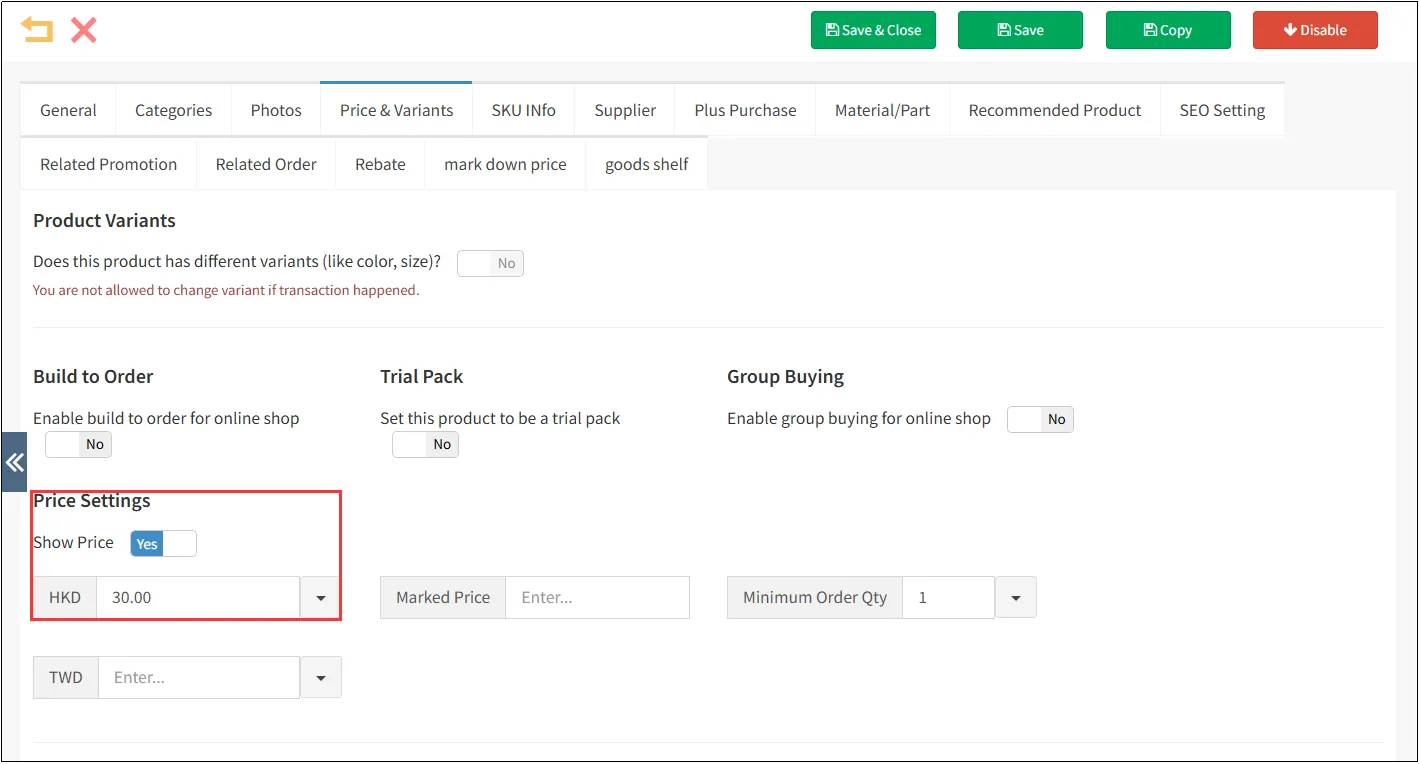
Click the tab Price and attributes

Print weighing labels :
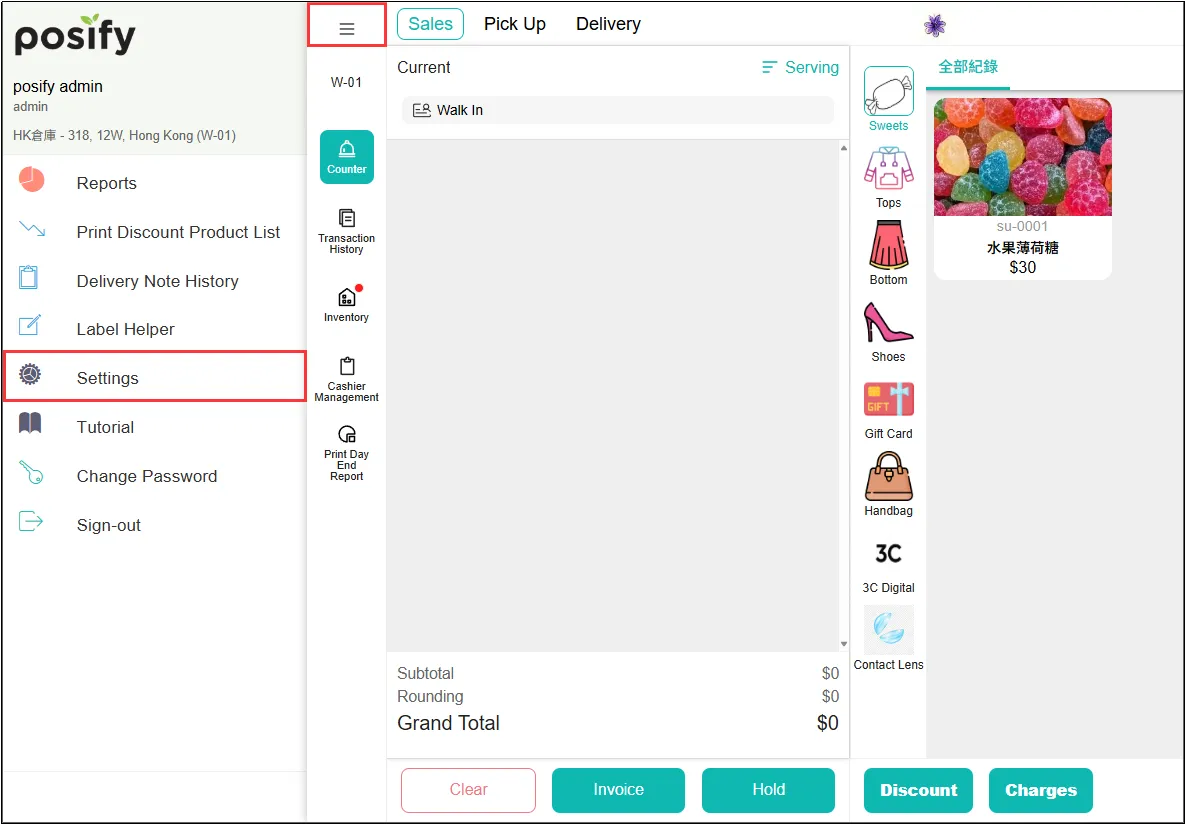
Open POSclick on the three horizontal linesclick on settings.
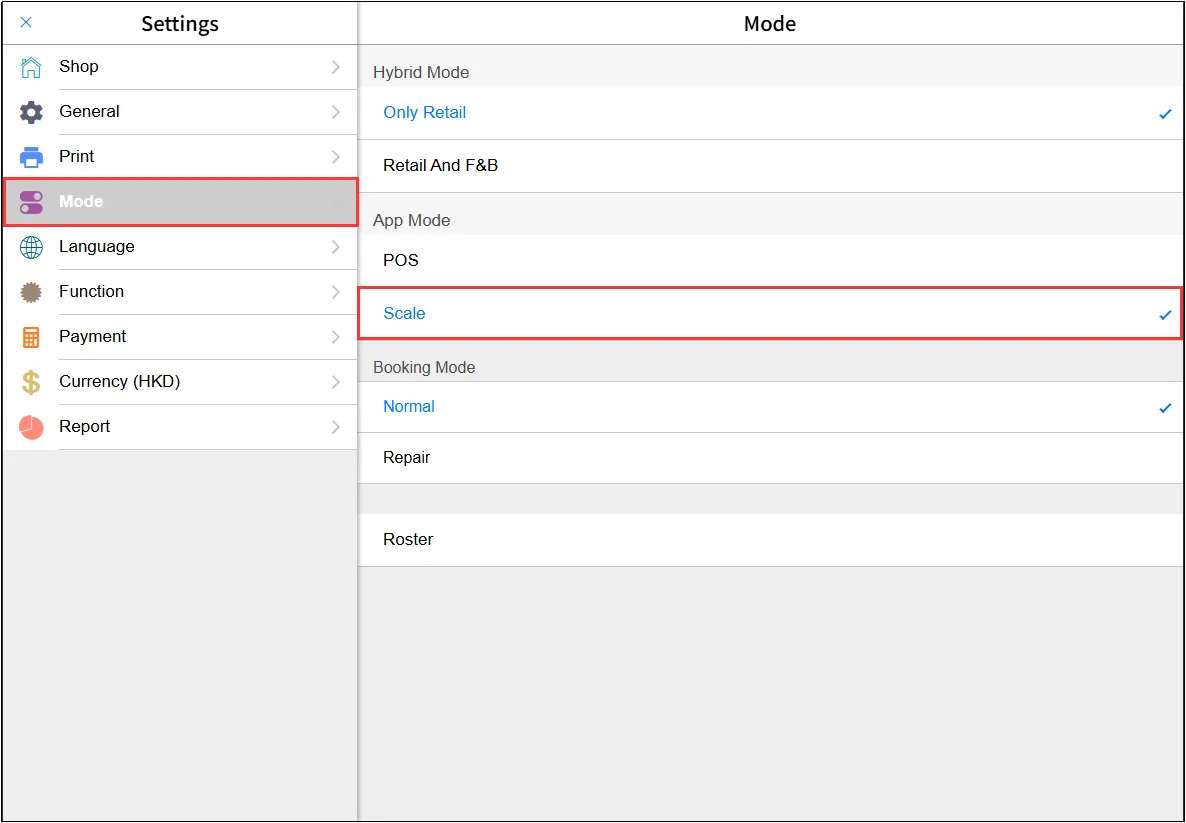
Click the modeSelect Scale in App Mode.
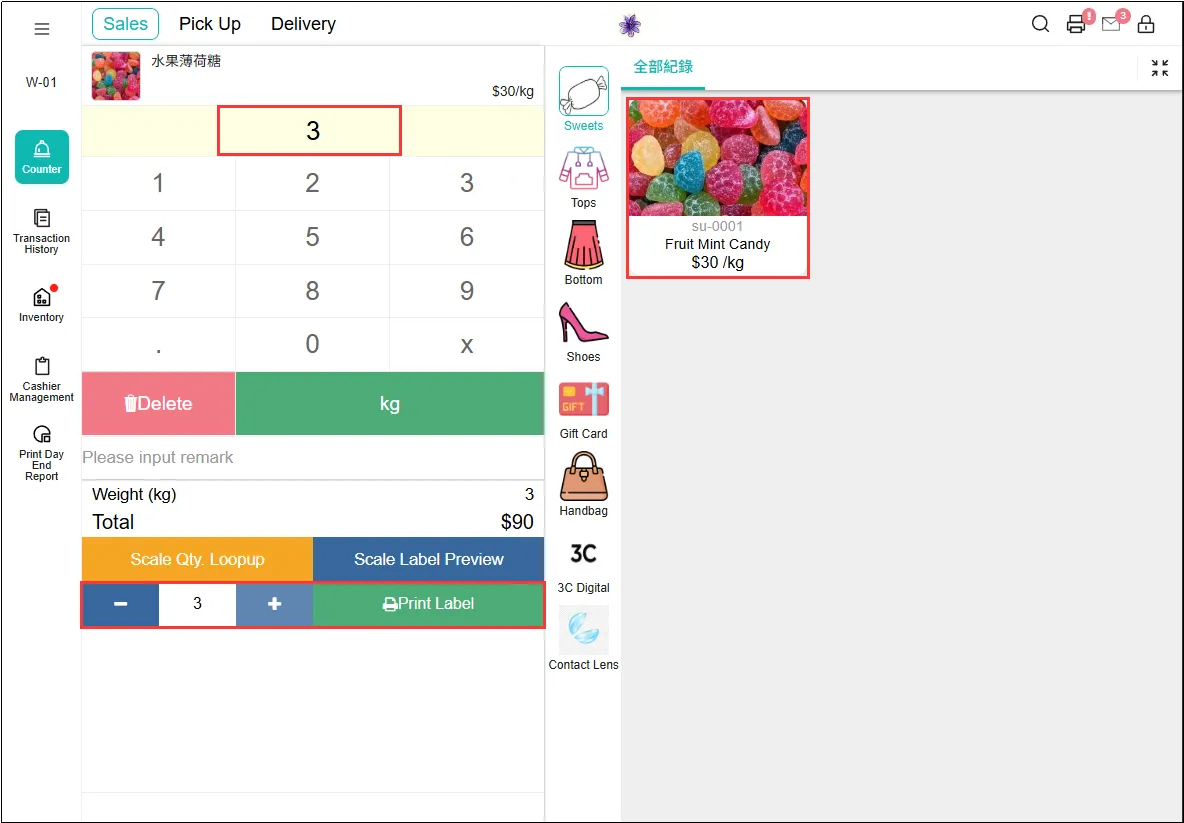
Select the target product, enter the number of units you want to buy and the number of labels you needlick Print Labels.
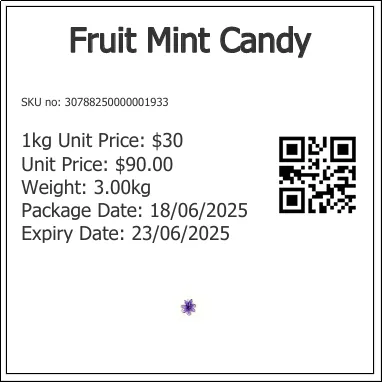
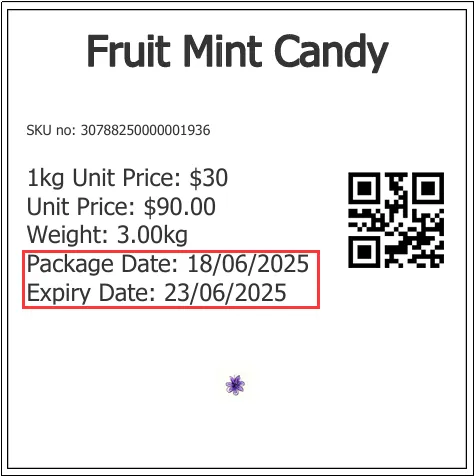
Label printed successfully, as shown in the image below.
Validity and shelf life:
The number of days the product can be stored and the specific expiration time.
Open CMSclick the Productsclick the Retail ProductFind the product you want to set the validity time and shelf lifeclick on the right。
Click the tab General ,and enter the effective time of this weighed product.
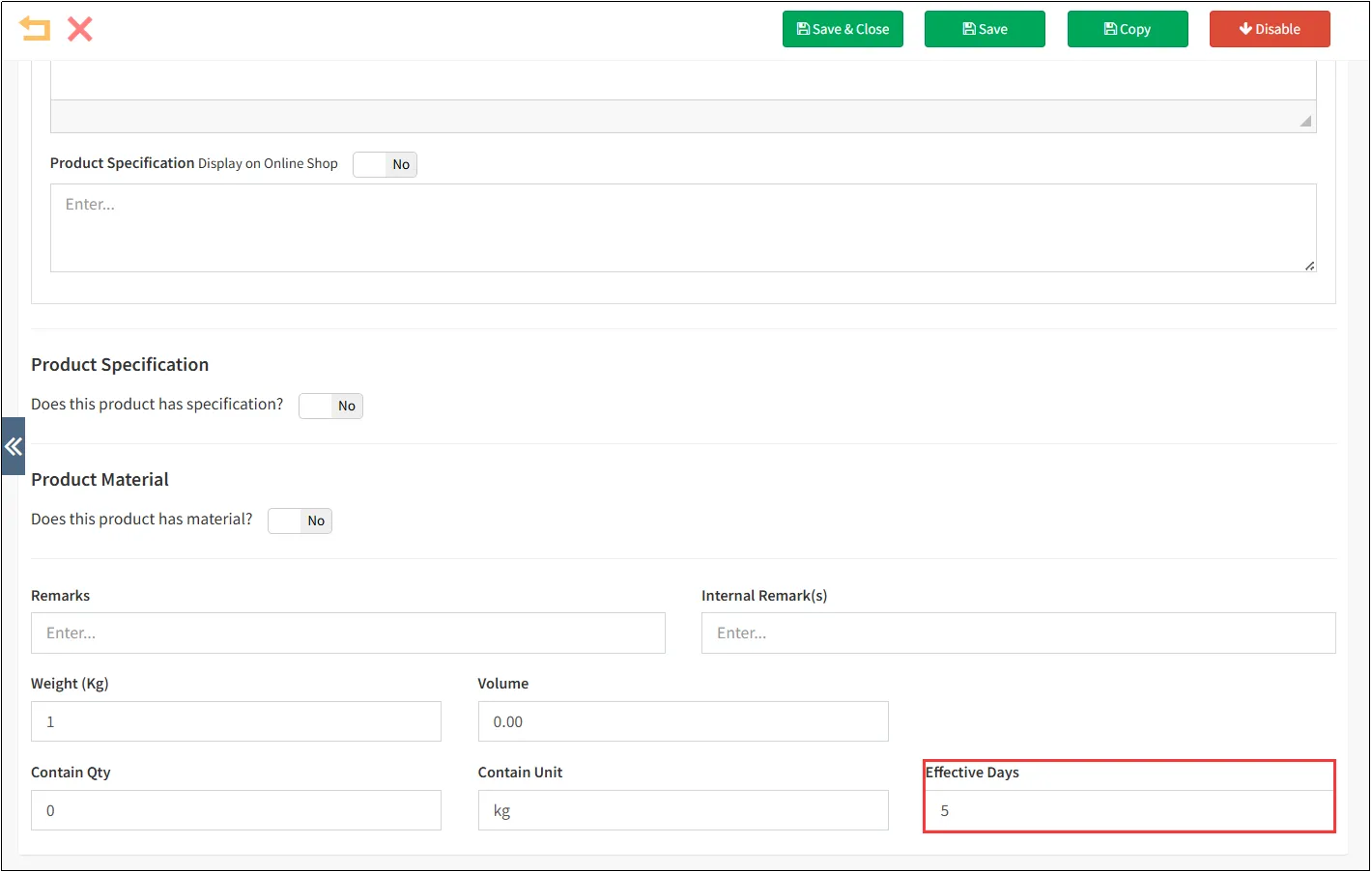
If the validity period is set to '5' as shown in the image above, the shelf life (i.e., the [Expiry Date] on the label) for this weighted product will be the [Package Date] plus 5 days.
sell weighed goods :
Open POSclick on the three horizontal linesclick on settings.
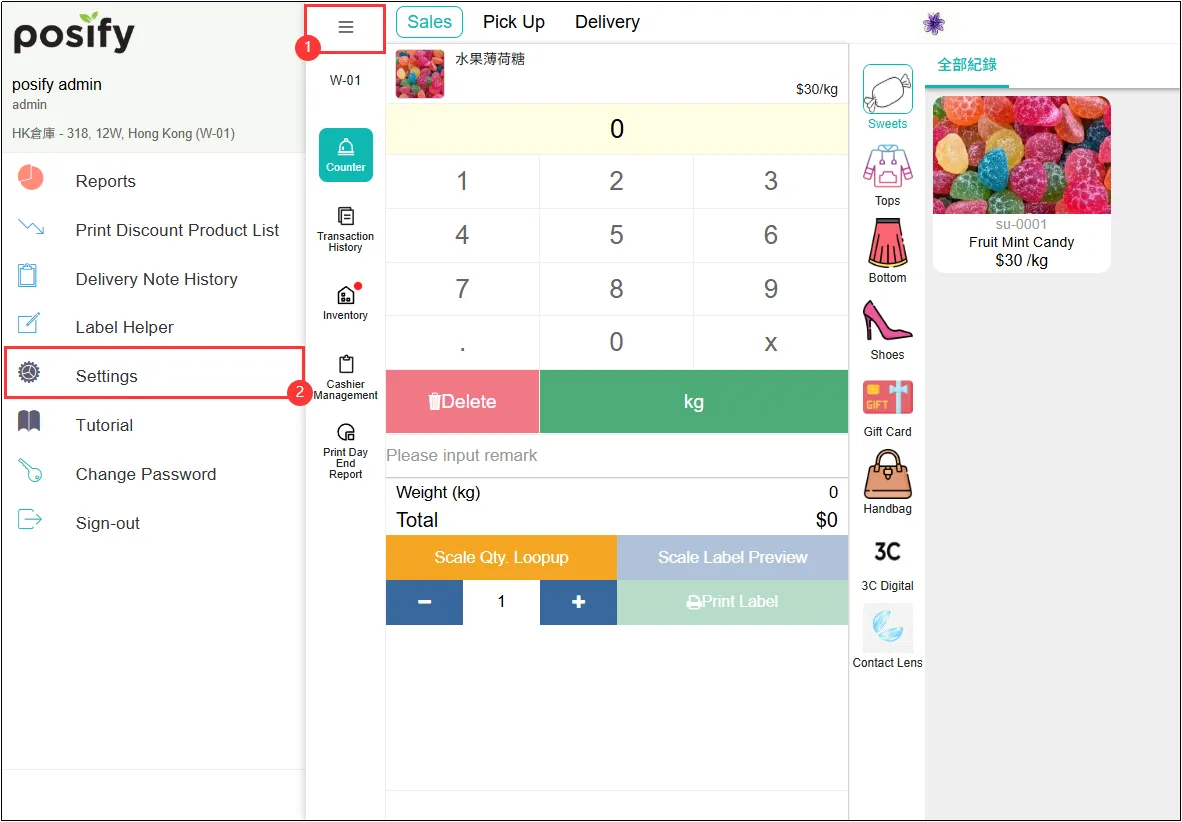
Click the mode Select POS in App Mode.
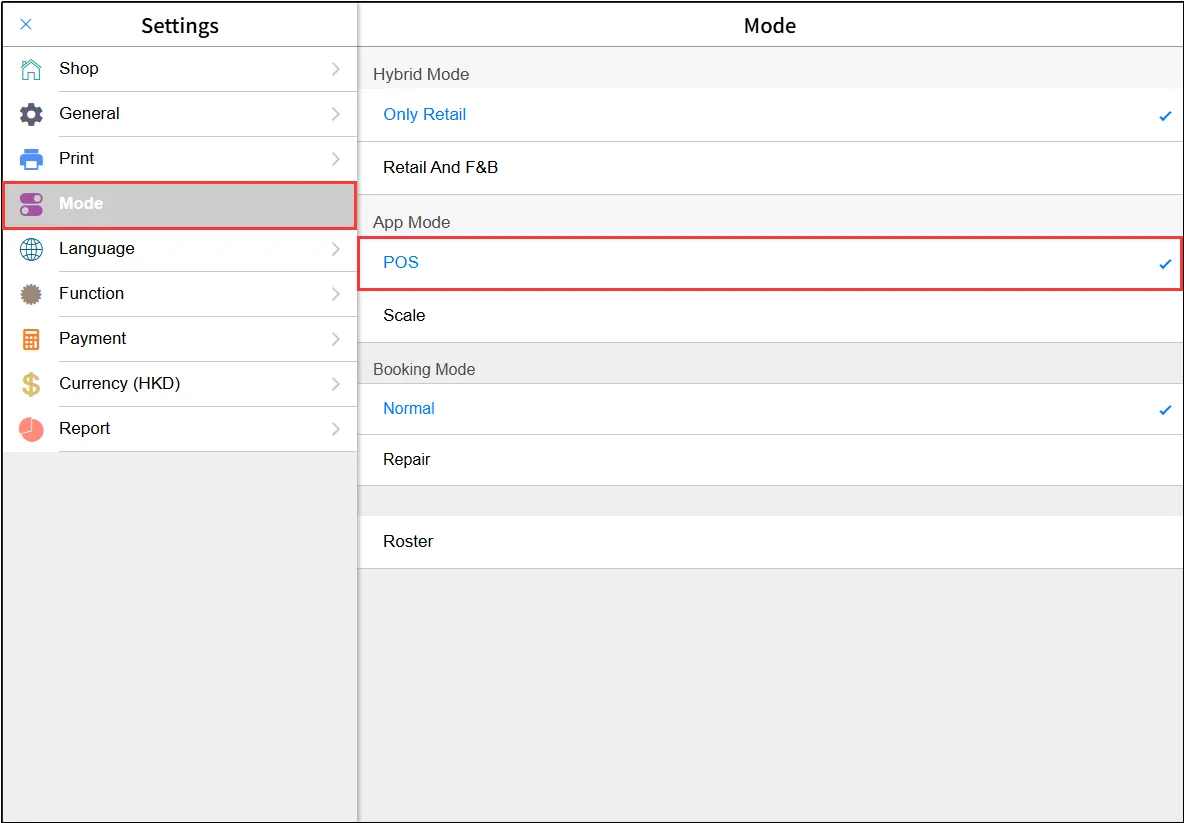
Now, affix the printed product label to the corresponding item. Use a scanner or tablet to scan the label's QR code to add the product to the cart. Alternatively, manually select the target product, enter the unit quantity, and click Confirm to add it to the cart.
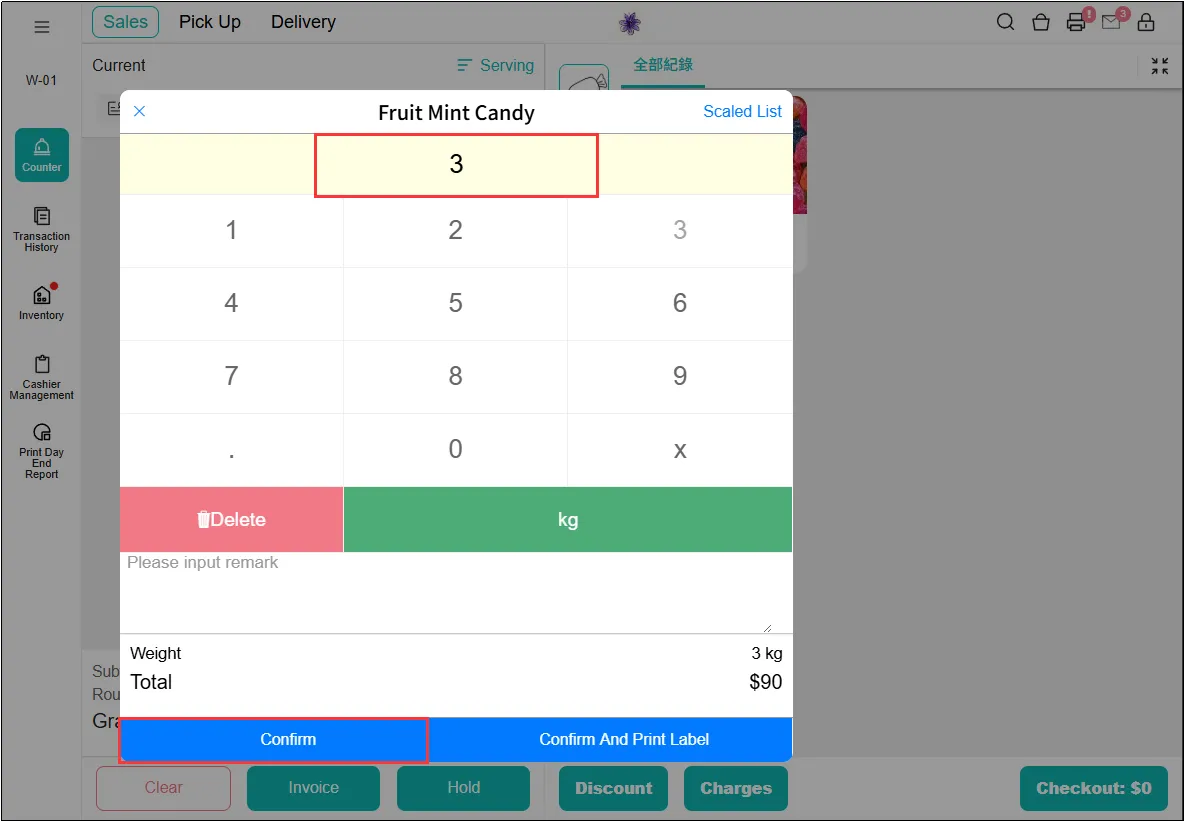
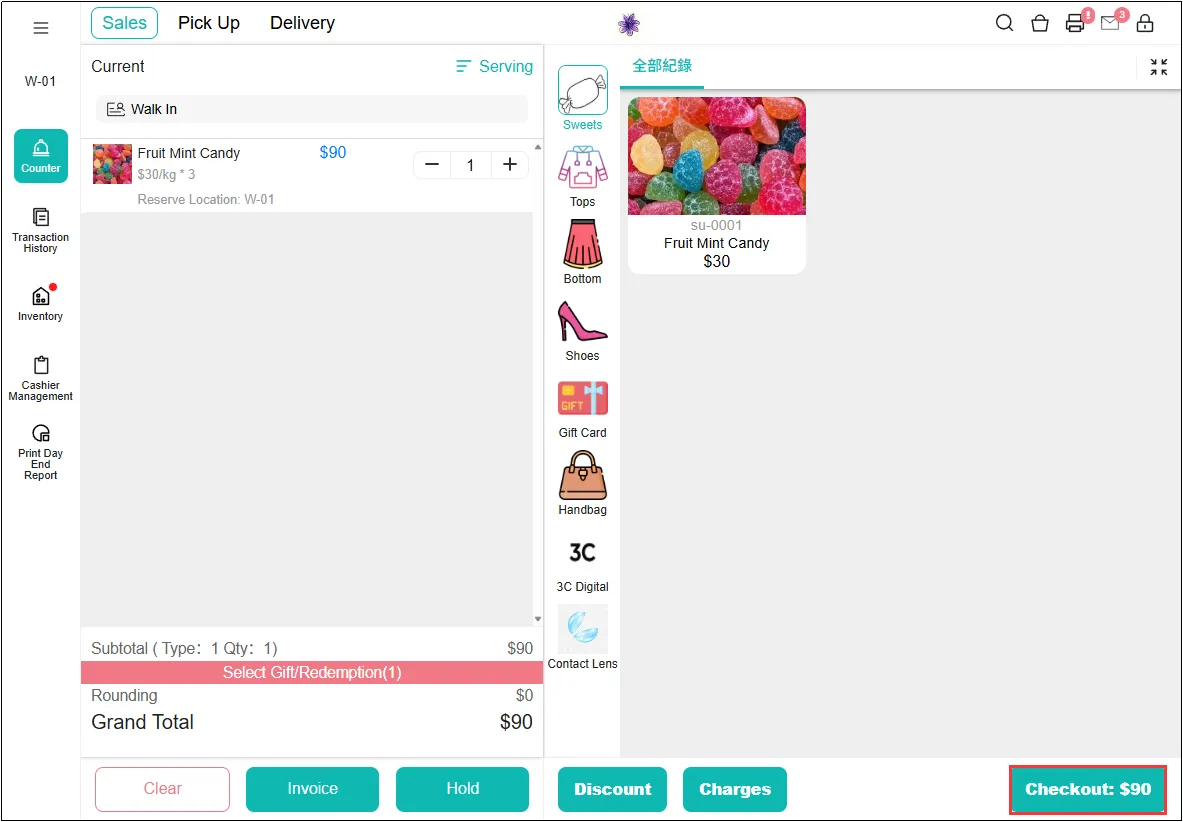
Verify the checkout total matches the labeled priceClick Checkout and complete payment on the payment page.
View sales records for weighed items:
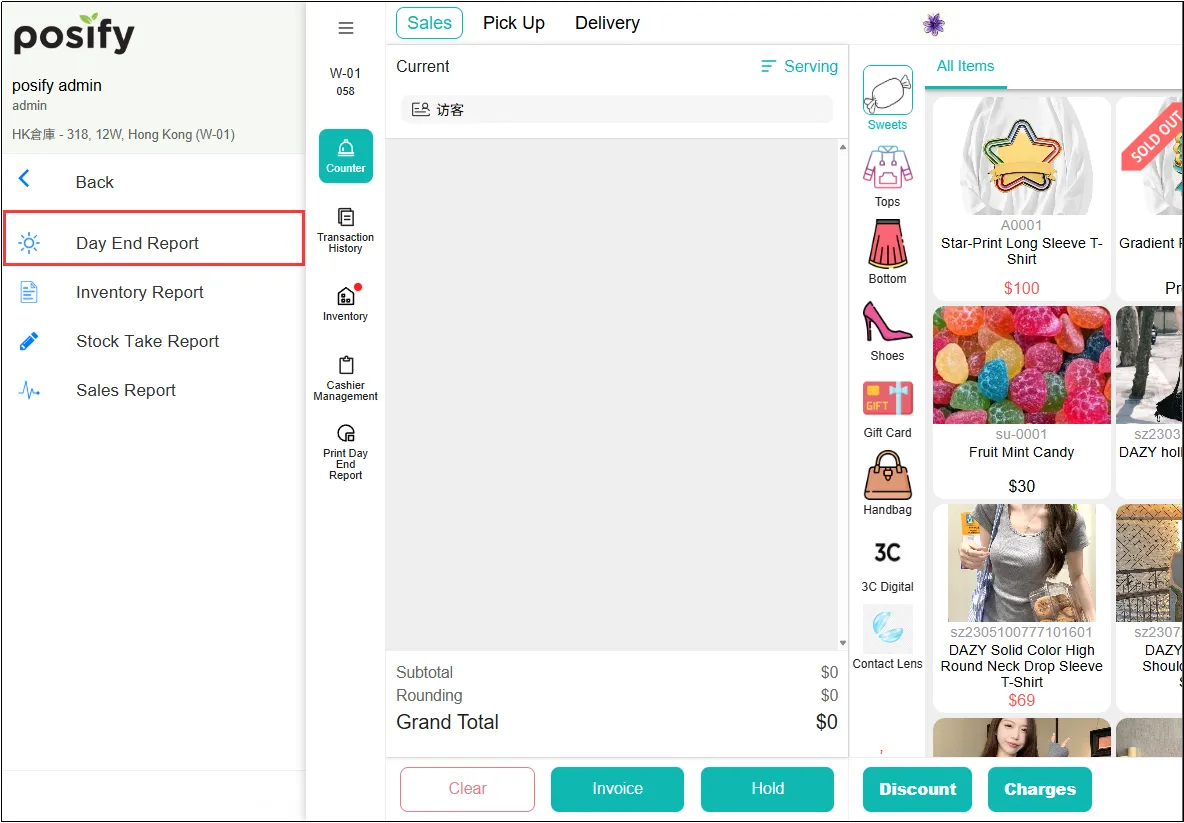
Open POSclick on the three horizontal linesclick on the reports.
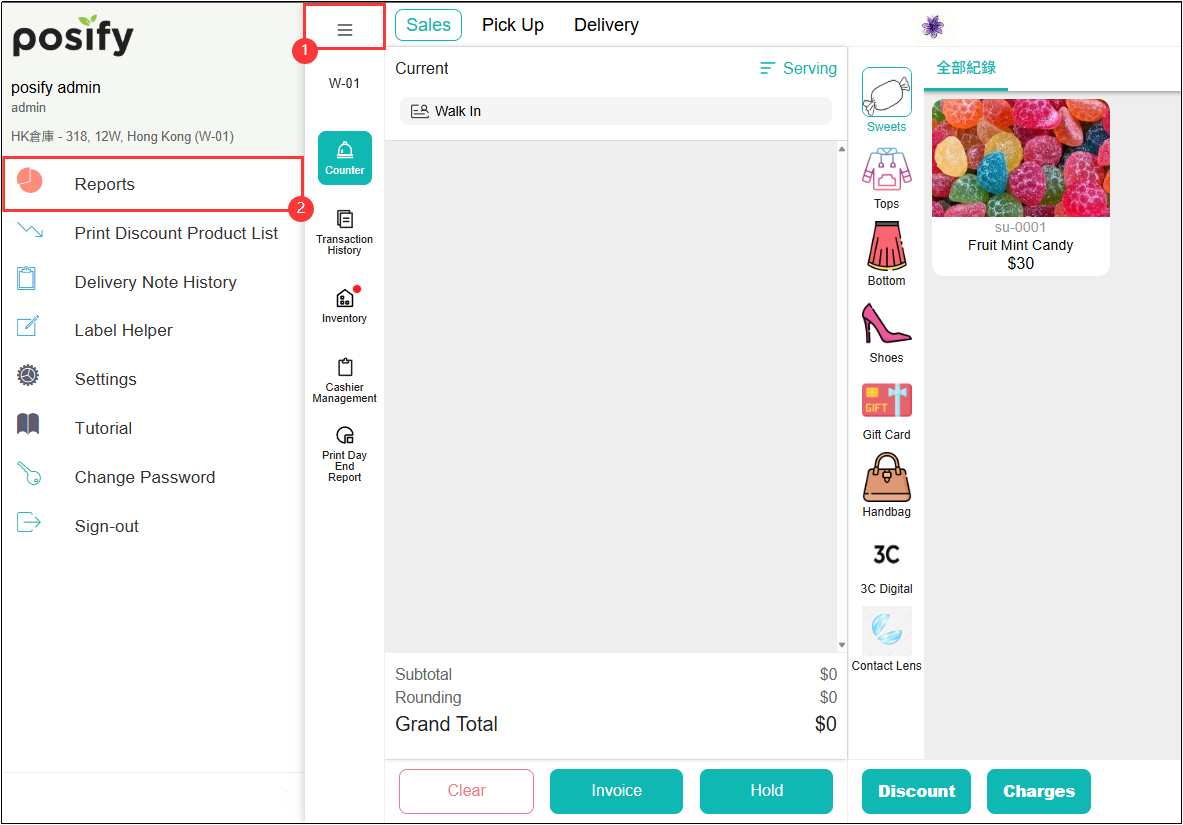
Click on the Day End Report,and you can view the relevant sales records in the sales overview.
Relationship between weight volume and freight
The shipping cost of the product is closely related to the weight and volume of the product.
To understand the relationship between specific weight and volume and freight, please click this link: Logistics Module - Freight Playbook.


