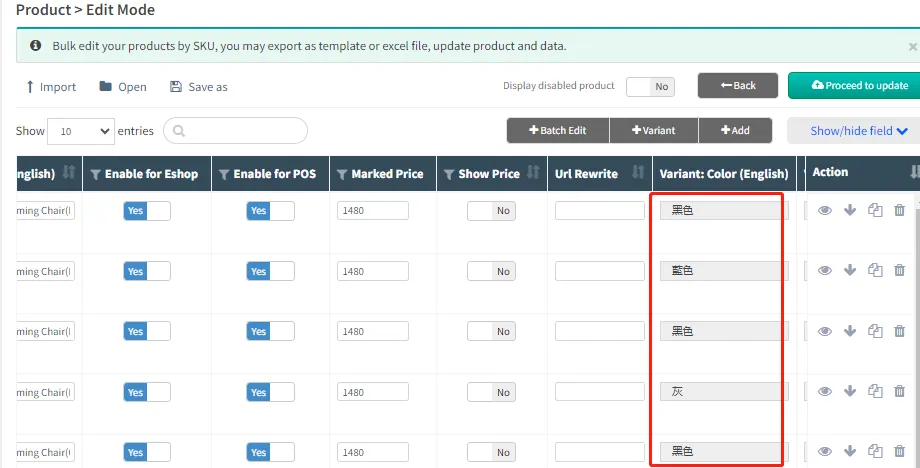
Import products in bulk
Through Excel, you can import the basic information of goods, such as product name, retail price, product classification and other information in batches.
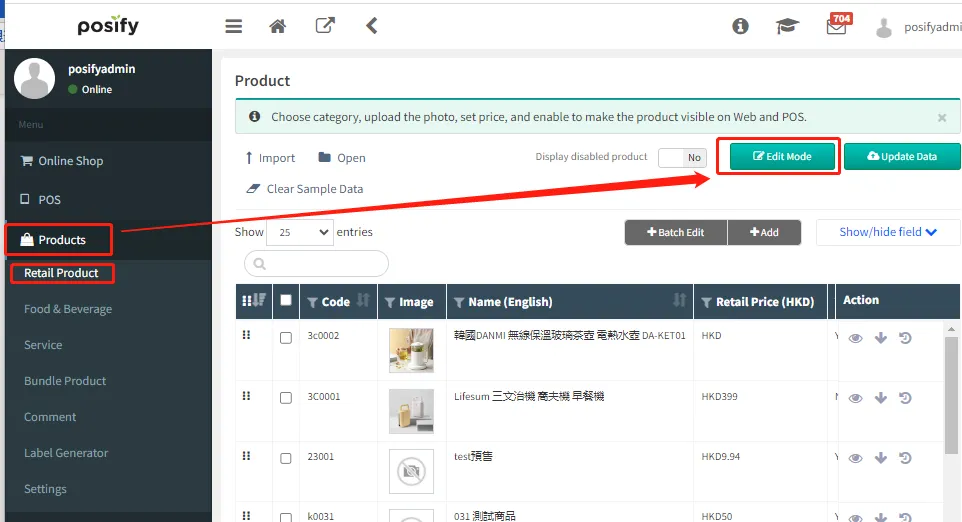
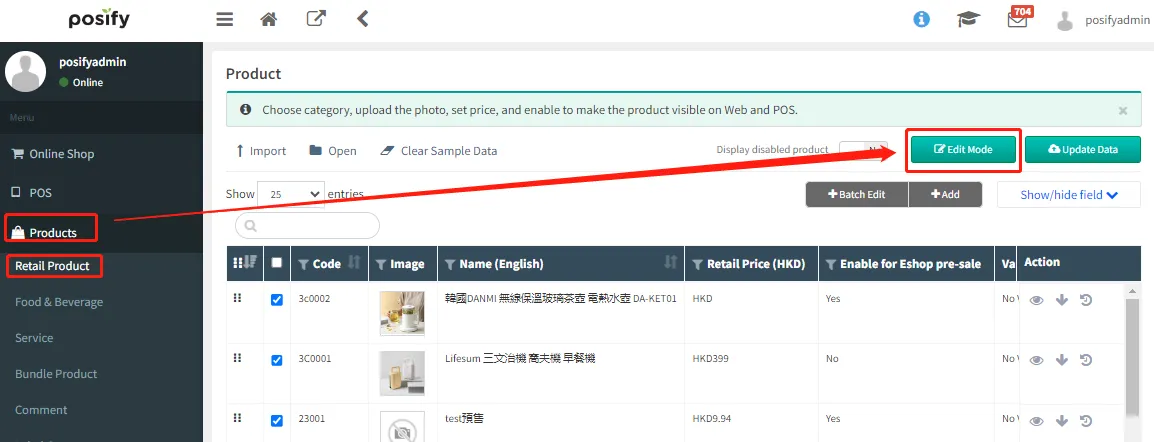
Go to CMS Click ProductsClick Retail ProductsClick [Edit mode].
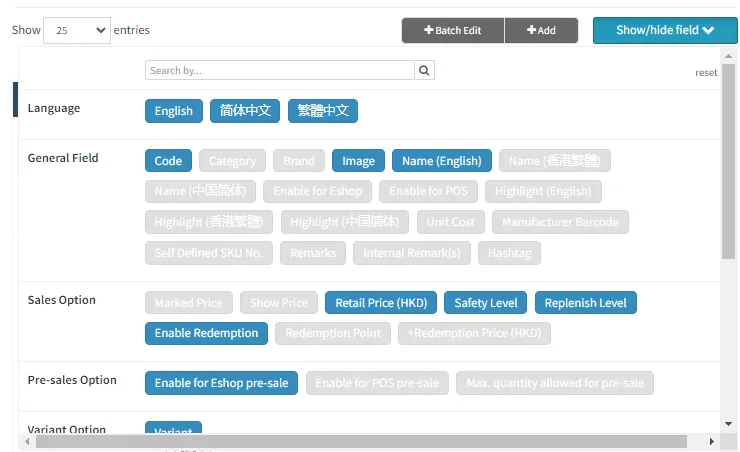
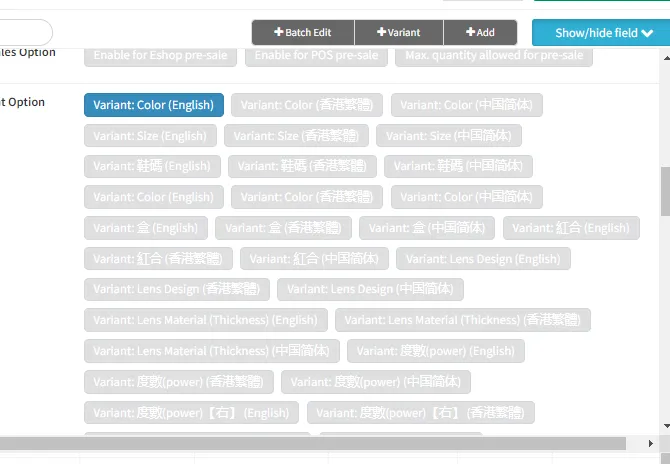
Click [Show/hide bar]Select what you want to view and edit.
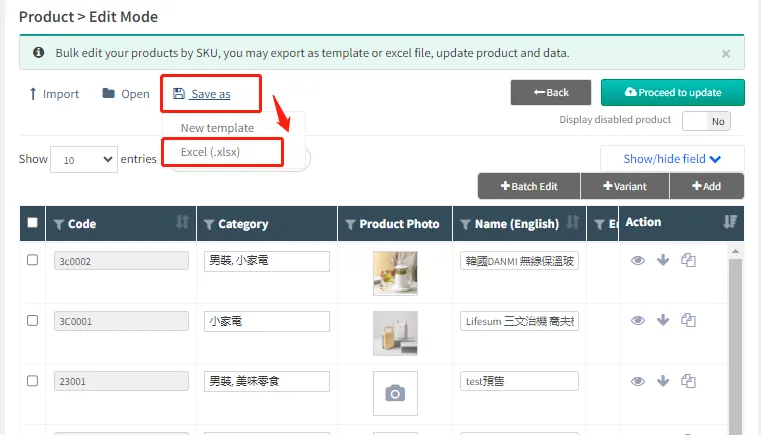
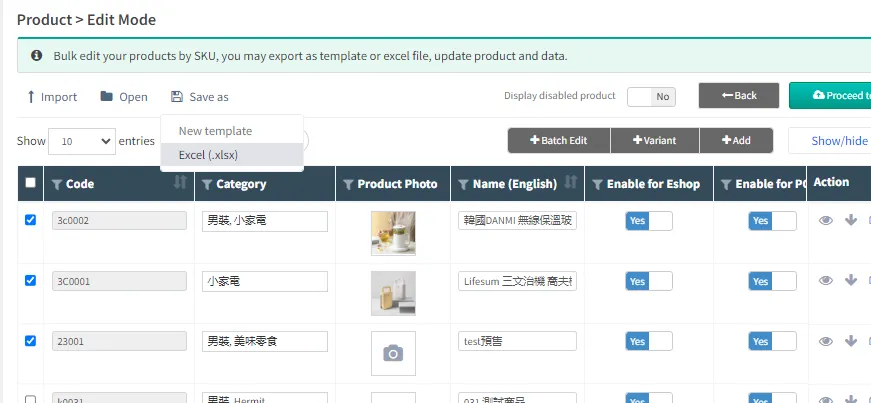
Click [Save]Click [Excel(.xlsx)].
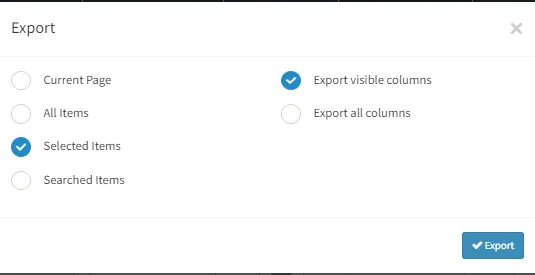
Select [Current page] and [Export only display rows]Click [Export].
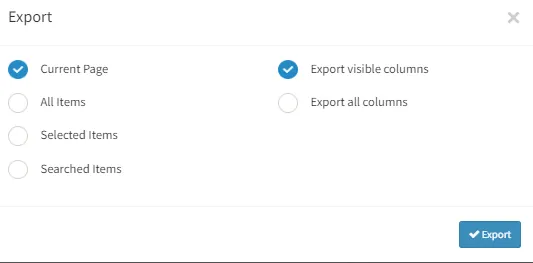
Open the exported Excel file and edit the product information.
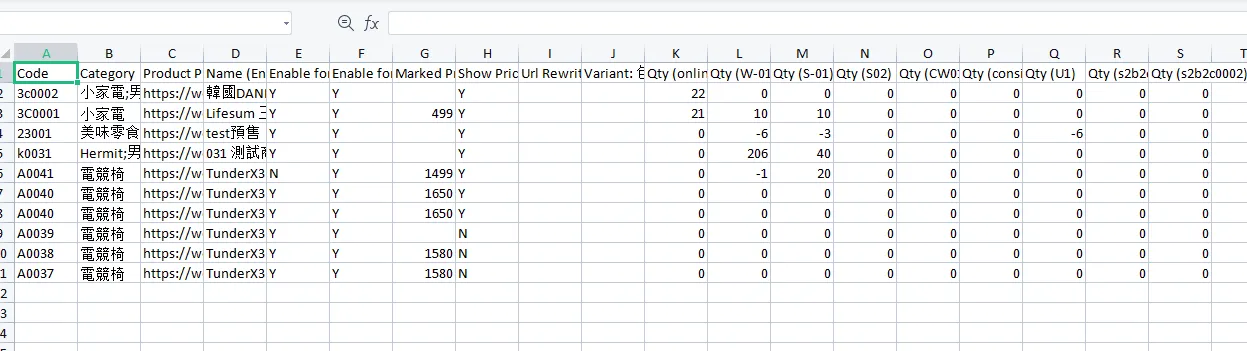
For example: Add a new product, which is a simple wooden stool with a retail price of 100, and put it on the shelves, as shown in the following figure.
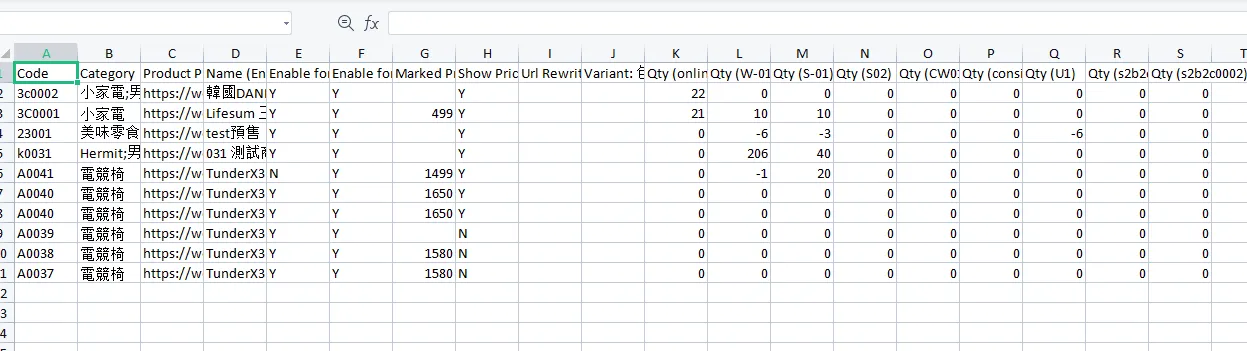
Save the file.
Open CMSClick ProductsClick Retail ProductsClick [Edit mode].
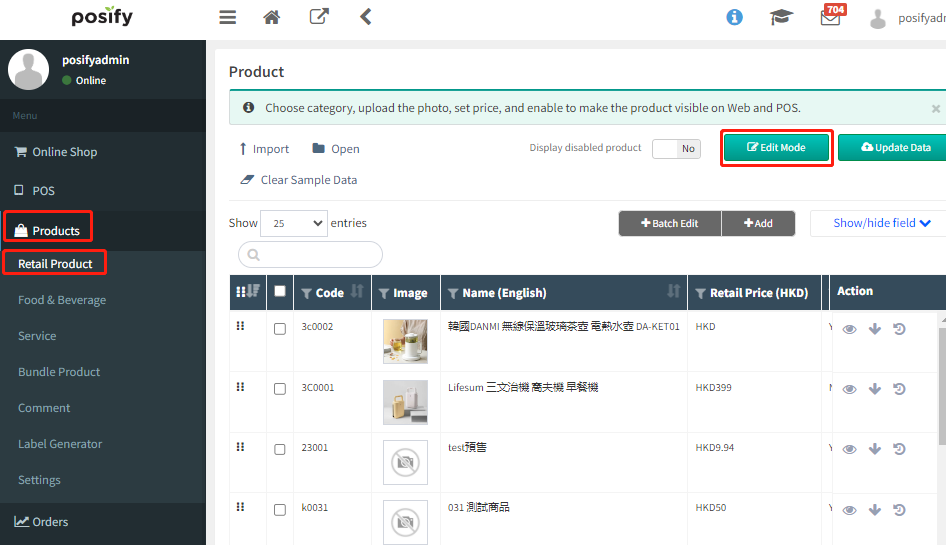
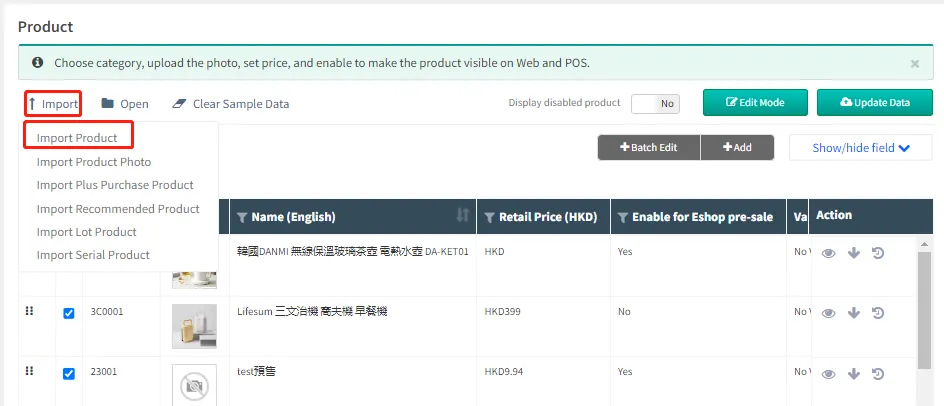
Click [Import]Select Import Products.
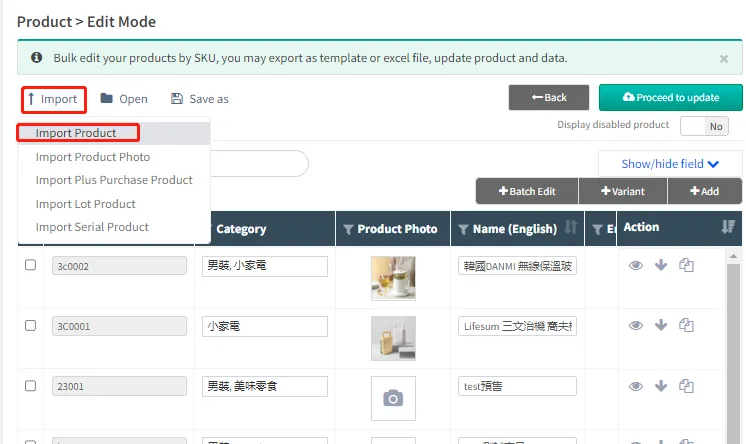
Click [Select File...]Select the Excel file you just saved.
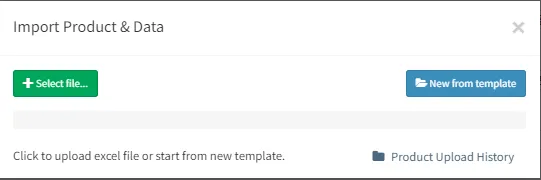
After the import is successful, you can see the newly added products in Excel. The yellow highlight is the modified part, after checking that it is correct, click [Update now].
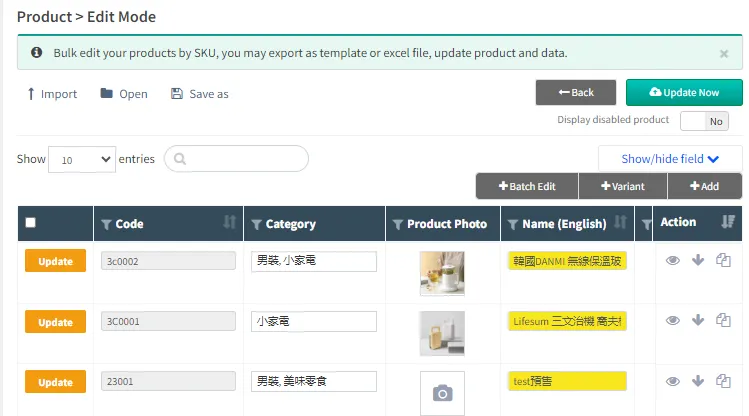
The product was successfully imported.
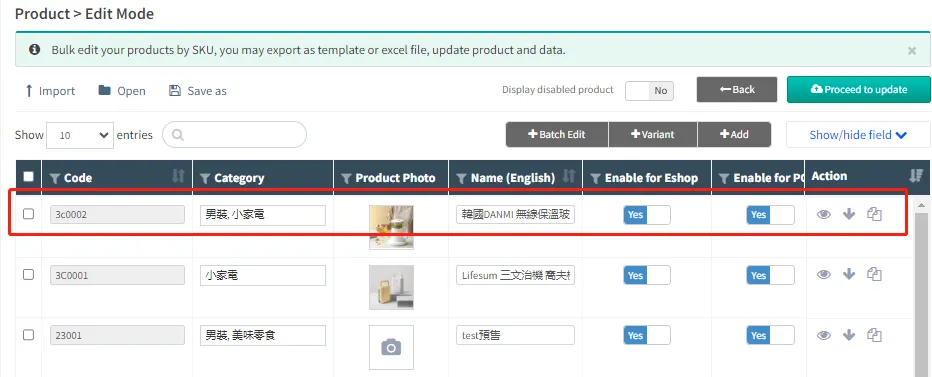
Remark:
· Y stands for YES and N stands for NO.
· There can only be one worksheet in the imported Excel file, if there are multiple tables, the import will fail.
Import product attributes and options in bulk
Attributes are created before importing, and attribute options (such as iron, wood, plastic, fabric, etc.) can be created by Excel import.
Open CMSClick ProductsClick Retail ProductsClick [Edit mode].
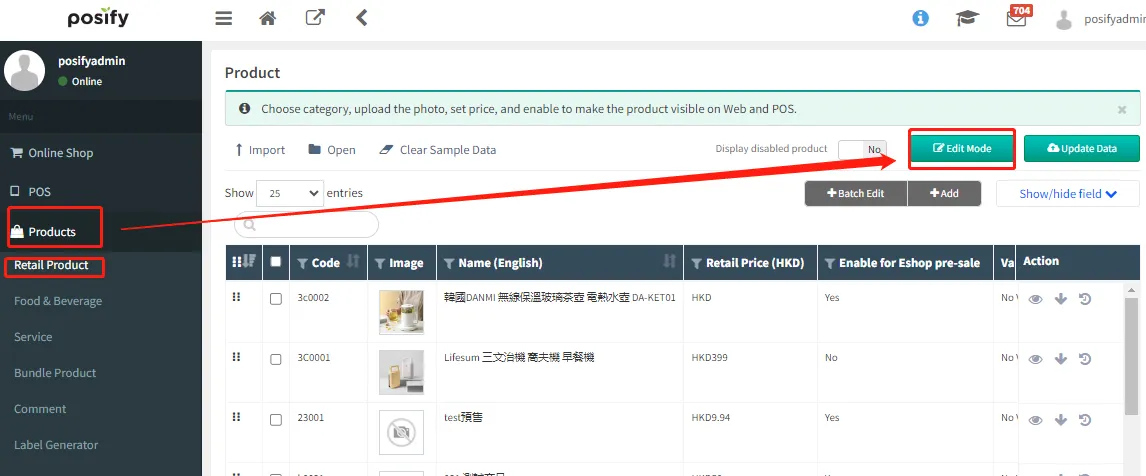
Click [Show/hide bar]Select the product attributes you want to import in bulk.
Check the product you want to editClick [Save]Click [Excel(.xlsx)].
Check the Records checked and Export only display columnsClick [Export].
Open the exported fileEdit the relevant property options in the property barSave the file.

Open CMSClick ProductsClick Retail ProductsClick [Edit mode].
Click [Import]Select Import productsSelect the Excel you just saved.
After the import is successful, you can see the added attribute options.